
AI Accessories Try-On: Place Jewelry, Watches & Sunglasses on Models
FREEUpload your accessory and try it on our gallery of diverse models. Our AI handles sizing, angles, and natural lighting automatically.
Upload Earrings
Drag & drop or click to browse
Model Gallery
Select a model from the categories below to apply your accessories.
Fetching models...
Turn Flat Product Shots Into Scroll-Stopping Try-On Photos
Accessories are hard to sell online. A necklace on a white background doesn't tell a shopper how it sits on the collarbone. A pair of sunglasses on a table doesn't show the fit on a face. AfterTaken's AI Accessories Try-On tool solves exactly this — upload a plain product photo of your jewelry, eyewear, watch, or bag, and our AI instantly places it on a realistic model, so shoppers can actually picture themselves wearing it.
Built on the same AI photography engine that powers AfterTaken's product photo tools, Accessories Try-On is designed for Amazon and Shopify sellers, D2C jewelry and eyewear brands, and freelance photographers who need model-worn shots without booking a studio, a model, or a photographer.
How It Works
Upload Product Photo
Upload a clean photo of your accessory — necklace, earring, sunglasses, watch, or bag.
Choose AI Model
Choose a model look, angle, and styling context that fits your brand identity.
AI Generation
AfterTaken's AI generates a realistic try-on image in seconds — no studio or model booking.
Download Result
Download in the high-resolution format you need for Amazon, Shopify, or Instagram.
Try It On Every Accessory Type
Necklaces & Statement Jewelry
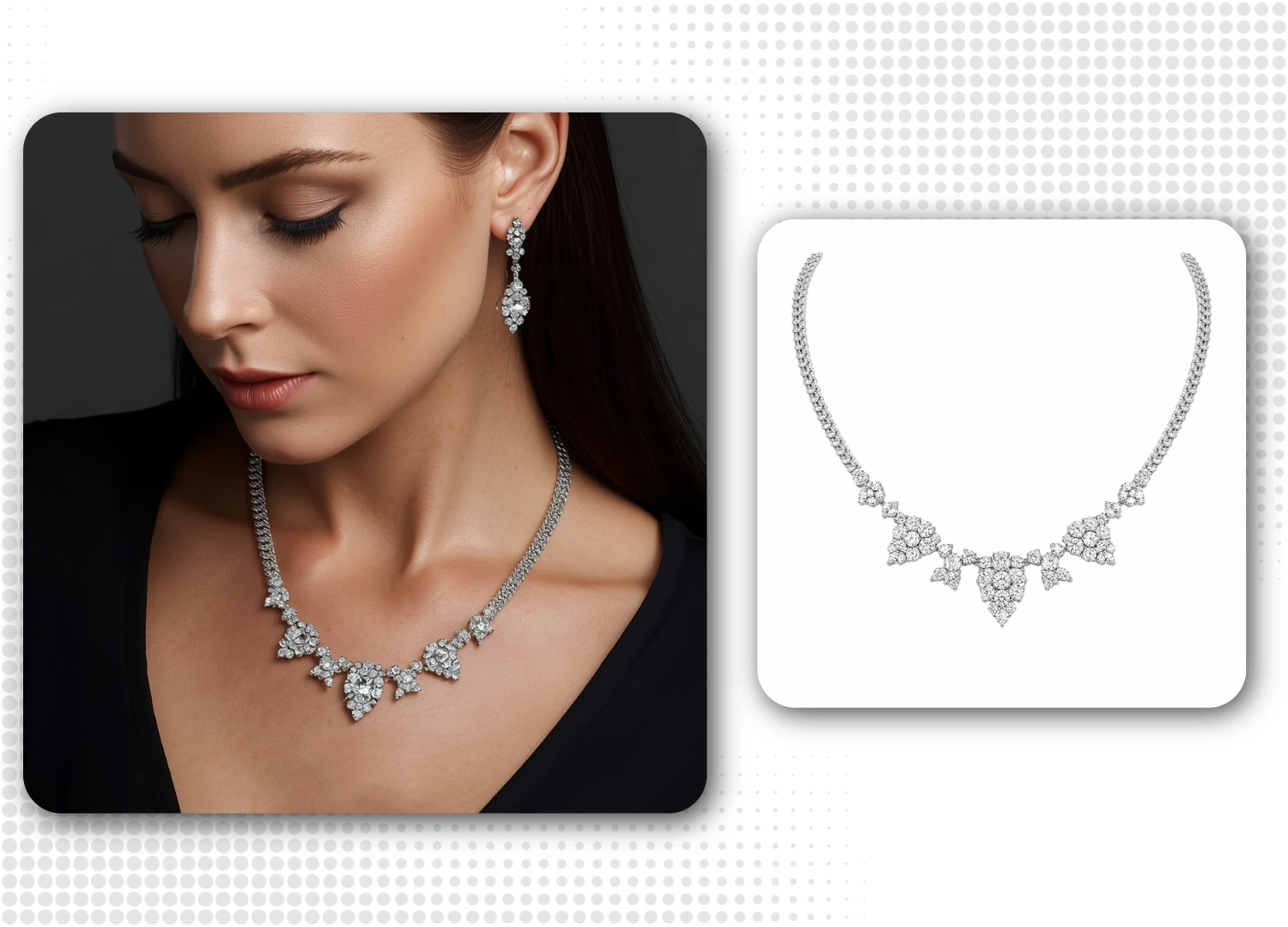
Show how a necklace actually drapes on the collarbone and catches light near the neckline. Perfect for diamond, gemstone, or layered necklace listings where fit and sparkle matter more than any studio shot on a mannequin.
- Drapes naturally across the collarbone and neck geometry
- Highlights diamond, gemstone & metal reflection realistically
- Eliminates the need for plastic mannequins or bust displays
- Ideal for chokers, pendants, chains & statement collars
Earrings
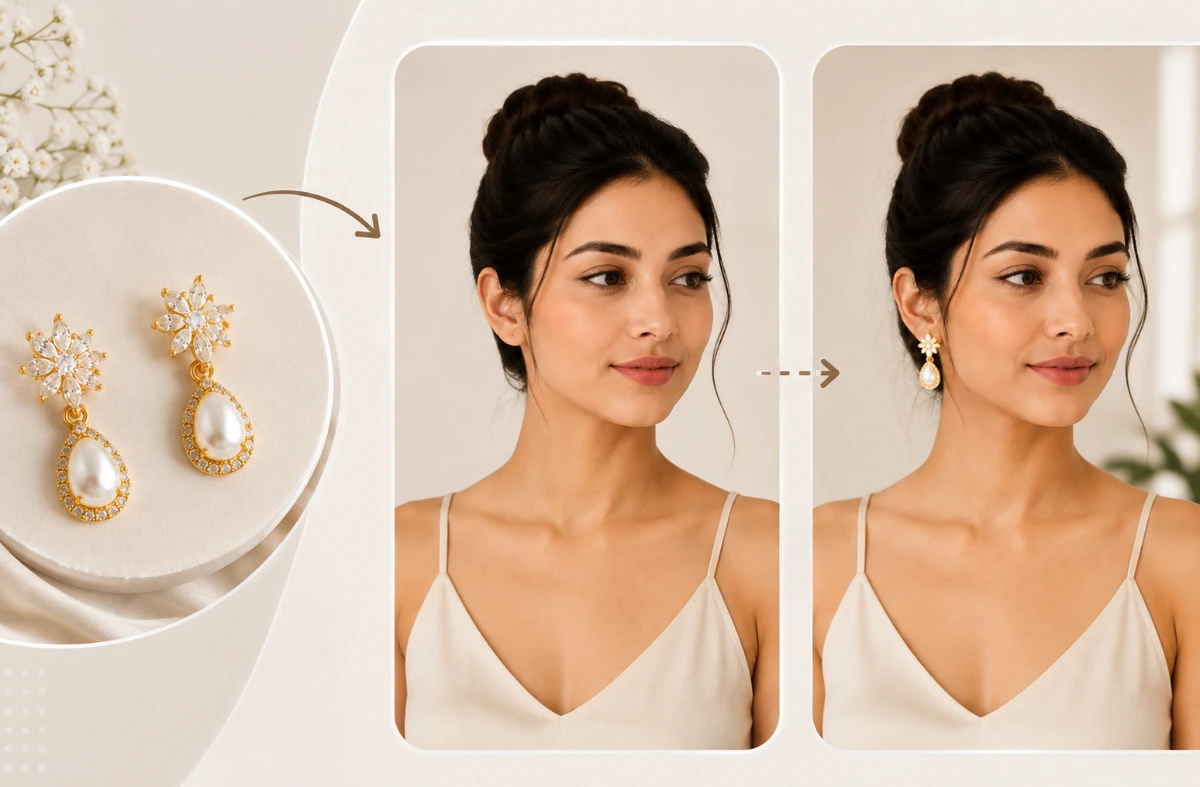
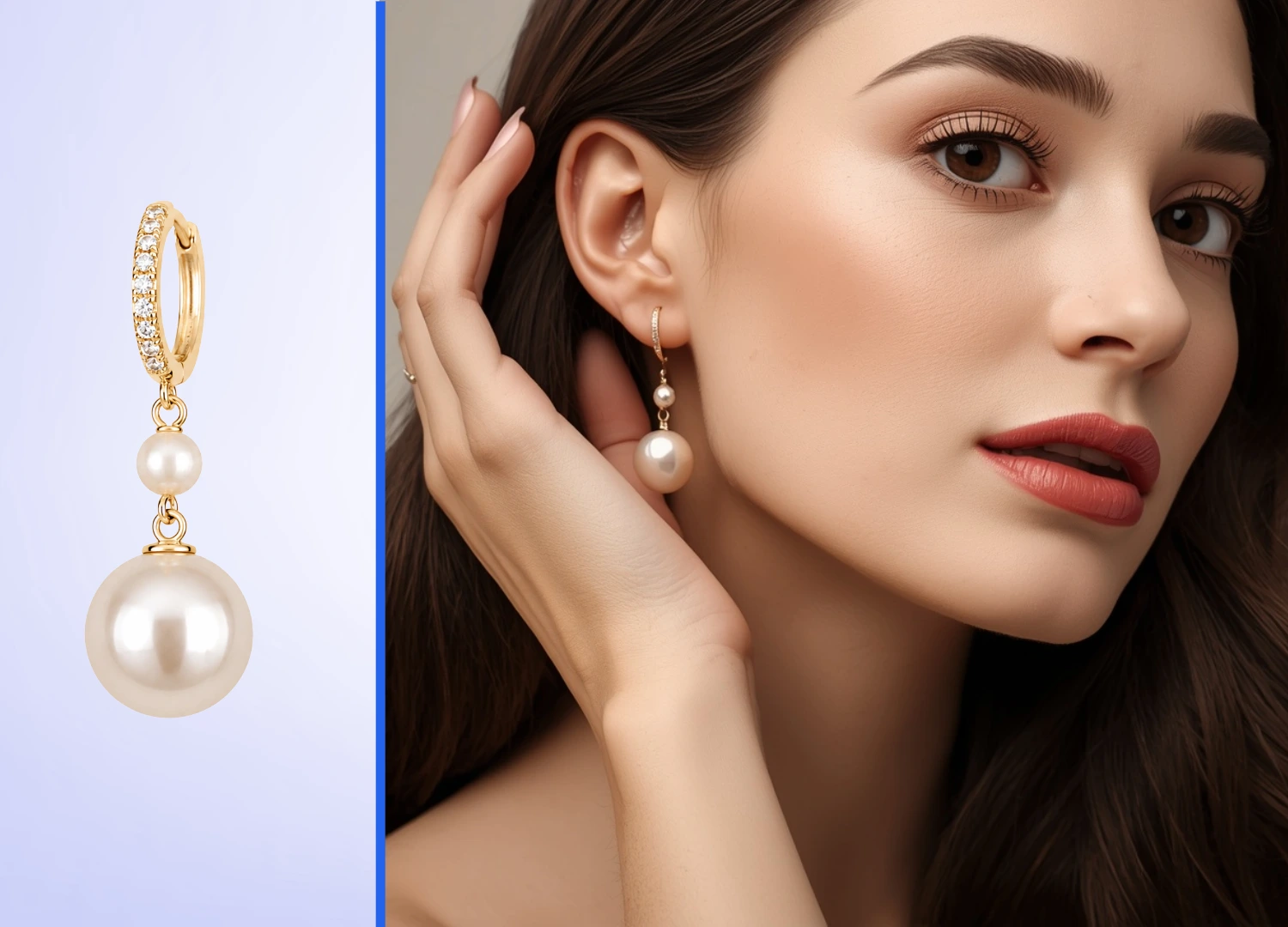
Earrings live or die on scale — shoppers need to see them next to a real ear and jawline. Generate close-up, editorial-style try-on shots for studs, hoops, or drop pearls without hiring a model for a single earring listing.
- Shows correct scale against real ear lobes & jawline proportions
- Perfect for studs, hoops, huggies & drop drop-style earrings
- Creates high-fashion close-up & editorial-style portraits
- Consistent studio lighting and background across your catalog
Men's Sunglasses & Eyewear
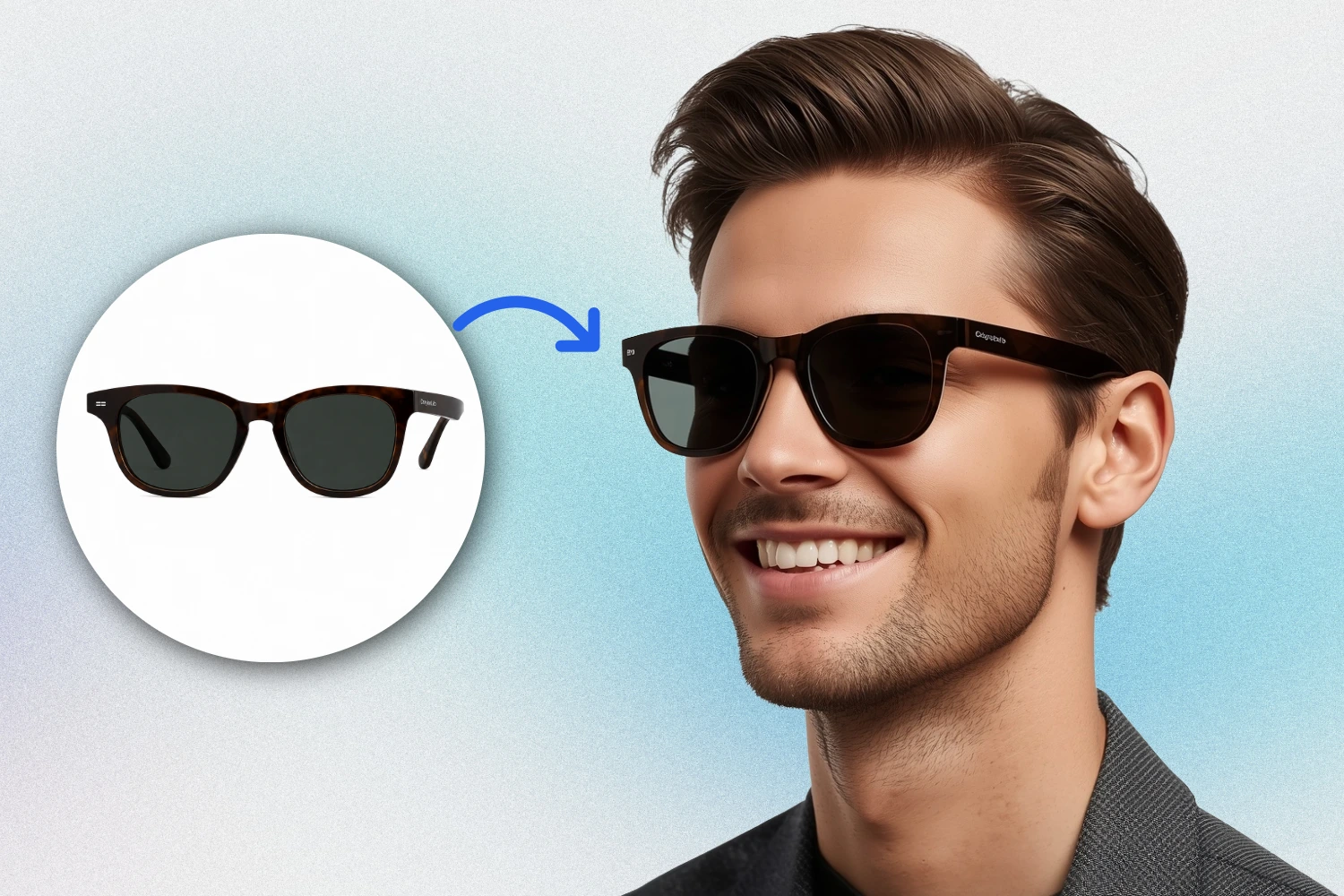
Frame shape and fit are the two biggest reasons eyewear gets returned. Place your sunglasses on a realistic male model face to show proportion, lens tone, and how the frame actually sits — before the customer clicks add to cart.
- Fittings on realistic male models of diverse ethnicities & styles
- Renders realistic lens transparency, reflections & color tones
- Reduces return rates by illustrating exact frame face proportions
- Ideal for aviators, wayfarers, rectangular & sports eyewear
Handbags & Crossbody Bags
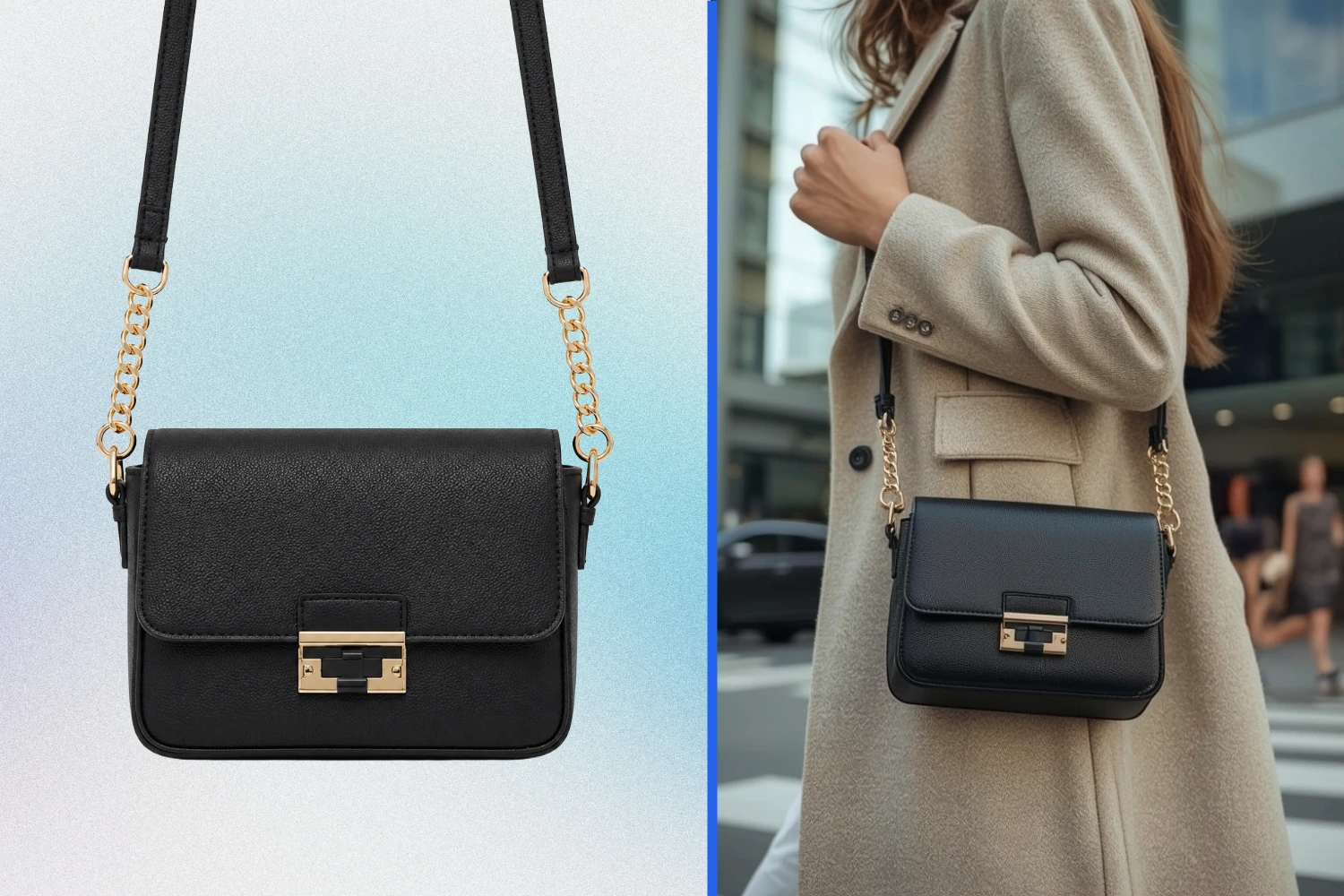
A bag on a plain background says little about size or how it's worn. Generate lifestyle, on-body shots that show strap drop, proportion against the body, and everyday styling — ideal for crossbody, sling, and mini bag listings.
- Illustrates exact bag scale, strap length & body drop proportion
- Creates realistic on-body styling & urban lifestyle background scenes
- Works seamlessly for crossbody, clutch, sling & mini handbags
- Adds high-quality everyday model context to your product page
Women's Sunglasses & Statement Eyewear
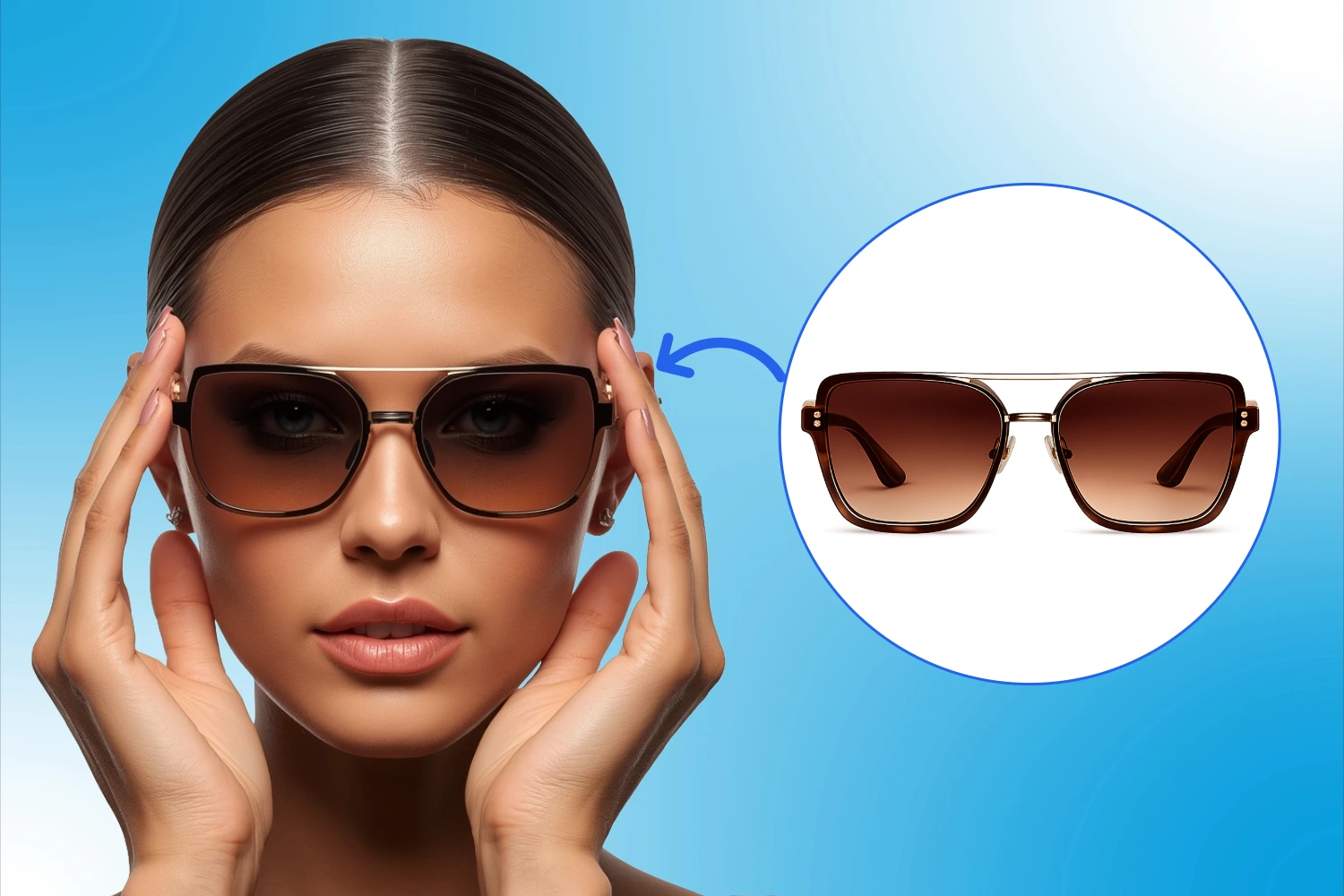
Oversized frames, gradient lenses, aviators — women's eyewear sells on attitude as much as fit. Generate close-up try-on shots that show off frame detail and lens color the way a lookbook shoot would, at a fraction of the cost.
- Accurately captures gradient lens tint, shade & gradient transitions
- Shows frame fit and nose bridge alignment on diverse model faces
- Creates premium, editorial lookbook-style visual content
- Perfect for oversized, cat-eye, round & statement frame models
Watches
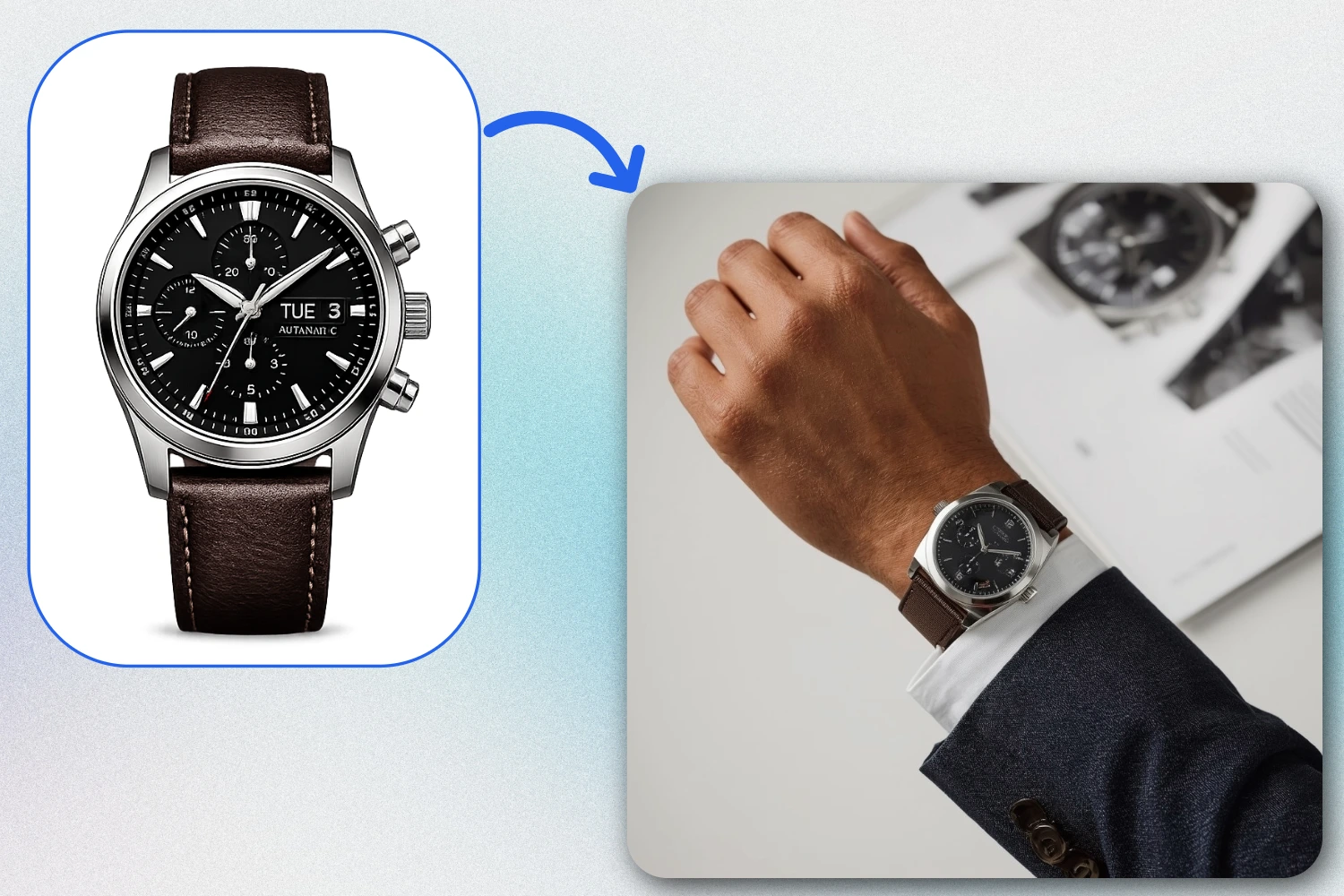
Wrist size, dial detail, and strap texture are what convince a watch buyer. Place your watch on a realistic wrist shot — styled with a sleeve, a desk, or a casual setting — to give listings the same feel as a premium watch brand's catalog.
- Places watch flat and naturally on realistic male/female wrists
- Aligns perfectly with wrist bone angles & natural hand pose
- Blends seamlessly with business shirts, casual wear, or suits
- Perfect for analog dials, digital watch faces, smartwatches & straps
Why Sellers Use AI Accessories Try-On
Cut Return Rates
Show accurate fit, scale, and styling of sunglasses or jewelry before customers buy.
Skip Studio Bookings
Avoid expensive studio bookings, model fees, and photographer schedules entirely.
Consistent On-Brand Visuals
Get uniform, professional model shots across your whole online accessories catalog.
Publish Listings Instantly
Publish new products in minutes instead of waiting days for a photography shoot.
Multi-Platform Export
Works for Amazon, Shopify, Etsy, or Instagram — export in the square sizes you need.
Frequently Asked Questions
Everything you need to know about the AI Accessories Try-On
Q. What accessory types does AI Accessories Try-On support?+
Q. Do I need a professional product photo to start?+
Q. How realistic are the generated try-on images?+
Q. Can I choose the model's look, pose, or styling?+
Q. How many credits does a try-on image use?+
Q. What image formats and sizes can I download?+
Q. Is this suitable for freelance photographers, not just brands?+
Q. Do I own the rights to the generated images?+
Ready to give your accessories catalog a model-worn look?
Upload your jewelry, watch, or eyewear photo and try it on our models in seconds — 5 free credits on signup.