AI Photo Color Correction: Free Online Image Color Fixer

FREE

Fix colors, apply presets, adjust curves — all 100% free. Everything runs in your browser.

100% FREE — No Credits Required

Drag & drop your image here

or click to browse

Lift / Gamma / Gain

Lift (Shadows)
Black level
Gamma (Midtones)
Midtone gamma
Gain (Highlights)
Highlight gain

Fix Image Colors Instantly — 100% Free

AfterTaken's AI Photo Color Correction tool is a free online image color fixer built for product sellers, photographers, and creators who need professional-looking colors without paying for Lightroom or Photoshop. Upload any photo, apply a one-click preset or fine-tune brightness, contrast, saturation, temperature, and tone curves manually, and download a perfectly color-graded PNG in seconds.

Everything runs locally in your browser — no credits, no signup, no watermarks, and your images never leave your device.


See the One-Click Color Fixer in Action

Drag the slider to compare a flat, dull original with the AI-corrected result. Notice how white balance, contrast, and warmth are restored automatically.
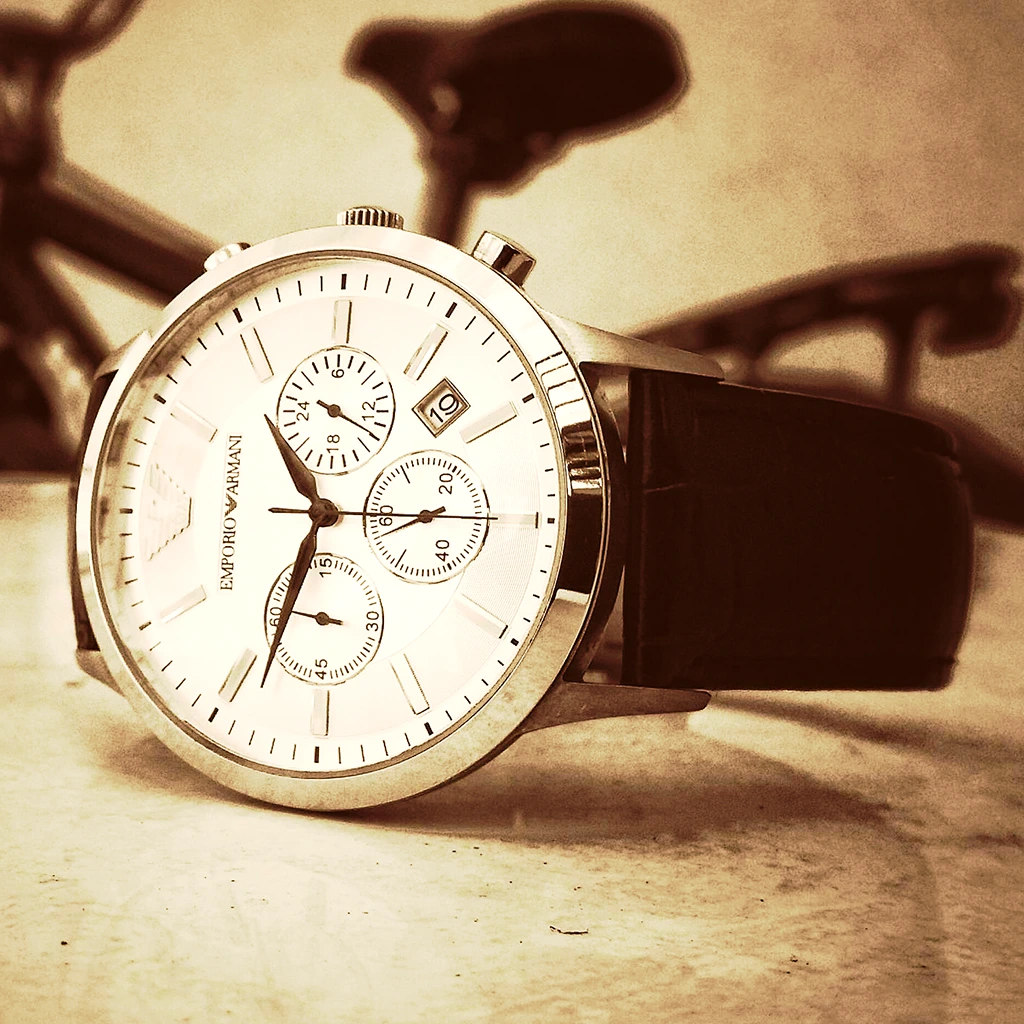
AI Photo Color Correction result — Emporio Armani wrist watch after One-Click Image Color Fixer with warm tones and balanced exposure
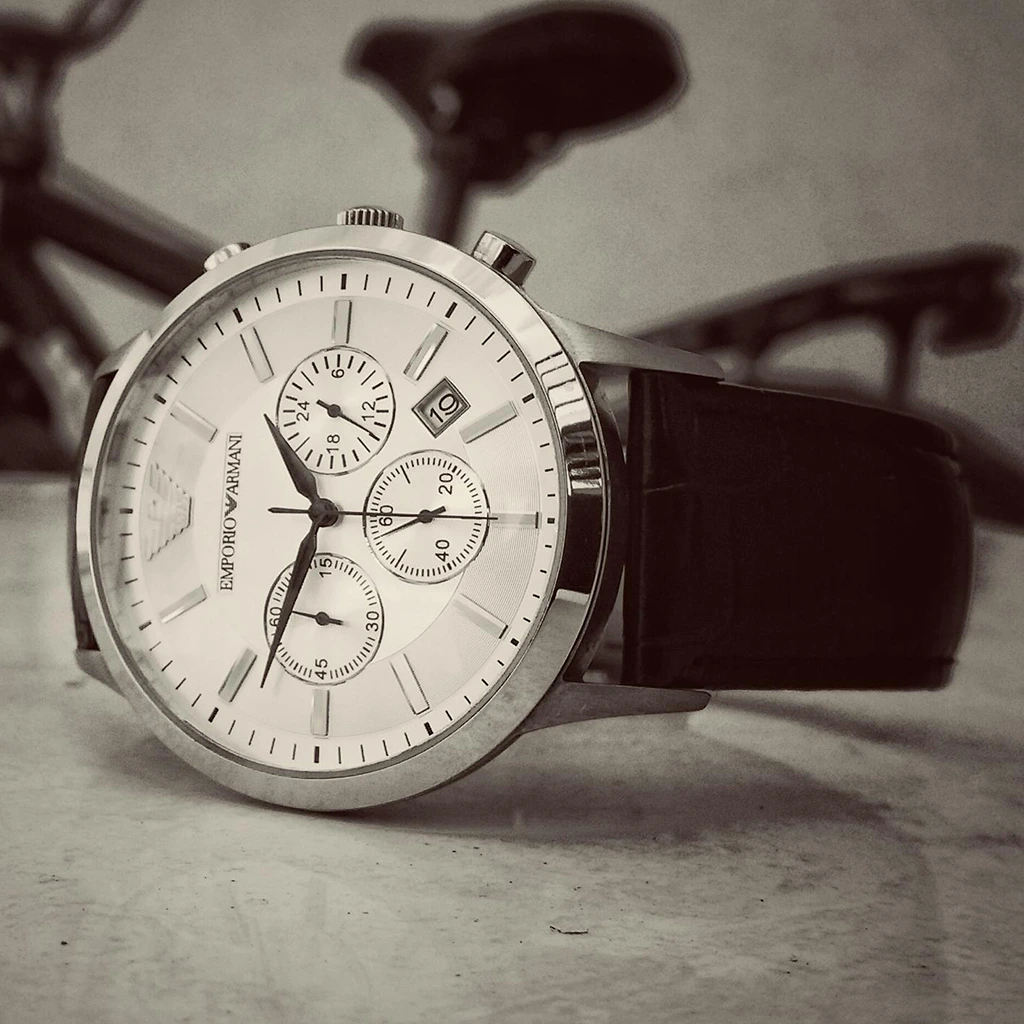
Fix product image colors — Emporio Armani wrist watch before AI Photo Color Correction with flat, cool tone and low contrast
Before
After

Wrist watch product photo — warm tone correction
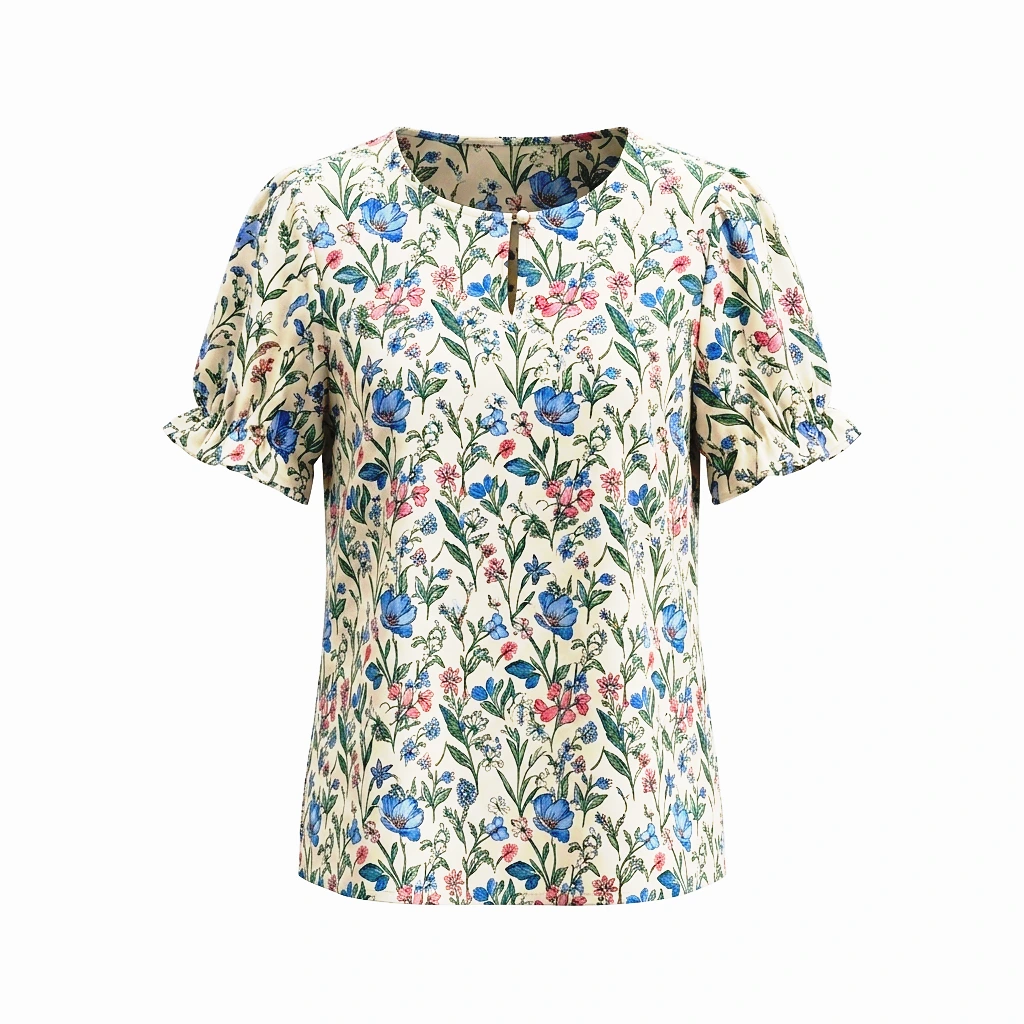
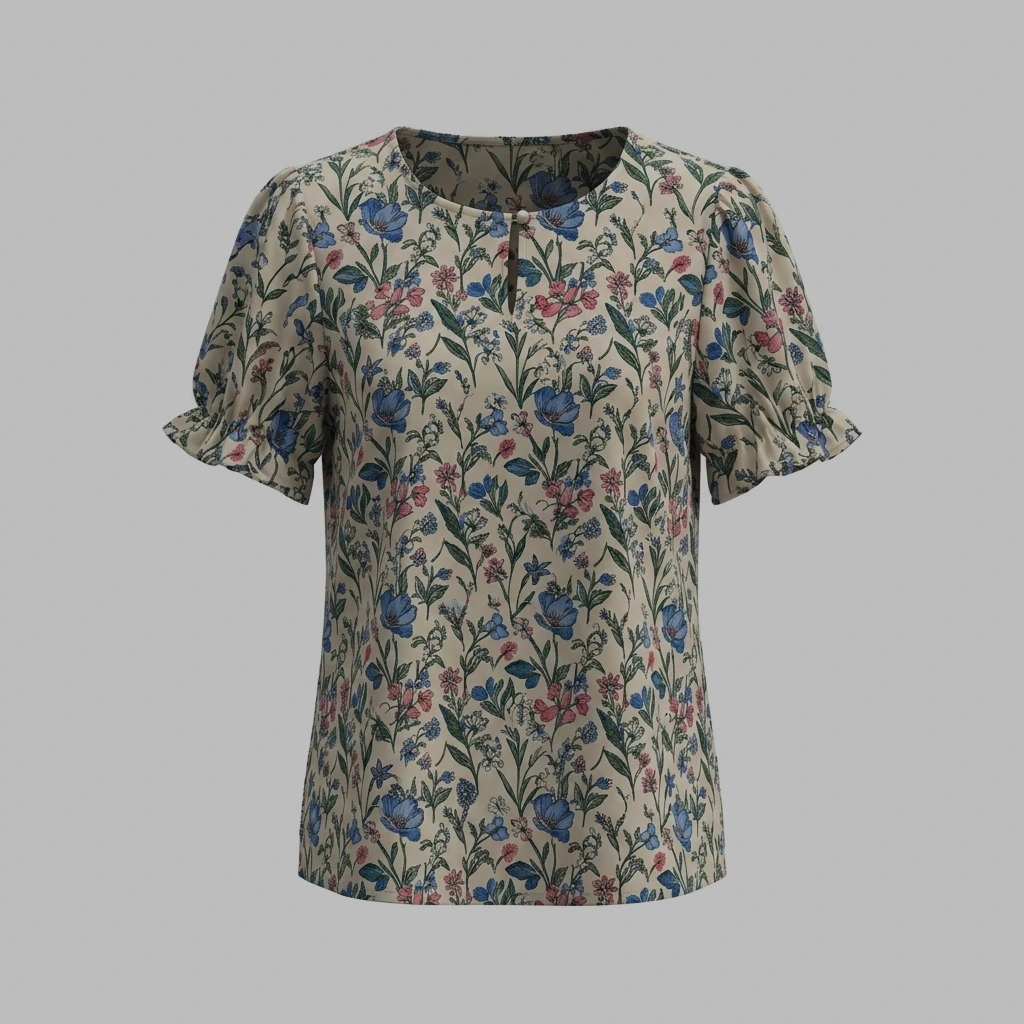
Free AI Photo Enhancer result — women's floral top with corrected white balance in one click and vibrant prints
Fix product image colors — women's floral top on grey background before AI Auto Color Correction Online
Before
After

Apparel product — background and color cleanup


How the AI Color Fixer Works — 4 Professional Editing Modes

The AI Photo Color Correction tool combines four pro-grade editing modes in one free online image color fixer — one-click AI presets, manual sliders, an RGB tone curve, and a film-style Lift / Gamma / Gain panel. Below is a step-by-step walkthrough of how each mode works so you can color-grade product photos, portraits and lifestyle shots like a Lightroom or DaVinci Resolve editor — without paying for software.

01

One-Click AI Presets

Open the Presets tab and pick from 12 professionally tuned looks — Auto Enhance, Vibrant, Warm, Cool, Cinematic, Natural, High Contrast, Soft Pastel, Vintage, Bright Clean, Moody and Golden Hour. Each preset is an instant AI color correction recipe that balances white levels, contrast and warmth in one click, perfect for e-commerce sellers who need a consistent look across hundreds of product images.
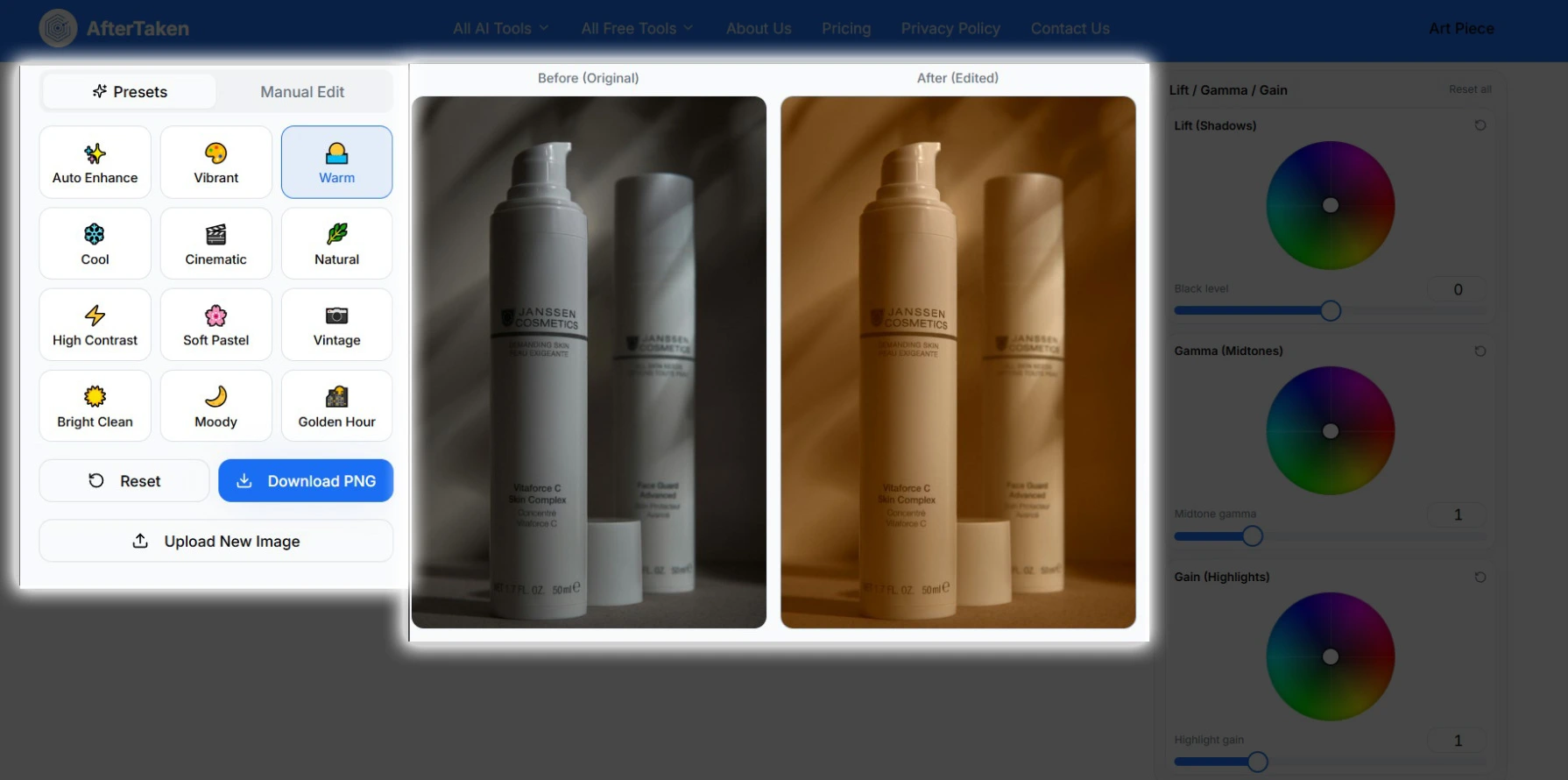
AI Photo Color Correction presets panel — 12 one-click color grading presets including Auto Enhance, Warm, Cool, Cinematic and Golden Hour for free online image color fixer
02

Manual Sliders for Fine Control

Switch to Manual Edit to adjust Brightness, Contrast, Saturation, Hue, Exposure, Temperature, Highlights and Shadows with precision sliders. Use the Temperature slider to correct white balance in one click, or fine-tune Exposure to recover blown-out product shots. Real-time before-and-after preview makes color correction online fast and intuitive.
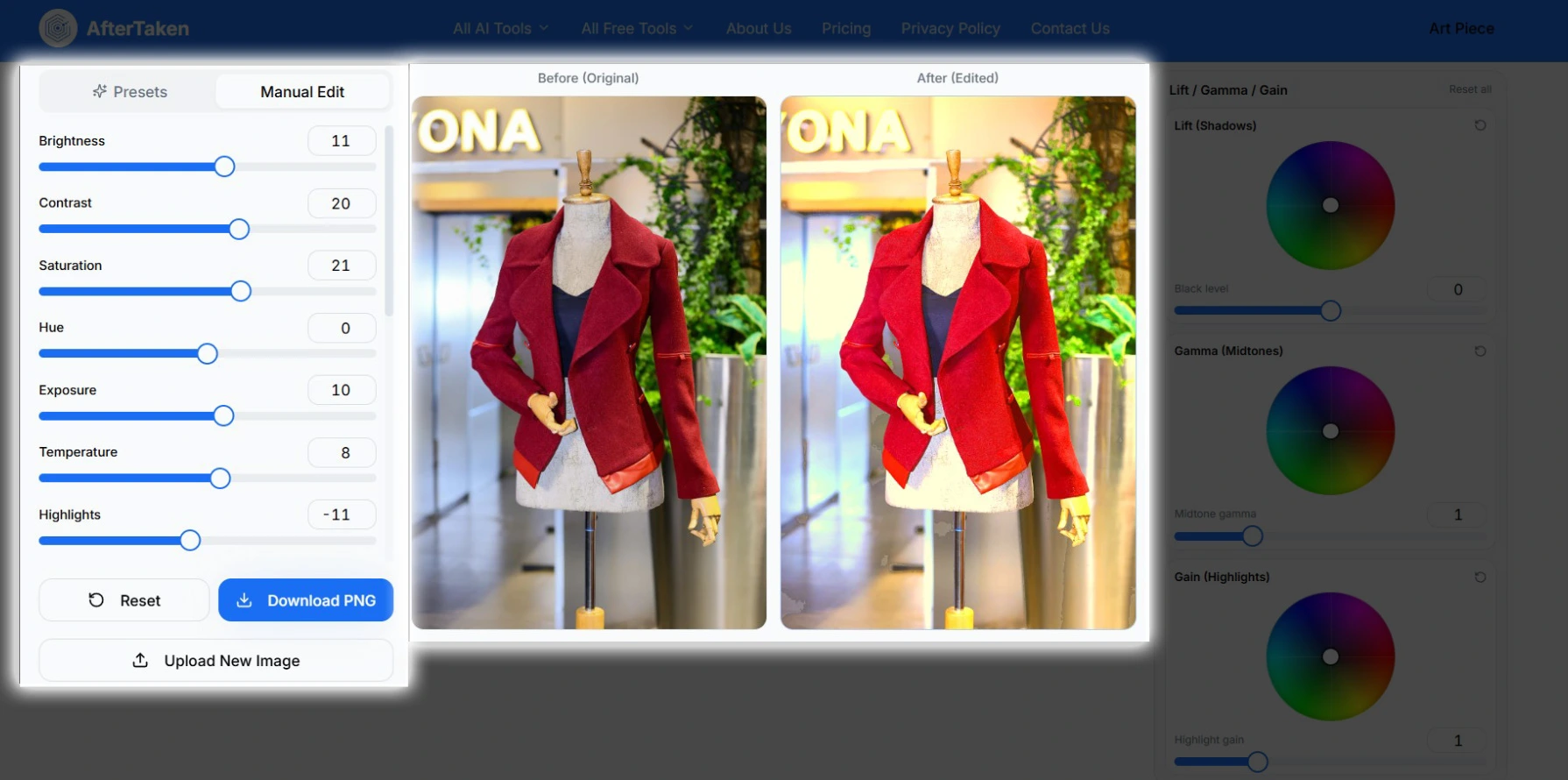
Manual edit sliders for AI Auto Color Correction Online — brightness, contrast, saturation, hue, exposure, temperature and highlights controls in free online photo editor
03

RGB Tone Curve Editor

Drop into the Tone Curve for Photoshop-style control over shadows, midtones and highlights. Click anywhere on the RGB curve to add anchor points and drag to brighten or darken specific tonal ranges. Switch to the Red, Green or Blue channels to remove color casts, push cinematic teal-and-orange grades, or match a brand color palette across your product catalog.
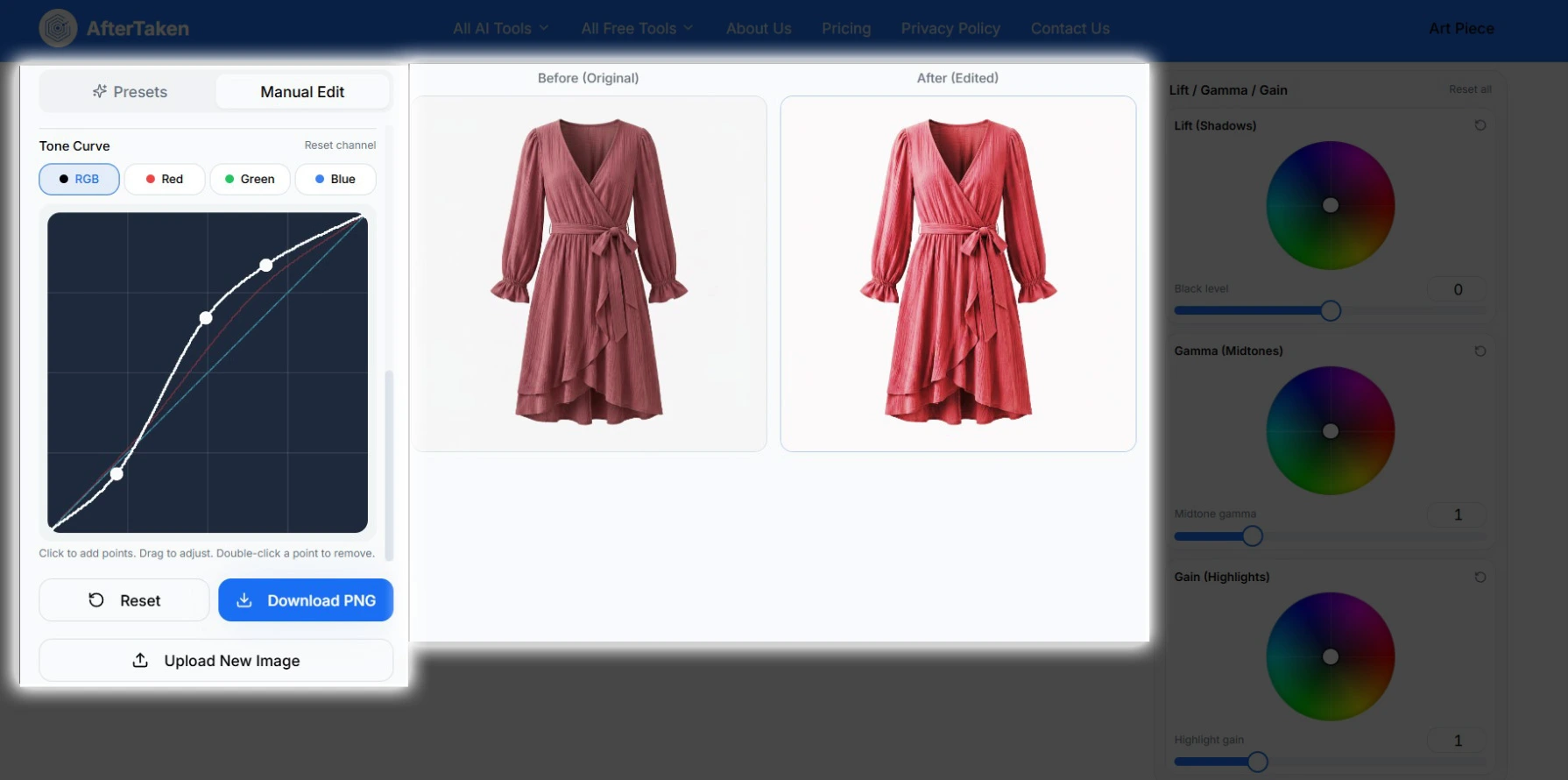
Professional Online Color Grading Tool — RGB tone curve editor with Red, Green and Blue channel controls to correct white balance and fine-tune product photography color
04

Lift / Gamma / Gain Color Wheels

Use the film-style Lift / Gamma / Gain panel to push color into shadows (Lift), midtones (Gamma) and highlights (Gain) independently — the same workflow used by colorists in DaVinci Resolve. Drag the picker on each wheel to tint a tonal range, then use the slider below to set its overall lightness. This is the secret to cinematic, brand-consistent product photos.
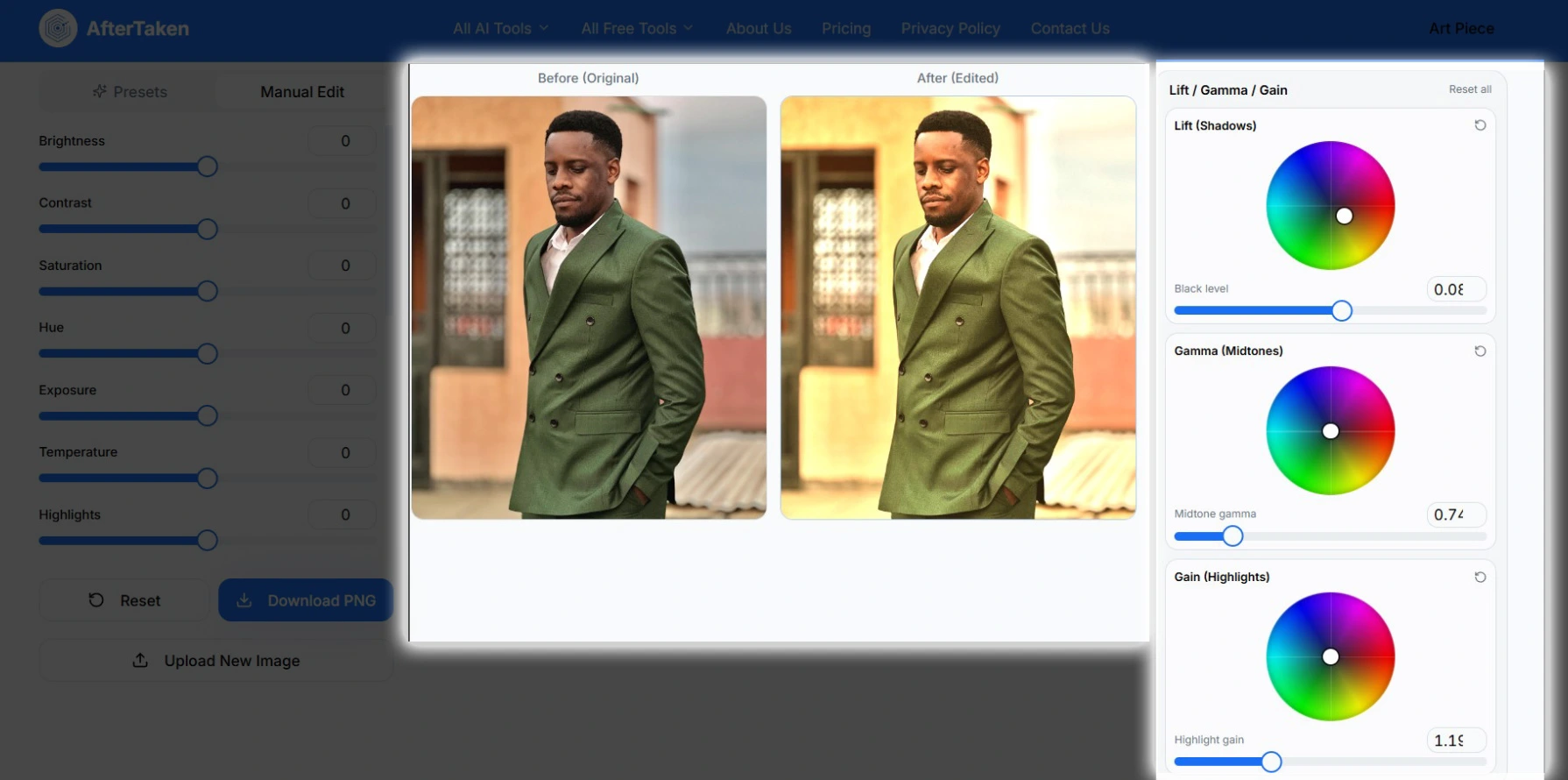
Lift Gamma Gain color wheels — professional film-style color grading panel with shadows, midtones and highlights controls for cinematic AI Photo Color Correction

Who Uses This Free Image Color Fixer?

E-commerce Sellers

Fix product image colors for Amazon, Flipkart, Shopify, Meesho and Etsy listings — without paying for Lightroom.

Photographers

Quickly correct white balance and color cast in client photos before final retouching.

Content Creators

Color-grade Instagram, YouTube thumbnails and blog images for a consistent visual style.

Agencies & Designers

A free AI auto color correction online tool for fast turnaround on bulk client assets.

Students & Bloggers

Get professional color grading without expensive software or subscriptions.

Personal Edits

Bring back the colors of dull holiday photos, scanned memories, or smartphone shots.

Frequently Asked Questions

Is the AI Photo Color Correction tool really free?+
Yes — 100% free, with no credits, no signup, and no watermark. Everything runs directly in your browser, so your images never leave your device.
How does AI auto color correction work?+
Our one-click presets analyze your image and apply professional color grading rules — balancing white levels, fixing tints, and enhancing tone — to produce results similar to a manual edit in Lightroom or Photoshop, but instantly.
Can I correct white balance in one click?+
Yes. Use the Presets tab to apply automatic white balance correction in a single click, or open the Manual Edit tab and adjust the Temperature slider for precise control.
Is this tool good for product photography?+
Absolutely. Sellers on Amazon, Flipkart, Shopify, and Etsy use this tool to fix product image colors, brighten dull shots, and ensure their listings look professional and consistent.
What image formats can I upload?+
You can upload JPG, PNG, and WebP images. The corrected image is downloaded as a high-quality PNG file with no quality loss.
Do you store my uploaded photos?+
No. The entire color correction happens locally in your browser using HTML5 Canvas. Your photos are never uploaded to a server.
What presets are available in the AI Color Fixer?+
You get 12 professional one-click presets — Auto Enhance, Vibrant, Warm, Cool, Cinematic, Natural, High Contrast, Soft Pastel, Vintage, Bright Clean, Moody, and Golden Hour — each tuned for a different mood or product style.
What is the Tone Curve and how do I use it?+
The Tone Curve gives you Photoshop-style control over shadows, midtones, and highlights. Click on the RGB curve to add points and drag them to brighten or darken specific tonal ranges, or switch to the Red, Green, or Blue channels to color-grade and remove color casts. Double-click any point to remove it.
What does Lift / Gamma / Gain do?+
Lift / Gamma / Gain is a professional color-grading model used in film. Lift controls the shadows, Gamma controls the midtones, and Gain controls the highlights. Drag the picker on each color wheel to push a tint into that tonal range, and use the slider below to control the overall lightness of that range — perfect for cinematic looks and brand-consistent product photos.
How is this different from Lightroom or Photoshop?+
You get the most-used color grading controls — presets, sliders, tone curves, and lift/gamma/gain wheels — in a single free web app. There is nothing to install, no subscription, no learning curve, and no upload wait time because everything is processed locally in your browser.
Does the tool work on mobile?+
Yes. The AI Photo Color Correction tool is fully responsive and works on Android, iPhone, iPad, and desktop browsers like Chrome, Safari, Edge, and Firefox.
Is there a file size or resolution limit?+
You can upload images up to 10MB. There is no resolution cap — the output PNG is rendered at the original resolution of your uploaded image, so it stays sharp for print or e-commerce listings.
Will the downloaded image have a watermark?+
No. The color-corrected PNG is delivered clean — no watermark, no logo, no signup wall. You can use it commercially for your store, social media, or client work.