
Back to All Tools

Free Image Color Extractor: Get Hex, RGB & Palette PDF

FREE

Upload any image to instantly extract its dominant colors with exact Hex codes, RGB values, and percentages. Generate a beautiful color palette from a photo and download it as a professional PDF — 100% free, no signup required.

Upload an image

Drag & drop or click to browse. Max 10MB.
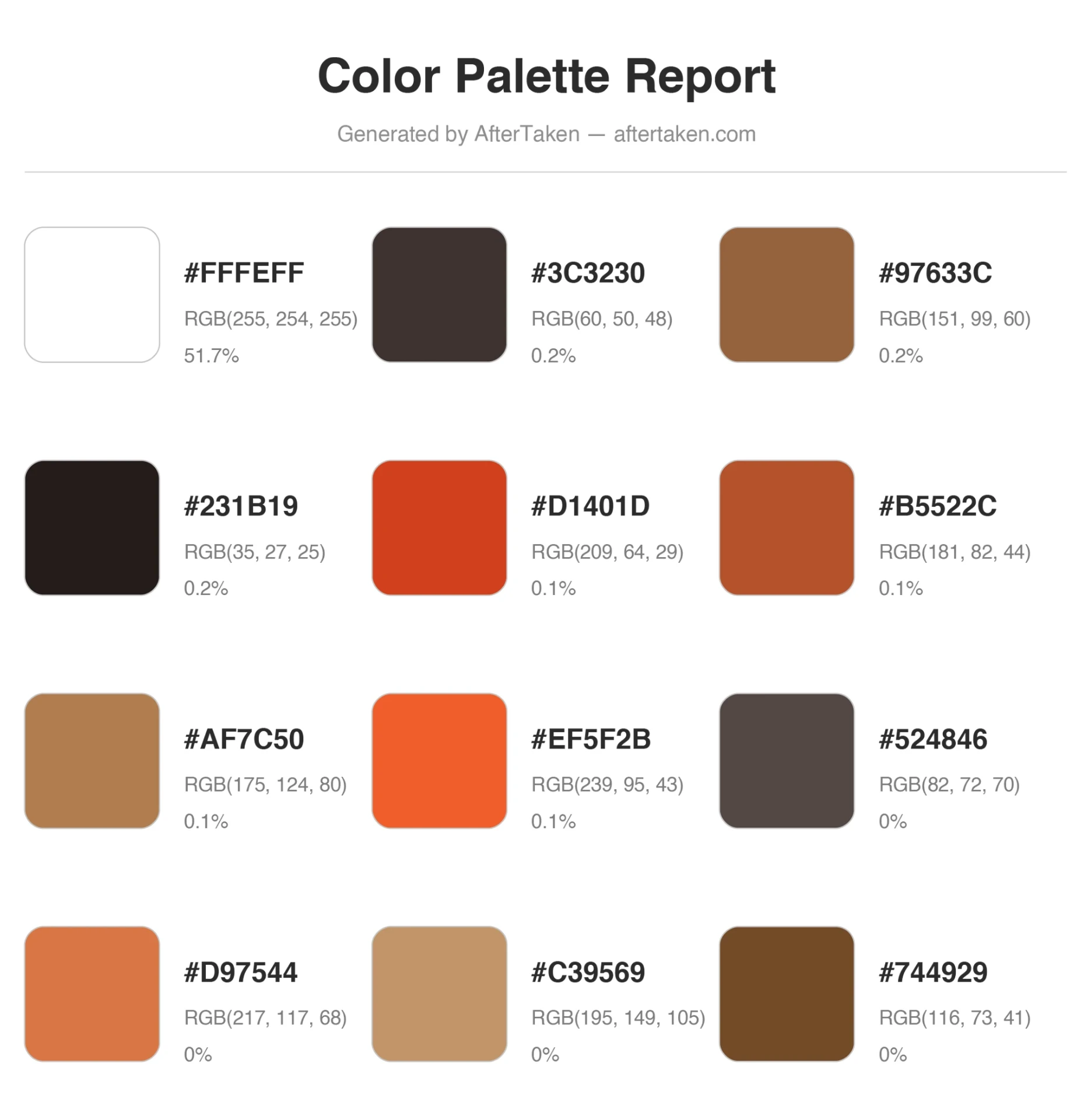
Example output — what you get
Example color palette report showing 12 extracted colors with Hex codes, RGB values and coverage percentages — generated by AfterTaken color extractor

How to Generate a Color Palette from a Photo

A free online color picker from image — extract Hex codes, RGB values and a downloadable PDF palette in three quick steps.

1. Upload your image

Drag and drop or click to upload any JPG, PNG, or WebP image (up to 10MB). Photos, screenshots, logos, product shots, artwork — anything works.

2. Get dominant colors

Our color extractor instantly analyzes every pixel, groups similar shades, and shows up to 12 dominant colors with exact Hex codes, RGB values and coverage percentages.

3. Copy or download PDF

Click any swatch to copy the Hex code, or hit Download PDF to save a clean, print-ready color palette report you can share with clients or your team.

Why Use Our Free Hex Code Finder & Color Palette Generator

Pixel-perfect accuracy

Hex codes and RGB values are sampled directly from your image pixels — no AI guesses, no approximations. What you see is exactly what your image contains.

One-click Hex copy

Click any color swatch and the Hex code is instantly copied to your clipboard, ready to paste into Figma, Photoshop, CSS, Canva, or any design tool.

Professional PDF export

Download a clean, branded color palette PDF with swatches, Hex codes, RGB values and percentages — perfect for client decks and brand guidelines.

Up to 12 colors per image

A smart merging algorithm filters out near-duplicate shades so you get a clean, usable palette instead of dozens of similar colors.

100% private — runs in browser

Your images are processed locally with HTML5 Canvas. Nothing is uploaded or stored on a server, making it safe for client and product photos.

No signup, no watermark

Completely free, unlimited use, no account required, and the downloaded palette PDF has zero watermarks on your design assets.

Who Uses This Online Color Picker from Image?

Graphic & Web Designers

Pull Hex codes from inspiration images, mood boards, and reference photos to build pixel-accurate UI palettes and brand systems.

Brand & Marketing Teams

Extract exact brand colors from logos and product packaging to keep social media, ads, and presentations on-brand.

E-commerce Sellers

Match Amazon, Shopify, Flipkart and Etsy listing graphics, A+ content and ad creatives to the real colors of your products.

Interior & Fashion Designers

Build wedding palettes, fashion mood boards, and interior color schemes from real-world reference photos in seconds.

Photographers & Editors

Analyse the dominant tones in a photo before color grading, and create palette references for clients and portfolios.

Students & Content Creators

Generate color palettes from photos for projects, YouTube thumbnails, Instagram themes, and design assignments — without any paid software.

Frequently Asked Questions

What is an image color extractor and how does it work?+
An image color extractor is an online color picker from image that scans every pixel in your uploaded photo, groups similar colors together, and returns the most dominant shades along with their exact Hex codes, RGB values, and the percentage of the image each color covers. Our tool runs entirely in your browser using HTML5 Canvas — your image never leaves your device, and you instantly get a clean color palette you can copy or download as a PDF.
Is this color palette generator really free?+
Yes, it is 100% free with no signup, no credits, no watermark, and no hidden limits. You can generate as many color palettes from photos as you want and download unlimited PDF reports.
How do I generate a color palette from a photo?+
Just click the upload area or drag and drop any image (JPG, PNG, or WebP, up to 10MB). The tool instantly analyses your photo, extracts up to 12 dominant colors, and shows each one with its Hex code, RGB value, and coverage percentage. Click any swatch to copy the Hex, or hit Download PDF to save a professional palette report.
How accurate are the Hex codes and RGB values?+
Every Hex code and RGB triplet is sampled directly from the actual pixels of your image — no approximations, no AI guesses. We quantize colors into buckets for clean grouping, then return the true average RGB of the most-used shades, so the values you copy match your image exactly.
Can I use this as a Hex code finder for a specific color in my image?+
Yes. Upload your image and the tool extracts the most dominant Hex codes for you automatically. Click any swatch and the Hex code is copied to your clipboard instantly — ready to paste into Figma, Photoshop, Canva, CSS, or any design tool.
What can I do with the extracted color palette?+
Use it for brand guidelines, website design, social media graphics, mood boards, fashion and interior design, product packaging, presentations, UI/UX projects, wedding themes, and more. The downloadable PDF makes it easy to share palettes with clients or teammates.
How many colors does the tool extract?+
Up to 12 dominant colors per image. The algorithm automatically merges visually similar shades so you get a clean, usable palette instead of dozens of near-duplicate colors.
What image formats and sizes are supported?+
JPG, PNG, and WebP images up to 10MB are supported. There is no resolution limit — high-resolution photos work perfectly because the extraction runs locally in your browser.
Does the PDF include Hex codes, RGB values and percentages?+
Yes. Each PDF report includes a color swatch, the exact Hex code, the RGB(r, g, b) triplet, and the percentage of the image that color covers — all laid out in a clean, print-ready format with the AfterTaken footer.
Are my uploaded images stored or sent to a server?+
No. The entire color extraction happens locally in your browser. Your photos are never uploaded, never stored, and never shared. This makes it safe for sensitive product shots, client work, and personal photos.
Can I extract colors from product photos for e-commerce branding?+
Absolutely. Sellers on Amazon, Shopify, Flipkart and Etsy use this color palette generator to match listing graphics, packaging design, and ad creatives to their actual product colors — keeping the brand identity perfectly consistent.
Does it work on mobile phones and tablets?+
Yes. The tool is fully responsive and works on Android, iPhone, iPad, and desktop browsers. You can extract colors and download the PDF palette directly from your phone.