
AI Virtual Try-On: Try On Clothes Online with Virtual Models
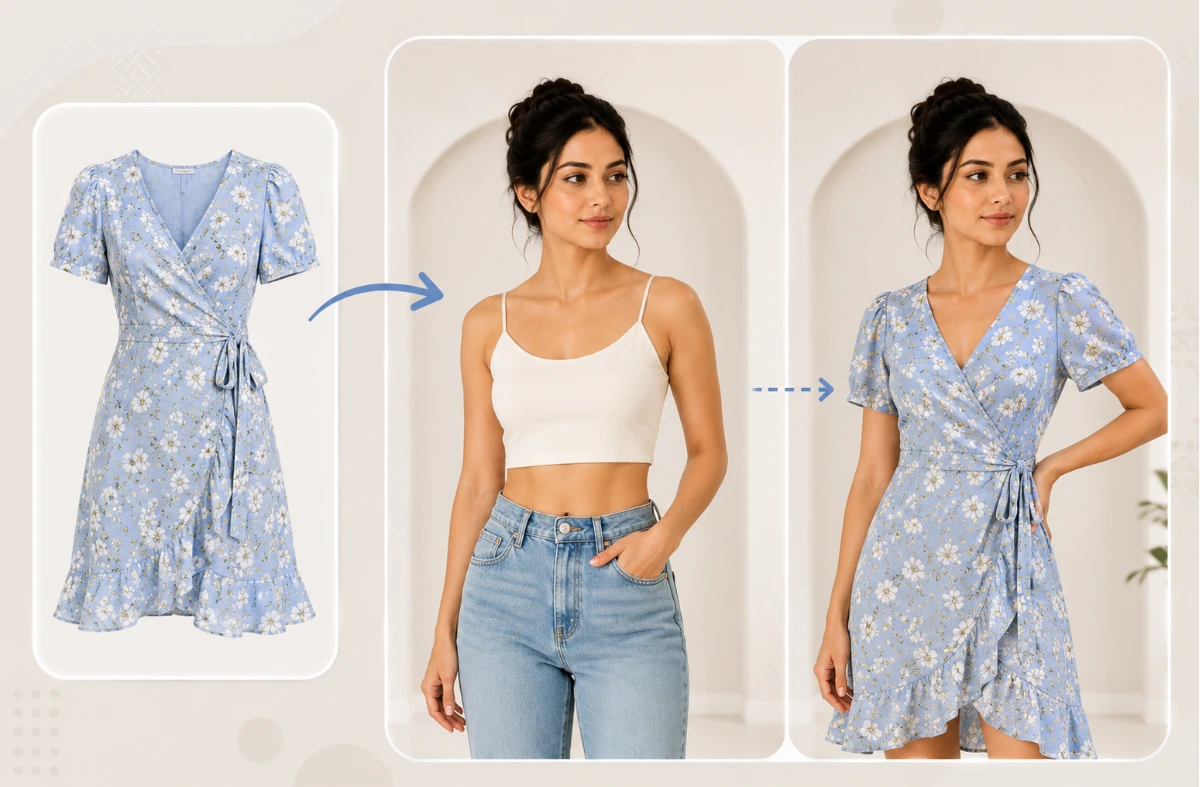
Upload your clothing photo and dress a virtual model — man, woman, child, or baby — in seconds. AfterTaken's AI virtual try-on clothes tool delivers studio-quality on-model images without a photoshoot.
Upload Product Image
Drag & drop or click to browse
Model Gallery
Select a model from the categories below to apply your clothing.
Fetching models...
See It Before You Sell It
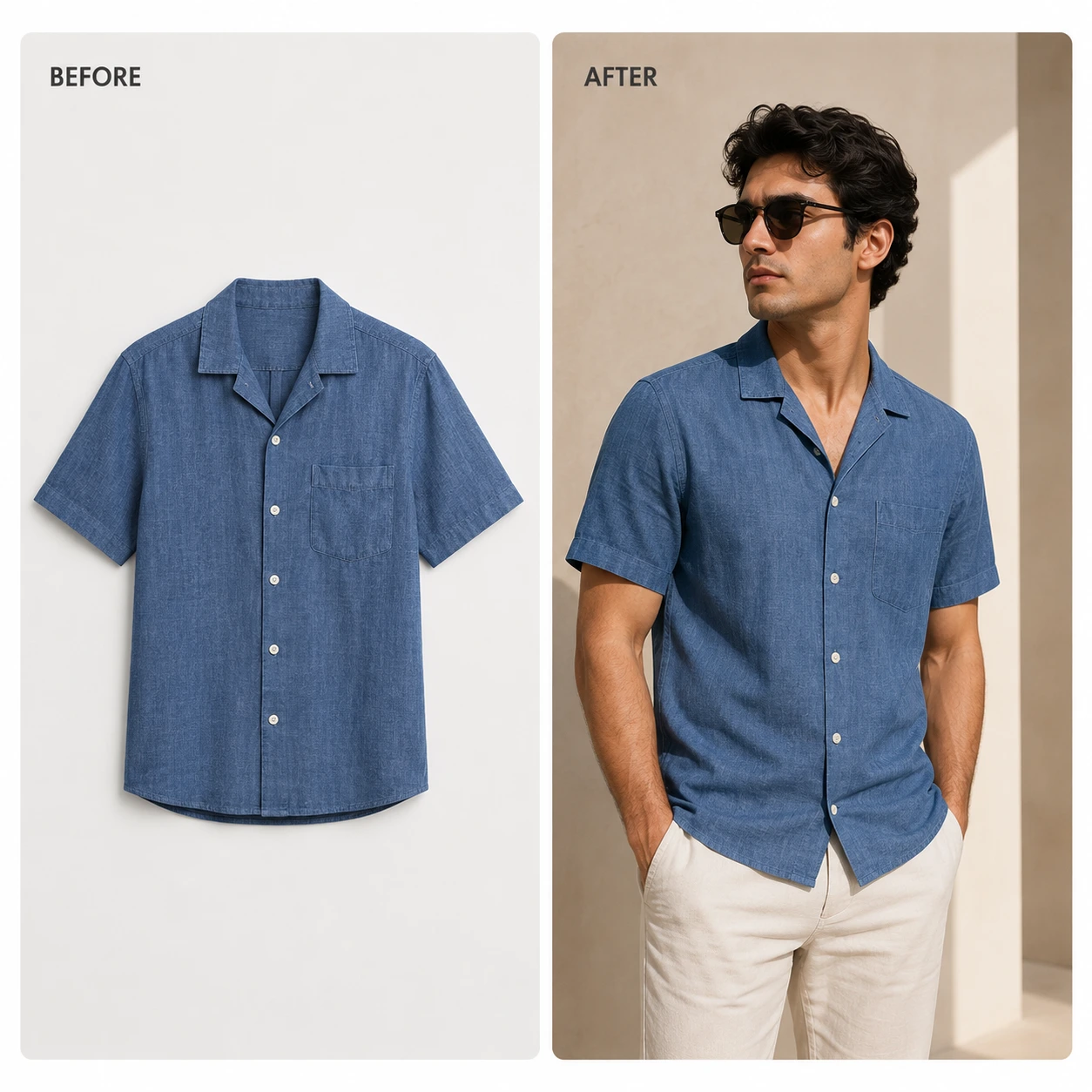
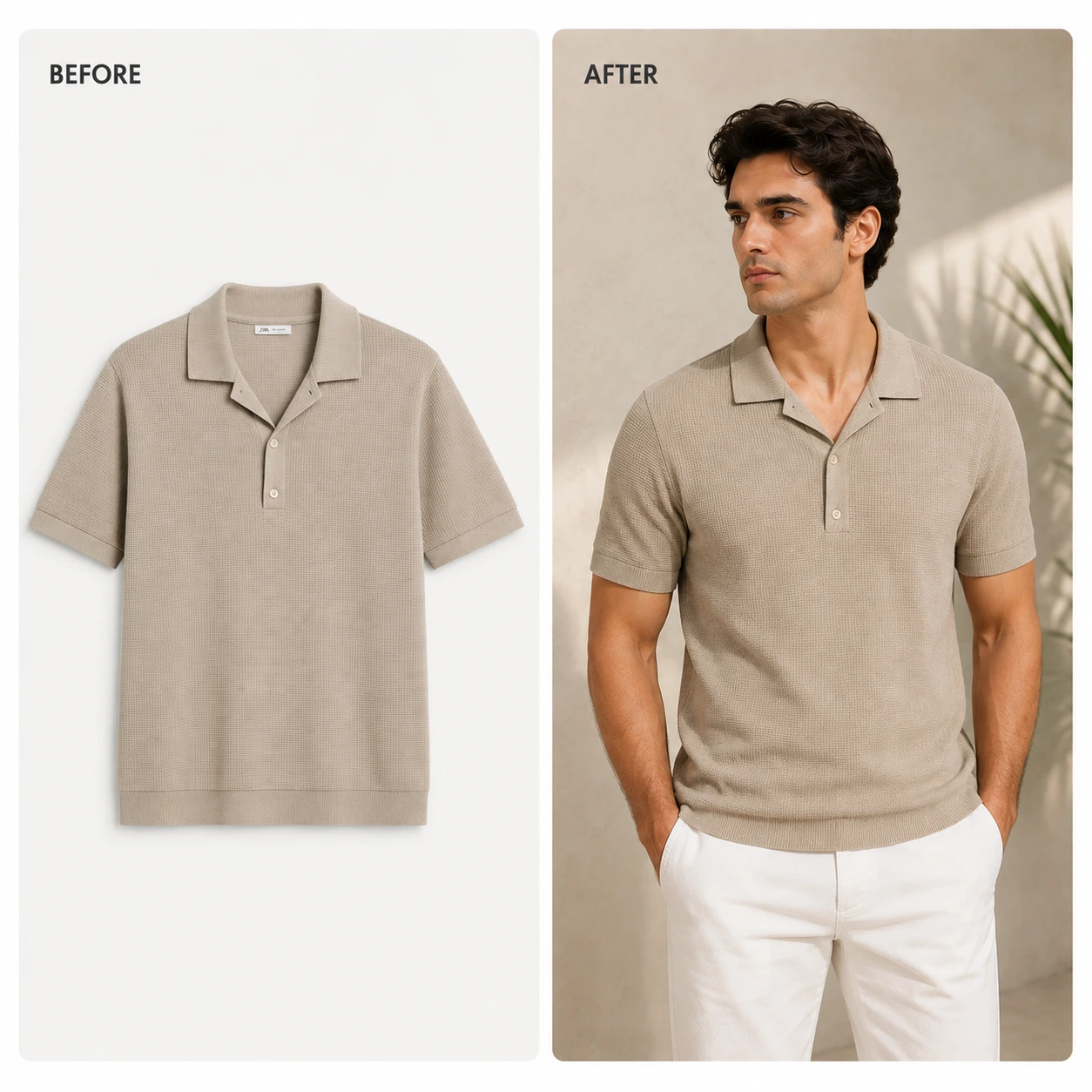
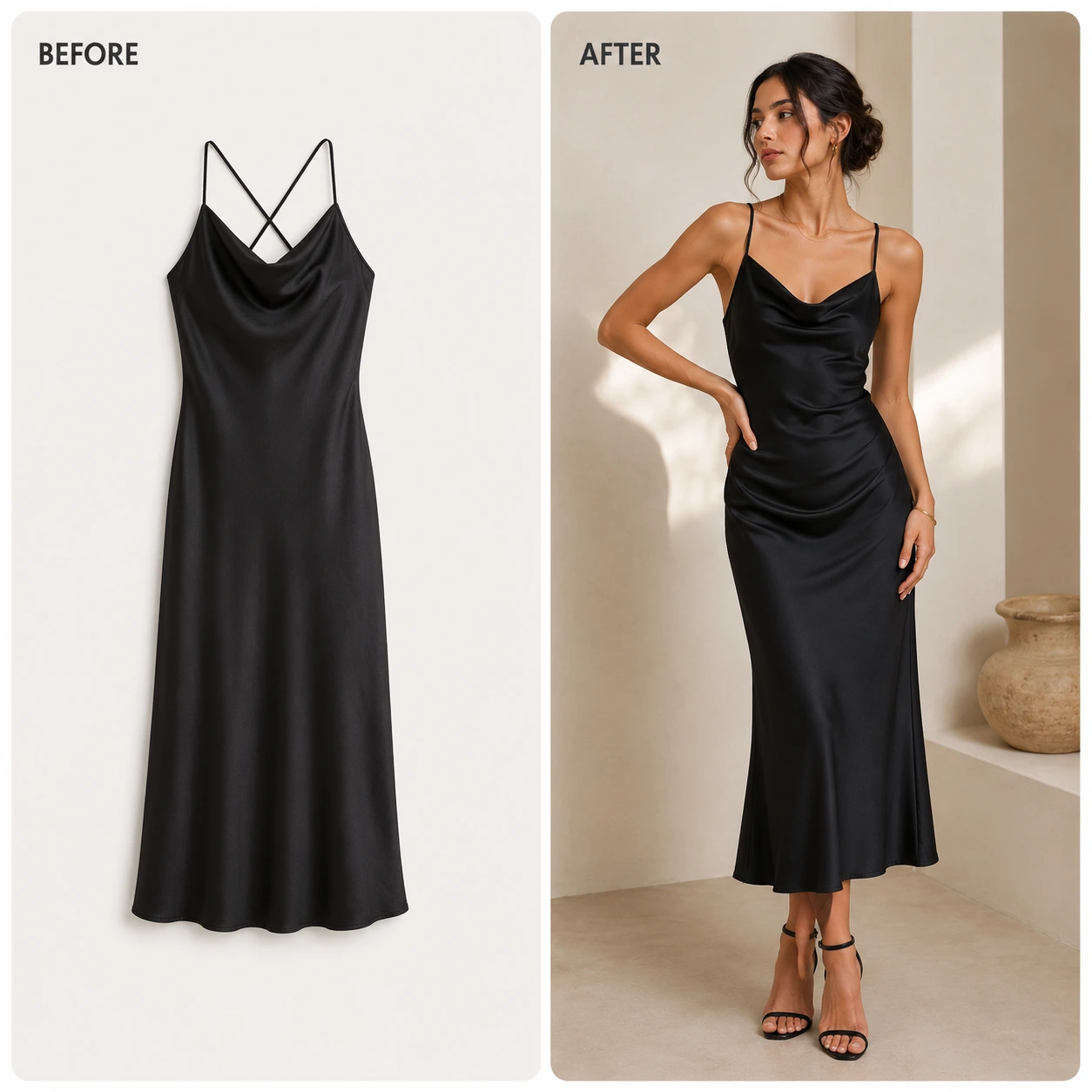
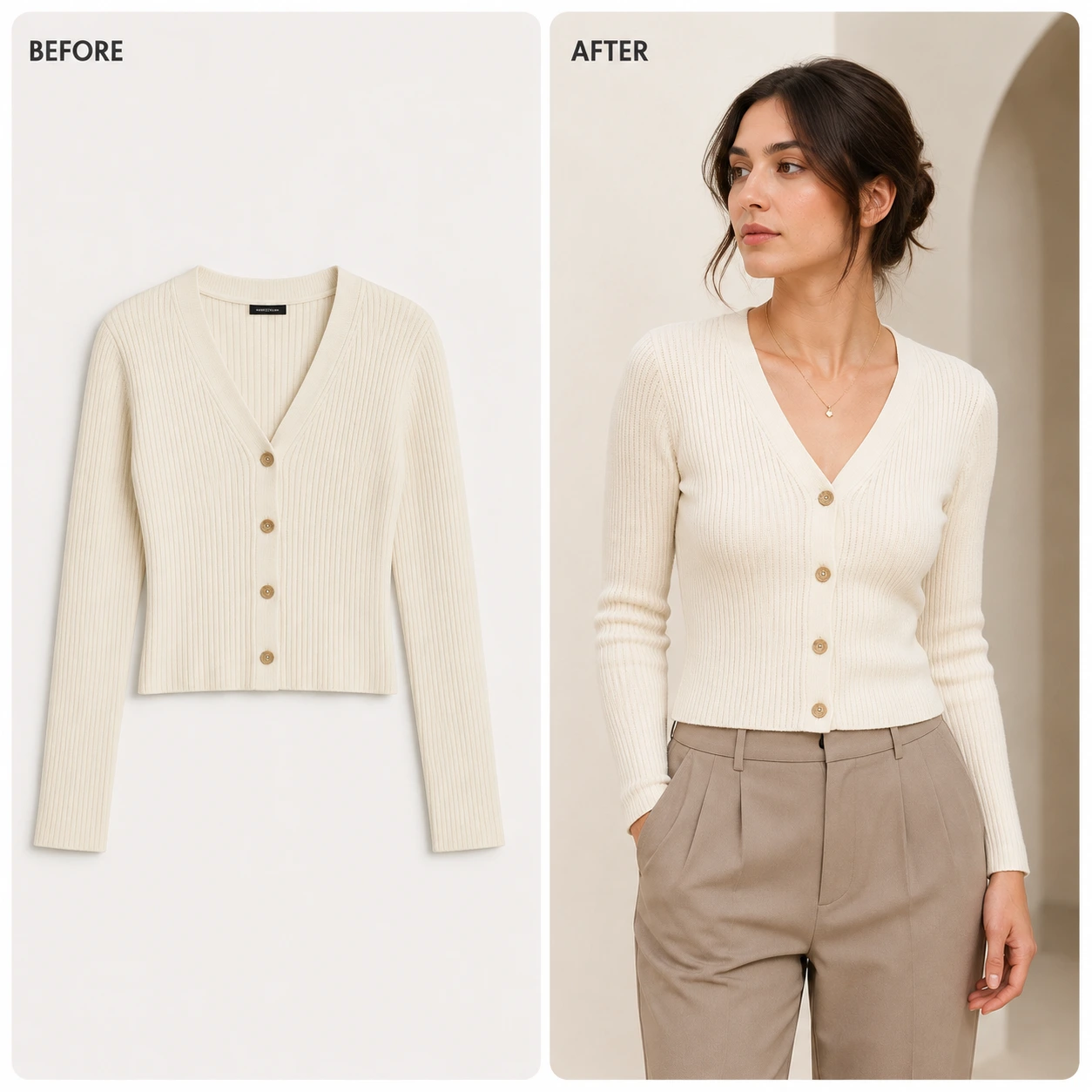
Selling clothes online means your customer can't touch the fabric or feel the fit — but they can see it. AfterTaken's AI-powered virtual try-on tool lets shoppers and sellers try on clothes online in seconds, right from any browser. No photoshoots. No models. Just your product, on a virtual model, looking exactly how it should.
Whether you want to do a virtual dress try-on, swap your catalogue onto a virtual model, or use AI to try on clothes online — AfterTaken handles it end to end. It's a complete AI clothing try-on solution built specifically for eCommerce sellers on Amazon, Shopify, and D2C platforms.
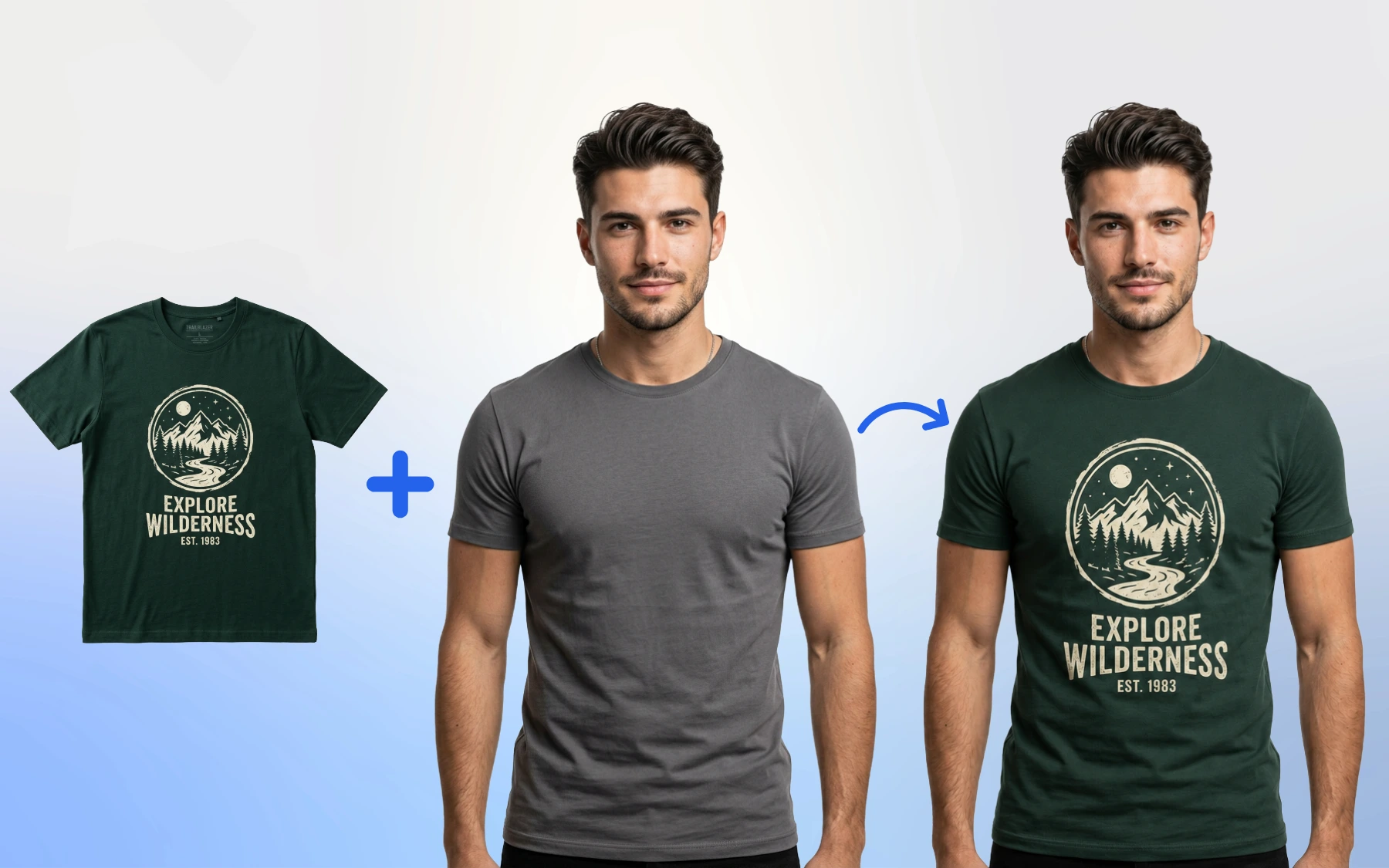
Flat-lay graphic t-shirt swapped onto a male virtual model using AfterTaken's AI clothes changer.
What You Can Do with AfterTaken's Virtual Try-On
AI Clothes Swap
Upload any clothing item and swap it onto a virtual model instantly. Our AI clothes changer handles draping, shadows, fabric texture — everything a real photoshoot would capture.
Try On Clothes App — Web-Based
No downloads needed. AfterTaken works as a full try-on clothes app directly in your browser. Use it on desktop or mobile, anytime, from anywhere.
Virtual Dress Try-On
From casual tees to evening dresses, our virtual dress try-on works across every clothing category — with realistic draping on every body type you need.
Outfit Changer & Color Variants
Not happy with the color? Use the outfit changer to generate multiple variants instantly. Test different colorways without reshooting a single image.
Why Virtual Try-On Changes Everything for eCommerce
Returns are the biggest cost in fashion eCommerce — and most happen because the customer couldn't picture how the item would actually look. When you let buyers try on outfits online before purchasing, you close that gap. They see the fit, the fall, the color — exactly how it looks on a virtual model built to represent them.
AfterTaken makes this process effortless. Whether you're listing on Amazon, running a Shopify store, or managing your own D2C brand, our AI virtual try-on tool generates professional lifestyle images with your clothing on a model — in under a minute. Think of it as an AI clothes replacer that gives every product shot a second life.
Need to show the same jacket in five colors? Our AI clothing try-on handles variant generation automatically. Want to show your dress on different body types? Done. The days of booking a studio just to update one SKU are over. Unlike manual editing or standard mockup tools, our AI virtual try-on technology understands fabric — how a linen shirt drapes differently from a satin blouse, how denim sits vs how jersey stretches. The result is a clothes try-on online experience that actually looks real, not templated.
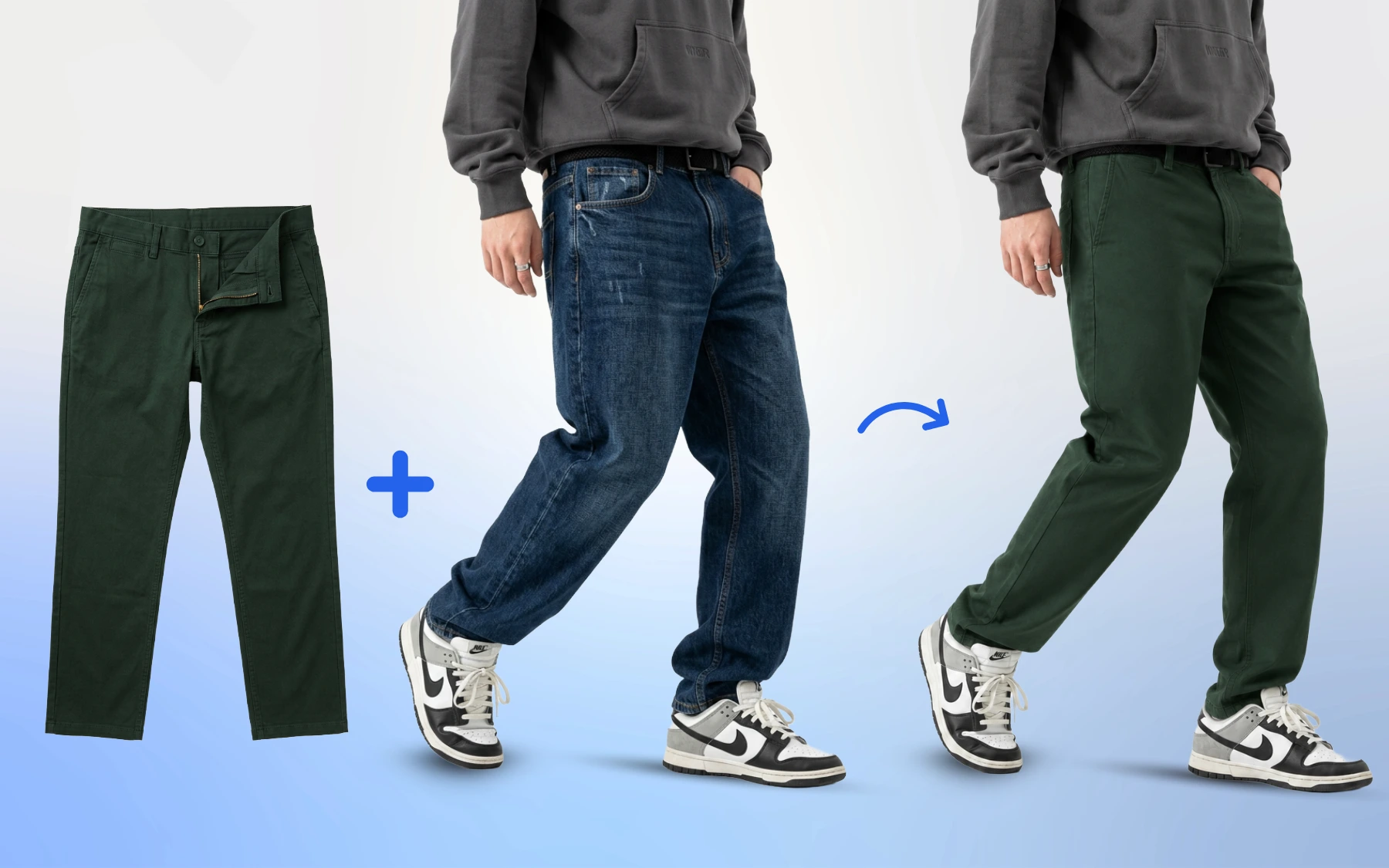
Cloth swapping AI in action — denim jeans replaced with olive chinos while keeping the model, pose, and shoes intact.
How It Works
Upload your flat-lay or product image. Choose your virtual model from presets of men, women, children and babies — or upload your own. Our AI runs an intelligent clothes swap, placing your item on the model with accurate fit, lighting, and proportions. Download the image, ready for listings. No technical skills, no Photoshop, no outsourcing to an editor who takes three days and gets the color wrong.
Upload Clothing & Choose a Model
Upload your garment photo and pick a virtual model from our man, woman, child, or baby presets — or upload your own person photo.
AI Runs the Clothes Swap
The AI clothes changer places your item onto the model with realistic fit, drape, lighting, and proportions in seconds.
Download & List
Get a professional on-model lifestyle image ready for Amazon, Shopify, Flipkart, Myntra, or your D2C store.
Our AI Virtual Try-On tool lets you explore visual model photography without any expensive studio setup. With 5 free welcome credits on signup, you can easily try clothes on preset models or custom models online by uploading a photo. AfterTaken's AI clothes replacer will place your product onto that image — simulating a real-world try-on. Use the clothes try-on online virtual model feature to test multiple SKUs without ever touching a camera.
Simple, Pay-As-You-Go Pricing
AfterTaken's AI virtual try-on tool uses the same simple credit-based system as all other AfterTaken tools. You pay per virtual try-on generation — no monthly subscription, no minimum purchase. Pricing is available in INR and USD.
- • 2 credits per AI virtual try-on generation
- • Free upscaling after every generation — get a high-resolution file at no extra cost
- • 5 free welcome credits on signup — start testing Virtual Try-On immediately without a credit card
- • Pay-as-you-go in INR and USD — scale up or down as your catalog grows
Frequently Asked Questions
What is virtual try-on for clothes, and how does AfterTaken use it?+
Can I try on clothes online with my own product images?+
How is AfterTaken different from Amazon's virtual try-on for clothes?+
Is there a way to try the Virtual Try-On tool for free?+
What is an AI clothes swap, and how accurate is it?+
Can I use AfterTaken as a virtual outfit try-on for multiple colorways?+
Is AfterTaken a try-on clothes app I need to download?+
What does 'try clothes on yourself online' mean in AfterTaken's context?+
Does the AI virtual try-on clothes feature work for all clothing types?+
How many credits does the AI Virtual Try-On tool consume?+
What is the difference between a 'clothes swap AI' and a standard background remover?+
Ready to Try On Clothes Online?
Upload a clothing photo, pick a virtual model, and see the AI virtual try-on result in seconds. Get 5 free credits on signup to start immediately.