Product Setup

Choose a style template or write your own custom prompt

Turn Any Product Photo into a Professional Visual

AfterTaken uses advanced AI to transform a simple product image into a studio-quality photograph — complete with styled backgrounds, realistic lighting, and scene compositions that sell. Whether you run a Shopify store, list on Amazon, or offer photography services as a freelancer, AfterTaken gives you scroll-stopping visuals in seconds.
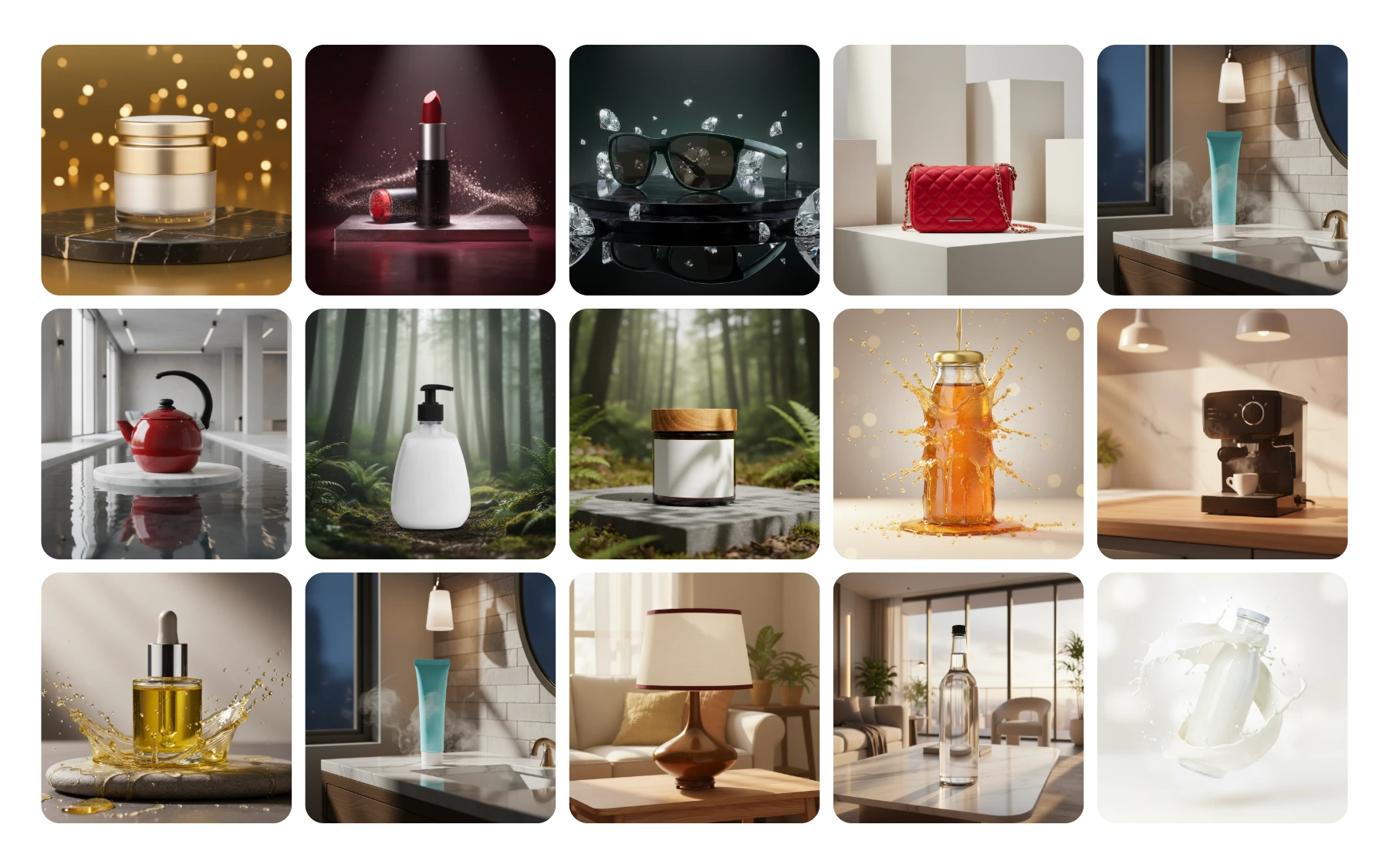
Sample AI-generated product photos across cosmetics, fashion accessories, home goods, and beverages by AfterTaken

Sample AI-generated product photos across cosmetics, fashion, home goods, and beverages.


From Plain White Background to Studio-Ready in One Click

Upload your existing product image — even one taken on a plain white background or a smartphone — and AfterTaken does the rest. The AI intelligently preserves your product's shape, colour accuracy, and branding while placing it into a completely new, professional scene.
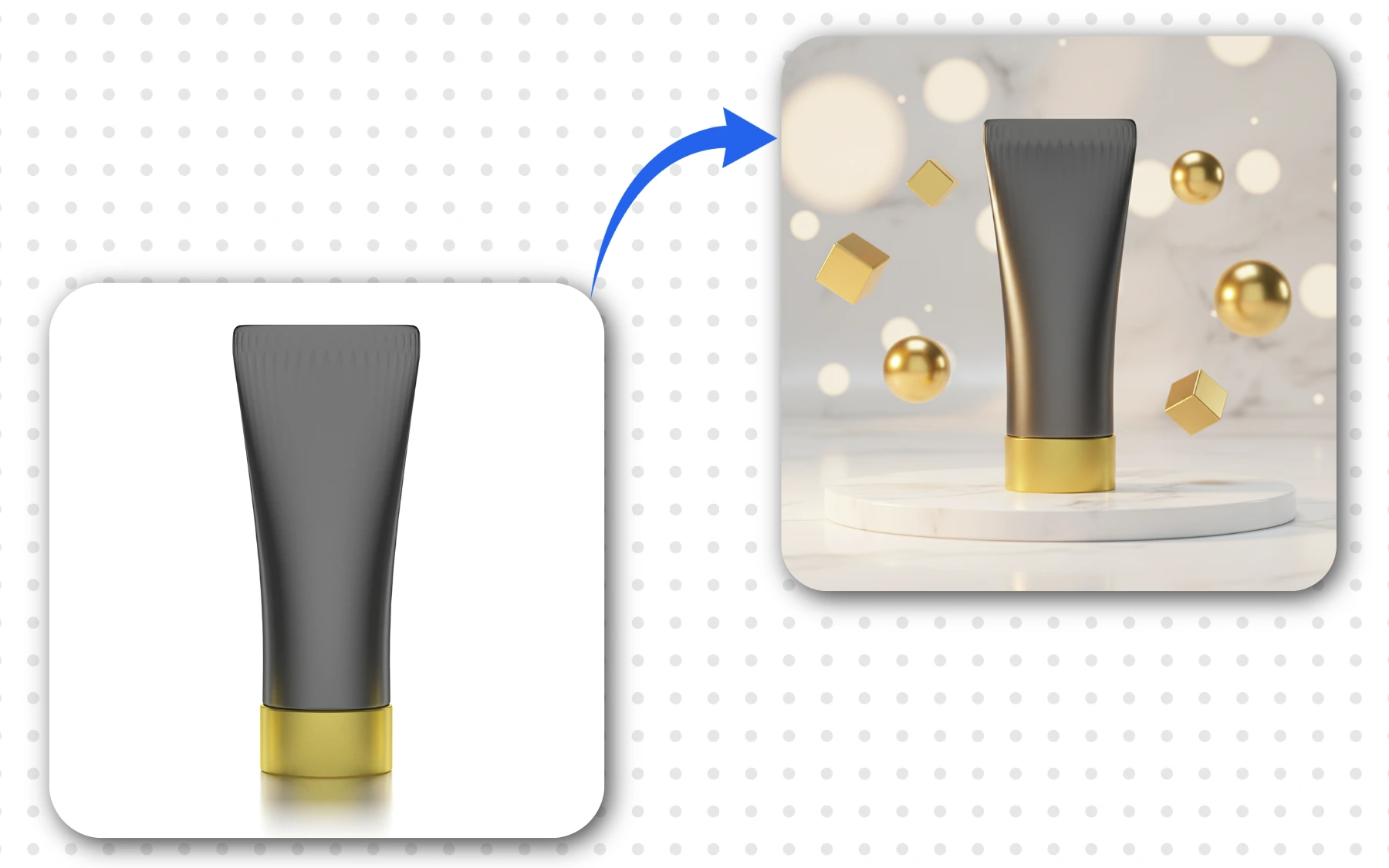
Before and after AI product photography — plain cosmetic tube transformed into luxury marble podium scene with floating gold spheres and cubes by AfterTaken

Before (plain studio shot) → After (AI-generated marble podium scene with gold accents).


Choose from 50+ Scene Templates

Not sure how to prompt an AI? No problem. AfterTaken offers a curated library of 50+ ready-made studio templates designed specifically for eCommerce product photography. Browse styles ranging from clean minimalist podiums to architectural editorials and spa-inspired sets.

  • Minimal Studio Podium — smooth neutral gradient with soft diffused lighting
  • Geometric Podiums & Stairs — clean architectural forms for fashion and footwear
  • Pool Reflections & Spa Inspired — ideal for skincare, wellness, and beauty brands
  • Architectural Editorial — luxury editorial finish for bags, accessories, and watches
  • Cylindrical Forms & Abstract Curves — versatile matte backgrounds for any product
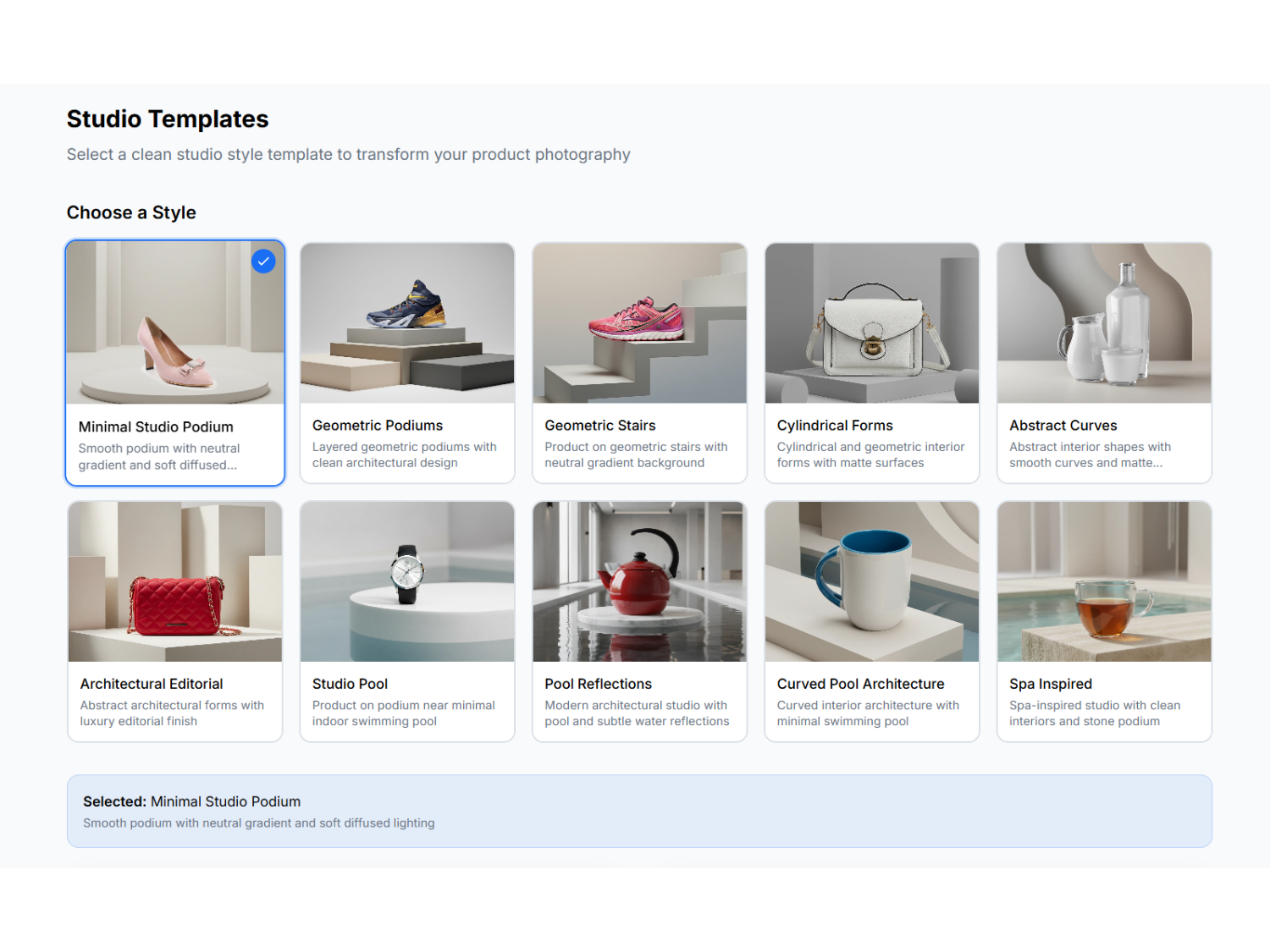
AfterTaken studio template selection grid showing 10 pre-built scene styles including minimal podium, geometric stairs, pool reflections, and spa-inspired backgrounds
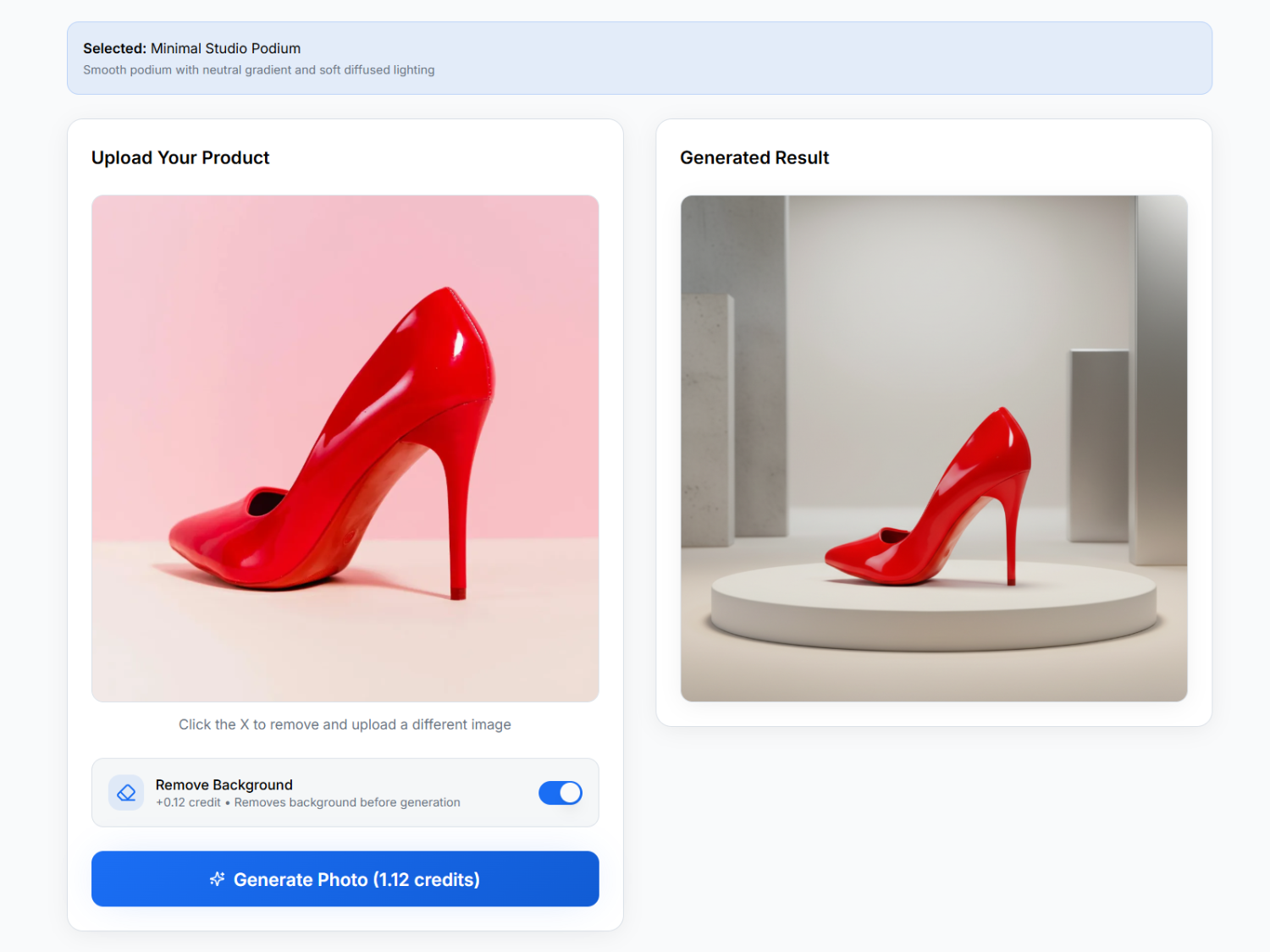
AfterTaken studio template output — red high heel shoe uploaded and AI-generated on minimal studio podium with remove background toggle enabled

Write Your Own Custom Prompt

Prefer full creative control? Use Manual Mode to describe any scene you can imagine — upload up to 3 reference images, choose your aspect ratio, and let the AI enhance your prompt automatically before generating the final image.
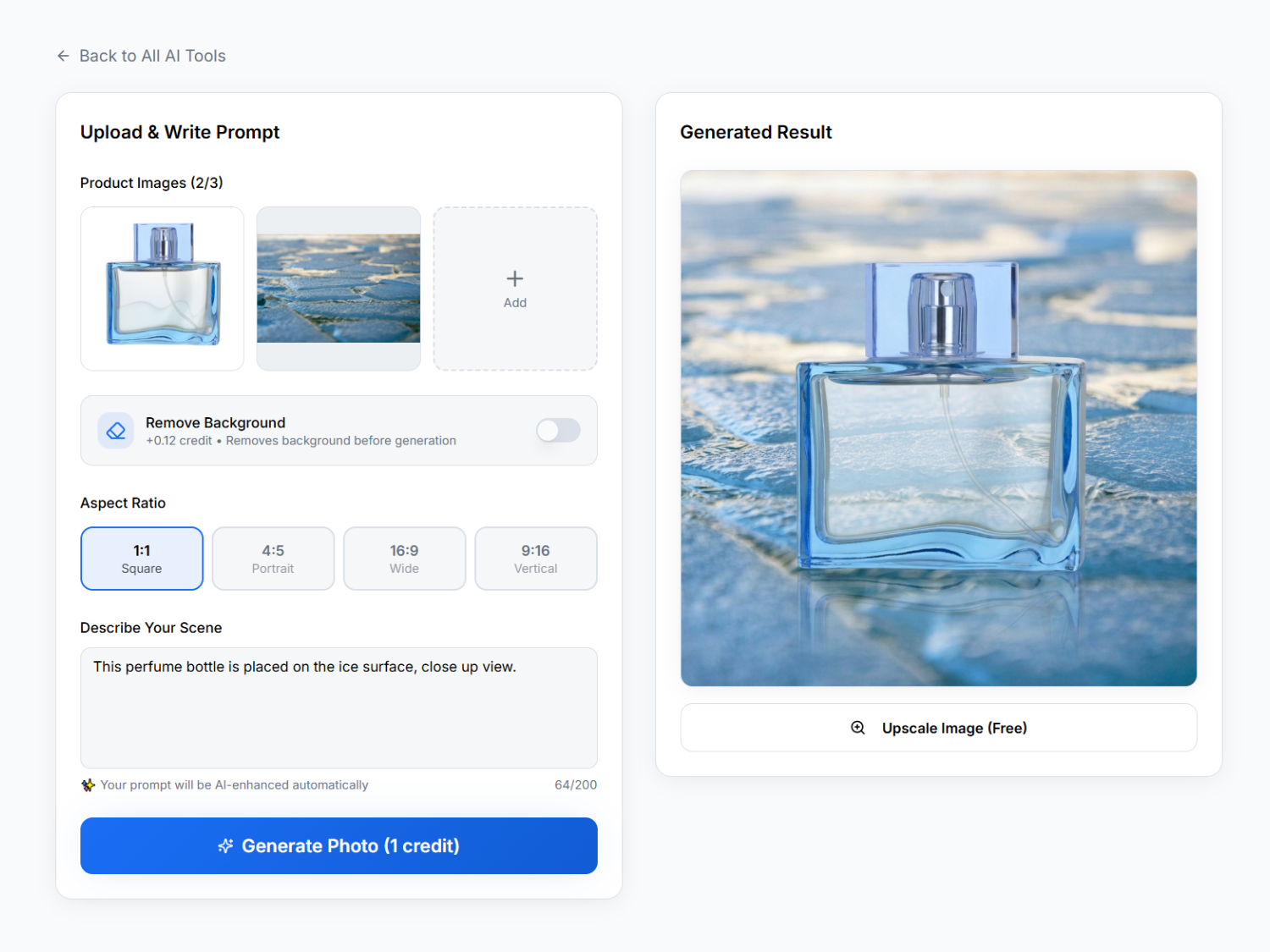
AfterTaken manual prompt mode — perfume bottle uploaded with custom ice surface scene prompt, AI-generated result showing perfume on frozen ice background

Frequently Asked Questions

What is AfterTaken and how does it work?+
AfterTaken is an AI-powered product photography tool that transforms your plain product images into professional, studio-quality photos. Simply upload your product image, choose a scene template or write a custom prompt, and the AI generates a fully styled background with realistic lighting in seconds — no studio, no photographer, no editing skills required.
What types of products work best with AfterTaken?+
AfterTaken works with virtually any physical product — skincare and cosmetics, fashion accessories, footwear, home décor, beverages, electronics, kitchenware, and more. It is used by Shopify store owners, Amazon sellers, D2C brands, and freelance product photographers across all categories.
Do I need to remove the background before uploading?+
No — AfterTaken can work directly with your original product photo. However, enabling the optional 'Remove Background' toggle (+0.12 credits) before generation often produces cleaner, more accurate compositing results, especially for products with complex edges or reflective surfaces.
What is the difference between pre-existing templates and manual mode?+
Pre-existing templates offer 50+ ready-made, curated scene styles (podiums, nature settings, luxury interiors, liquid splash effects, etc.) — ideal if you want professional results without writing any prompt. Manual mode lets you describe any custom scene in plain language, upload up to 3 reference images, and have your prompt automatically enhanced by AI before generation.
How much does AfterTaken cost?+
AfterTaken uses pay-as-you-go pricing — you only pay for what you generate, with no monthly subscription. Pricing is available in both INR and USD. Every new account starts with 5 free credits, no credit card required.
What aspect ratios are supported for generated images?+
AfterTaken supports four aspect ratios: 1:1 Square (ideal for Amazon and Instagram feed), 4:5 Portrait (Instagram posts), 16:9 Wide (banners and website hero sections), and 9:16 Vertical (Instagram Reels and Stories).
Is free image upscaling included?+
Yes. After every generation, you can upscale your image for free using the 'Upscale Image (Free)' button — giving you a high-resolution file ready for listings, ads, and print without any additional cost.

Ready to Create Stunning Product Photos?

Choose a template or write your own prompt — start generating professional product visuals in seconds.