
AI Product Bundle Generator
Upload one product image and generate a bundle — pack of 2, 3, 4 or 5 on pure white background
Upload Product Image
Upload Product Image
Drag & drop or click to browse
PNG, JPG, or WebP
Select Pack Size
Generated Bundle
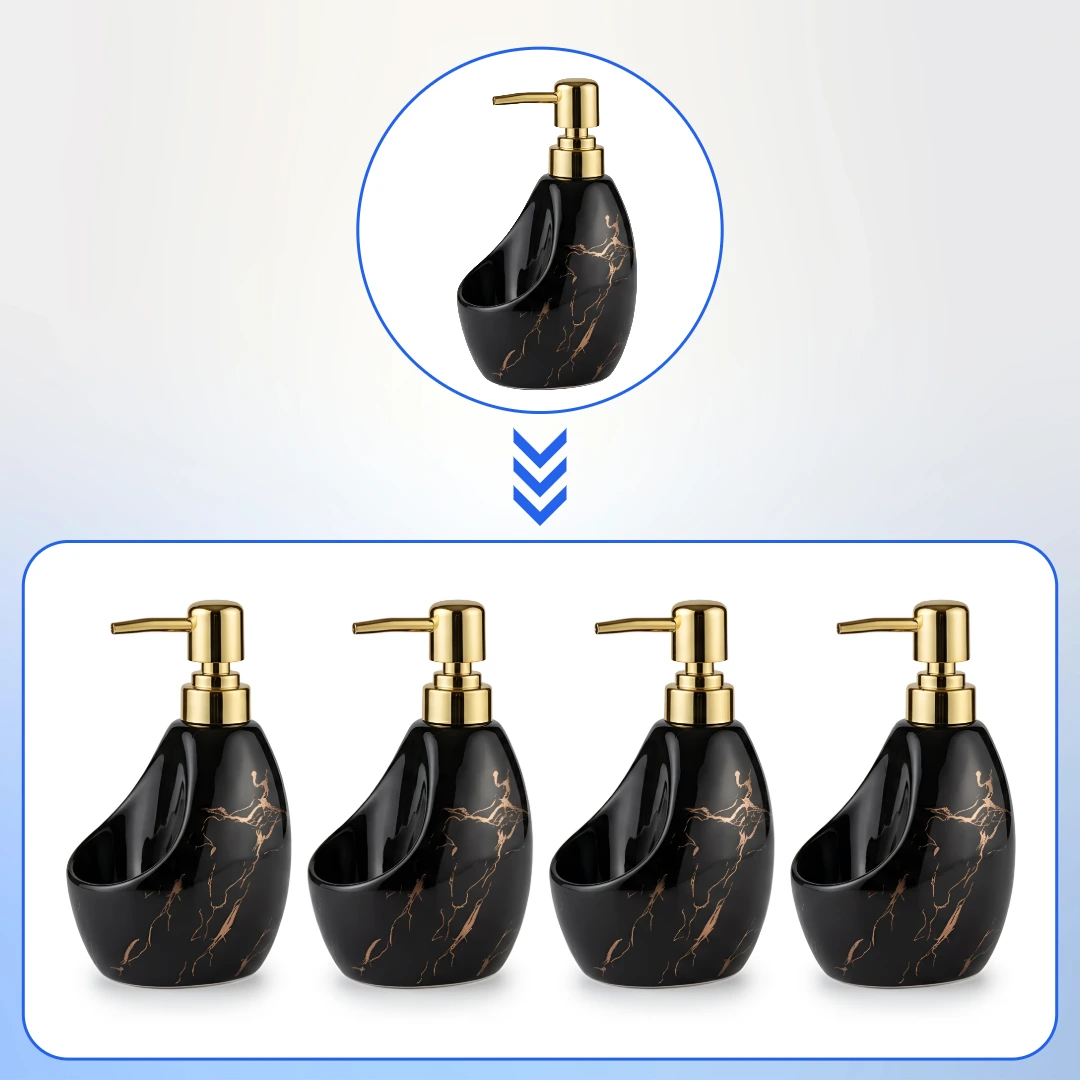
Turn One Product Photo into a Complete Bundle Image
AfterTaken's AI Product Bundle Generator creates professional pack images directly from a single product photo — no Photoshop, no manual compositing, no designer needed. Upload one image of your product, select your desired pack size (2, 3, 4, or 5 units), and the AI generates a realistic, marketplace-ready bundle image in seconds.
Bundle images are a critical requirement for listing multipacks and combo packs on Amazon, Flipkart, Meesho, and other eCommerce platforms. Traditionally, creating these required a separate product shoot with multiple physical units. AfterTaken eliminates that entirely — giving you a clean, professional bundle image from a single photo at a fraction of the cost.
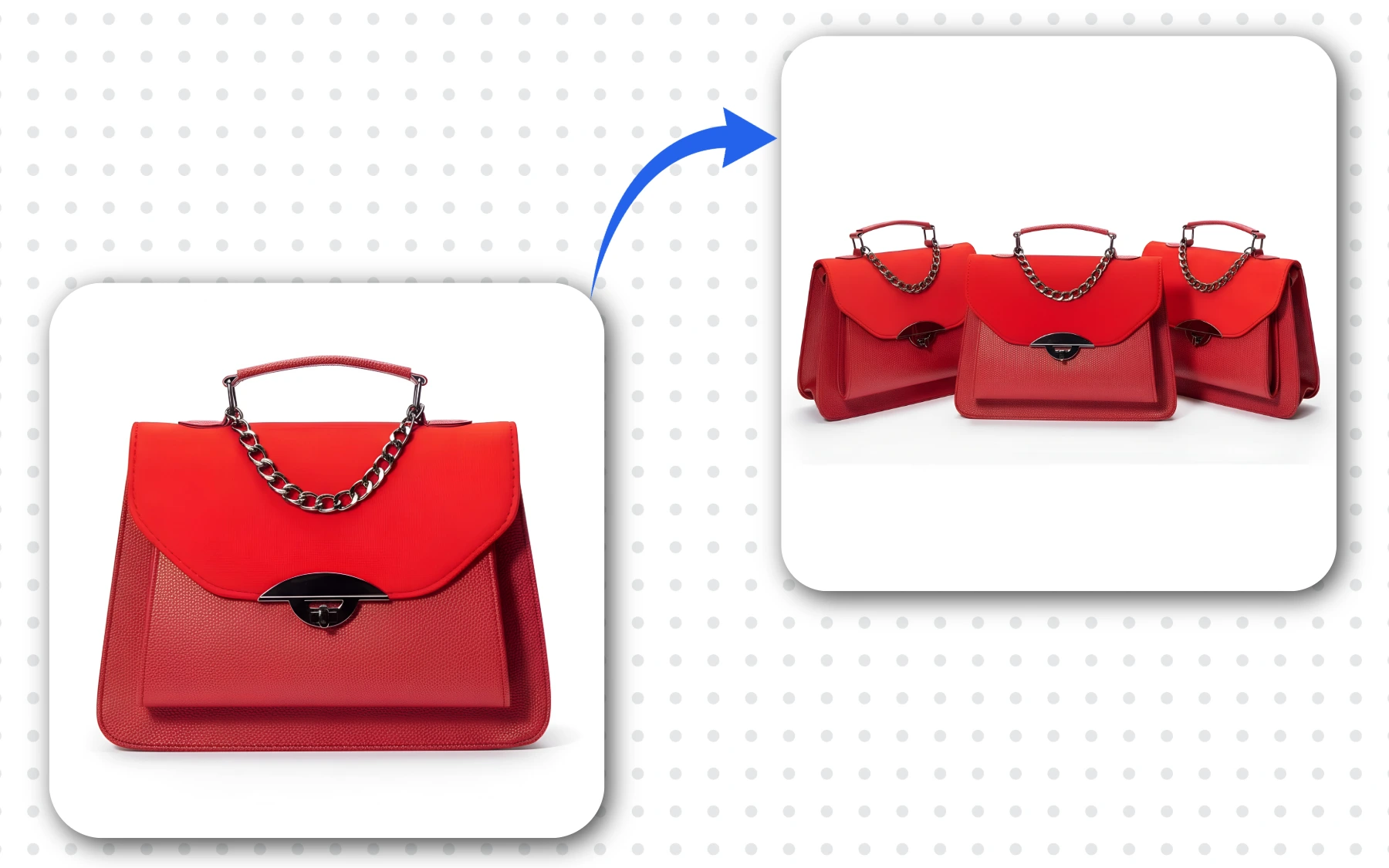
Single handbag photo (left) → AI-generated Pack of 3 bundle image (right), created by AfterTaken in seconds.
How the Bundle Image Generator Works
Generating a professional product bundle image takes three simple steps and under a minute — no design skills required.
Upload Your Product Photo
Upload a single, clear product image in JPG, PNG, or WebP format. White background or studio shots work best for the cleanest results.
Select Your Pack Size
Choose from Pack of 2, 3, 4, or 5. The AI will arrange the correct number of product units in a natural, visually balanced composition.
Generate & Download
Click Generate Bundle Image (1 credit). Your bundle image is ready in seconds. Use the free Upscale option for a high-resolution file.
Inside the Bundle Generator — What You See
The tool interface is clean and straightforward. On the left, you upload your product image and select the pack size using the clearly labelled buttons (2, 3, 4, 5). On the right, the generated bundle image appears instantly after generation. A free Upscale option is available after every generation to download a high-resolution version of the bundle.
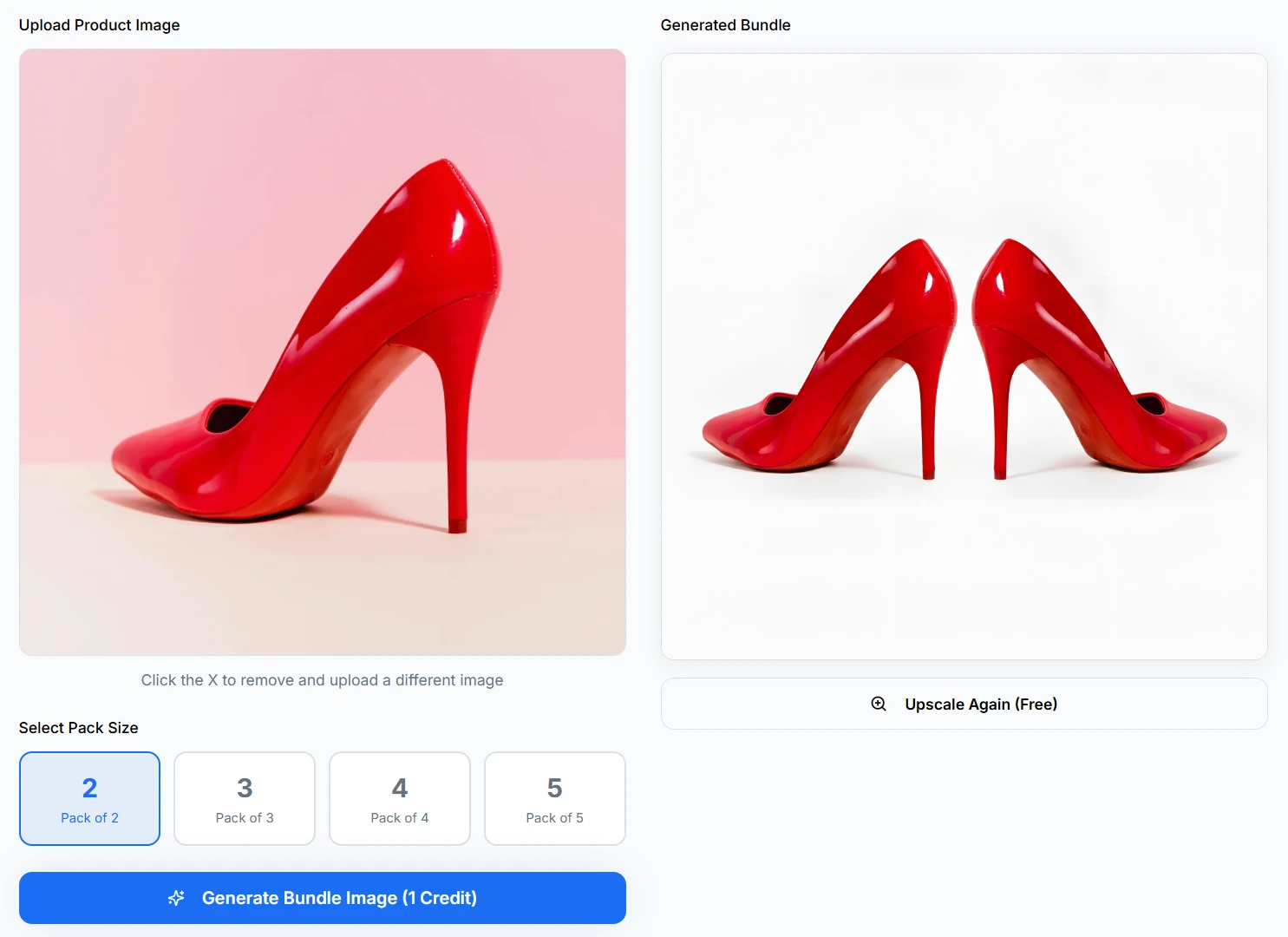
Upload a product, select pack size, and generate a marketplace-ready bundle image.
Choose from Pack of 2, 3, 4, or 5
AfterTaken supports four bundle sizes, each suited to different product types and marketplace listing formats:
Pack of 2
Ideal for pairs — shoes, gloves, earrings, socks, or any product naturally sold as a pair.
Pack of 3
Great for multipacks — bottles, containers, stationery, or value bundles for family use.
Pack of 4
Perfect for combo sets — skincare kits, candle sets, or quantity packs for bulk buyers.
Pack of 5
Best for high-volume listings — office supplies, pantry staples, wholesale bundles, or subscription boxes.
Why Marketplace Bundle Images Matter for eCommerce
On platforms like Amazon and Flipkart, bundle or multipack listings require a dedicated product image that clearly shows the quantity being sold. A listing that shows only a single unit when selling a pack of 3 can confuse customers, lead to returns, and result in negative reviews. Proper bundle images:
- • Clearly communicate the pack quantity to buyers before they purchase
- • Reduce customer confusion and return rates caused by quantity misunderstandings
- • Meet Amazon's image guidelines for multipack and bundle listings
- • Increase perceived value — a pack image often looks more premium than a solo shot
- • Improve conversion rates by showing buyers exactly what they will receive
- • Help differentiate your listing from competitors selling individual units
Who Uses AfterTaken's Bundle Generator?
Amazon & Flipkart Sellers
Create compliant bundle images for your multipack ASINs without arranging and photographing multiple physical units.
Fashion & Footwear Sellers
Generate pair images (Pack of 2) for shoes, sandals, socks, gloves, and earrings — products that naturally sell in pairs.
Skincare & Beauty Brands
Create pack images for bundle deals and kit listings — serums, moisturisers, and travel-size multipacks.
Home & Lifestyle Sellers
Show multipacks of candles, storage containers, cushion covers, or kitchen items in a single clean bundle image.
Wholesale & Bulk Sellers
Generate Pack of 4 and Pack of 5 images for high-volume listings targeting bulk buyers and business customers.
eCommerce Photographers
Offer bundle image creation as an add-on service to your clients — deliver more value without additional shoot time.
Tips for Getting the Best Bundle Image Results
The quality of your bundle image depends significantly on the product photo you upload. Follow these guidelines for the best output:
- • Use a product photo with a plain white or very light background for the cleanest bundle composition.
- • Ensure your product image is sharp and well-lit — avoid blurry or low-resolution source photos.
- • Use a front-facing or slightly angled shot for the most natural-looking multi-unit arrangement.
- • For products with fine details or text on packaging, use the highest resolution image available.
- • Use the free Upscale button after generation to get a print-quality, high-resolution file.
- • Generate the bundle image first, then use AfterTaken's Product Setup tool to place the bundle into a styled scene.
Simple, Pay-As-You-Go Pricing
Generating a bundle image costs 1 credit per generation, regardless of whether you select a Pack of 2 or a Pack of 5. AfterTaken uses a pay-as-you-go credit system — no monthly subscription required. Pricing is available in both INR and USD.
- • 1 credit per bundle image — same cost for Pack of 2 through Pack of 5.
- • Free upscaling included after every generation — download high-resolution files at no extra cost.
- • 5 free credits on signup — try the bundle generator immediately.
- • Pay-as-you-go in INR and USD — buy only what you need.
Frequently Asked Questions
What is a product bundle image and why do I need one?+
Do I need to have multiple physical units to create a bundle image?+
Which pack sizes are supported?+
How much does it cost to generate a bundle image?+
Can I use the generated bundle image on Amazon?+
What type of product photo works best for bundle generation?+
Is free upscaling included after every bundle generation?+
Ready to Create Your Product Bundle Images?
Upload one product photo and generate a professional bundle image in seconds — no Photoshop needed.