
AI Ghost Mannequin Photography Tool — Professional Invisible Mannequin Effect
Upload any clothing photo — with or without a person — and get professional invisible mannequin photography results on a pure white background, no photoshoot mannequin or Photoshop required.
Upload Product Image
Drag & drop or click to browse
PNG, JPG, or WebP
Ghost Mannequin Result Preview
Upload a clothing photo and click generate
What Is Ghost Mannequin Photography?
Ghost mannequin photography — also known as invisible mannequin photography — is a fashion photography technique used exclusively in apparel and fashion eCommerce. It gives garments a three-dimensional, 'worn' appearance as if an invisible body is wearing them, with no model or photography mannequin visible in the final image.
Traditionally, achieving this look required dressing mannequins on set, photographing the garment, then spending significant time on ghost mannequin photoshop retouching to remove the mannequin from the image — a process that could take 20–45 minutes per photo and require professional skills. AfterTaken's AI ghost mannequins tool does all of this automatically from a single flat or folded garment photo, replacing an entire ghost mannequin product photography workflow.
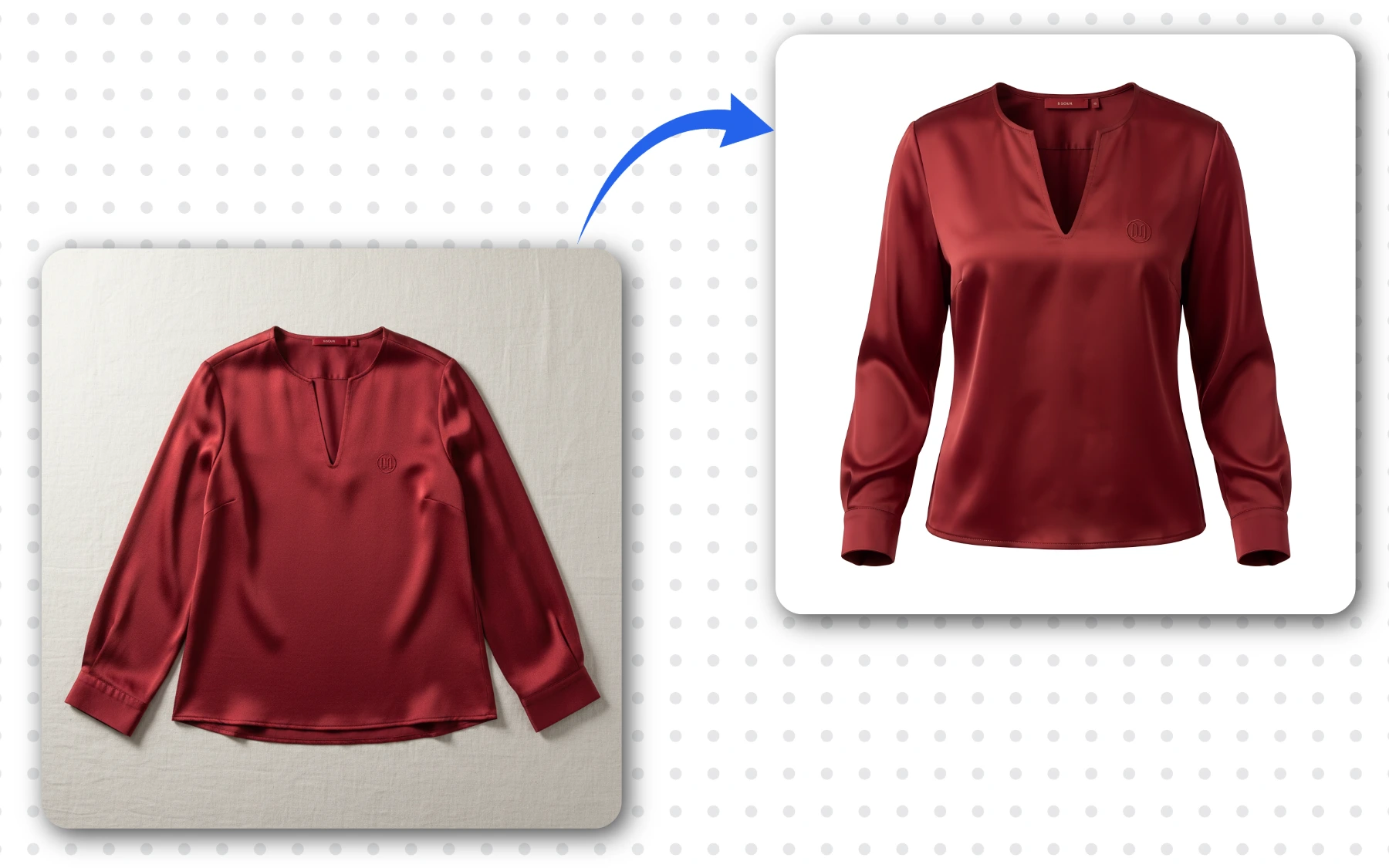
Flat lay women's satin top (left) → invisible mannequin photography result by AfterTaken (right) — no model, no studio, no ghost mannequin photoshop work.
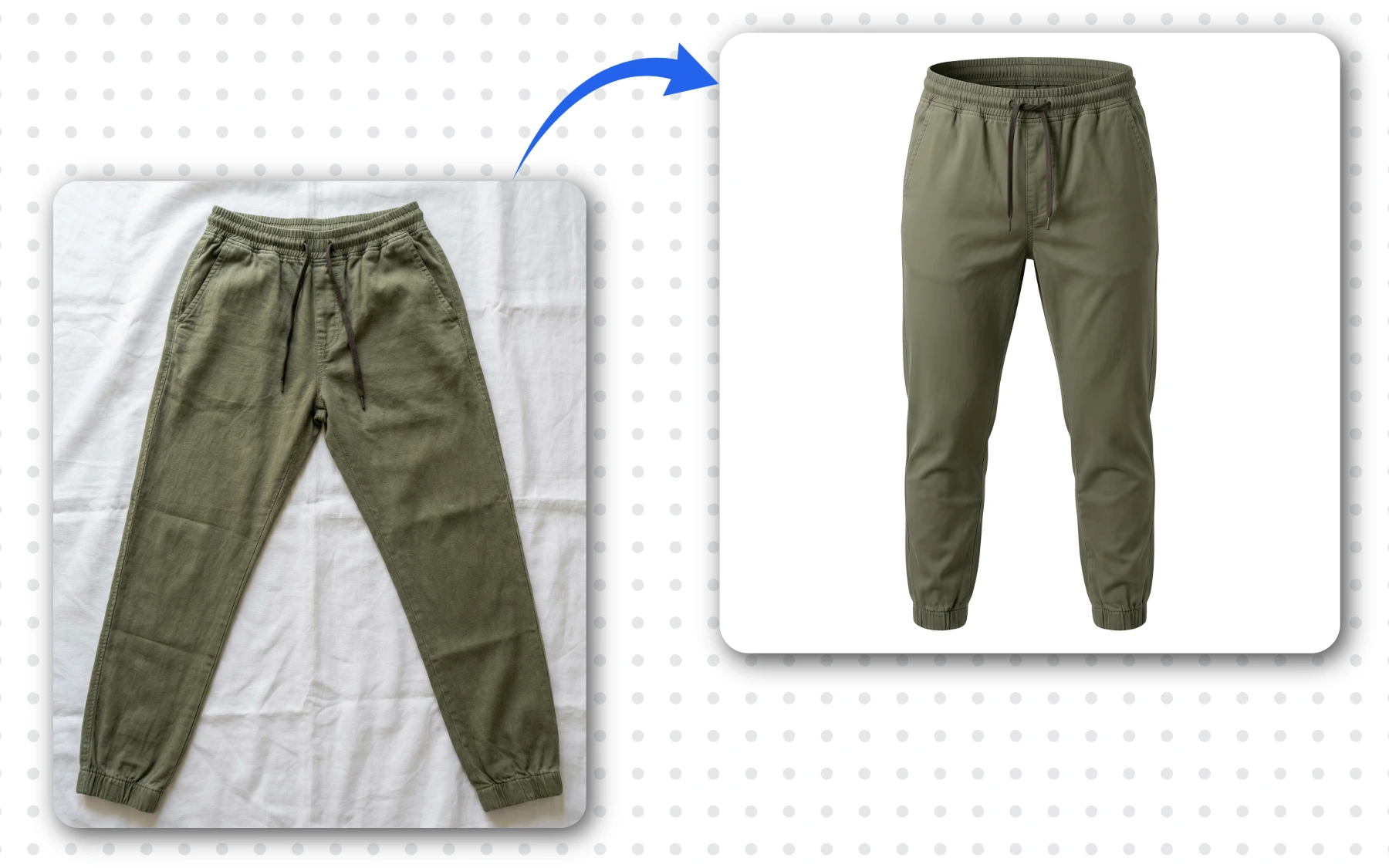
Men's olive jogger pants — flat lay (left) → invisible mannequin photography (right).
How AfterTaken's AI Ghost Mannequins Tool Works
Our AI analyzes your garment photo, understands its shape, fabric, and structure, and generates a natural 3D form beneath it — creating the illusion of an invisible mannequin wearing the clothing. The entire ghost mannequin photography process takes three steps:
Upload Your Garment Photo
Upload a flat lay, folded, or hanger photo of your clothing item in JPG, PNG, or WebP format. No photoshoot mannequin needed — the AI works best with a plain or simple background.
AI Applies Invisible Mannequin Photography
AfterTaken's AI ghost mannequins engine automatically detects the garment type, fills the shape with a natural 3D form, and places it on a clean white background — ready for marketplace listing.
Download & List
Your invisible mannequin photography image is generated in seconds. Use the free Upscale option for a high-resolution file ready for Amazon, Flipkart, Myntra, and Shopify.
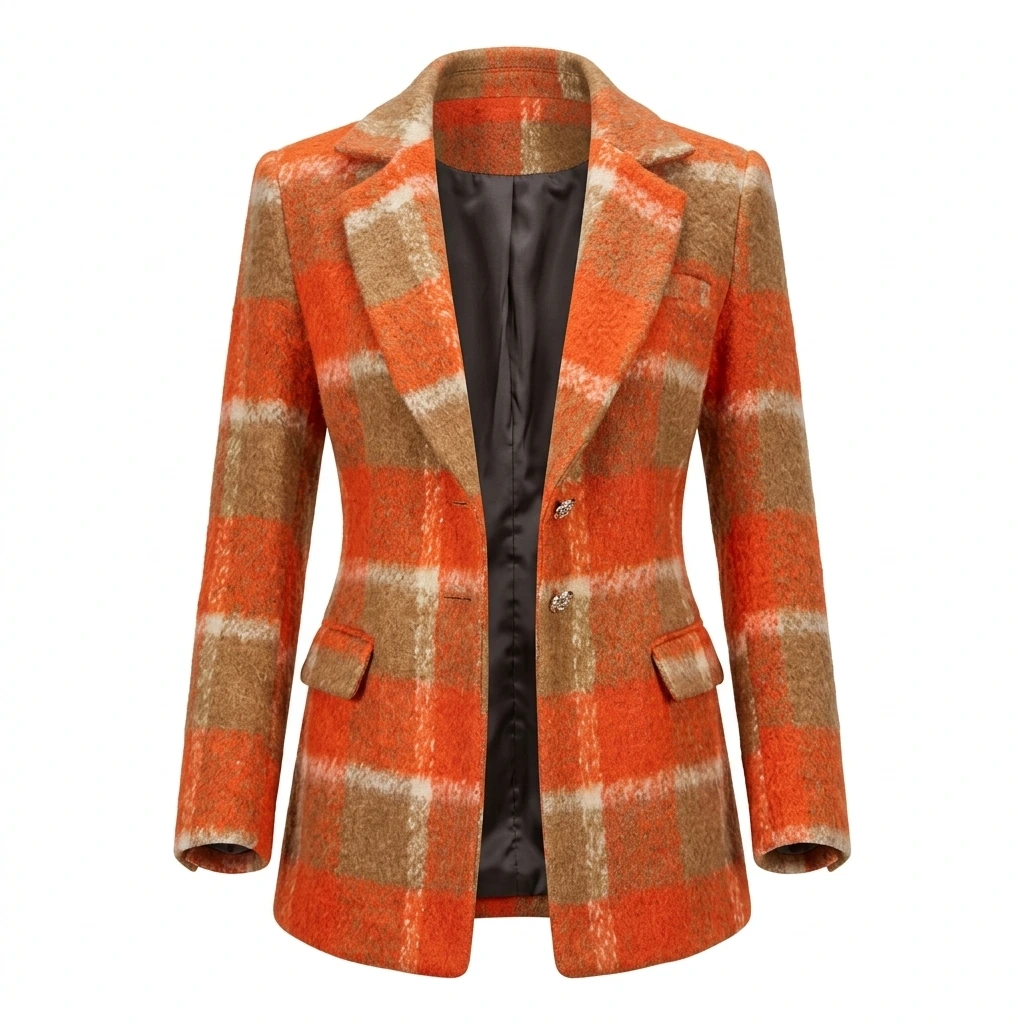
Plaid blazer rendered with invisible mannequin photography — interior collar visible.
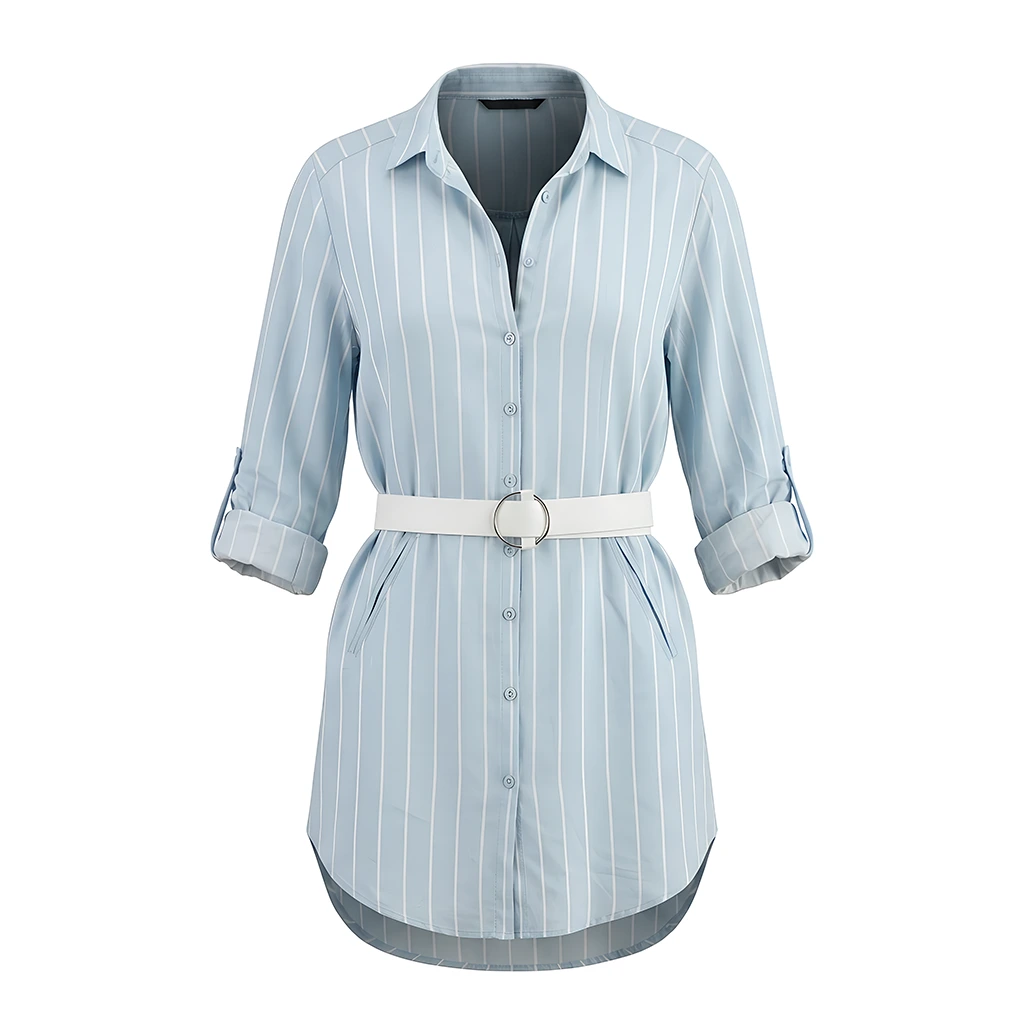
Belted striped shirt — ghost mannequin product photography ready for marketplace listings.
Ghost Mannequin Product Photography Across Garment Types
AfterTaken's invisible mannequin photography works across a wide range of garment categories — top wear, bottom wear, outerwear, suits, and more. Here are real ghost mannequin product photography examples generated by our AI ghost mannequins tool for men's and women's apparel:
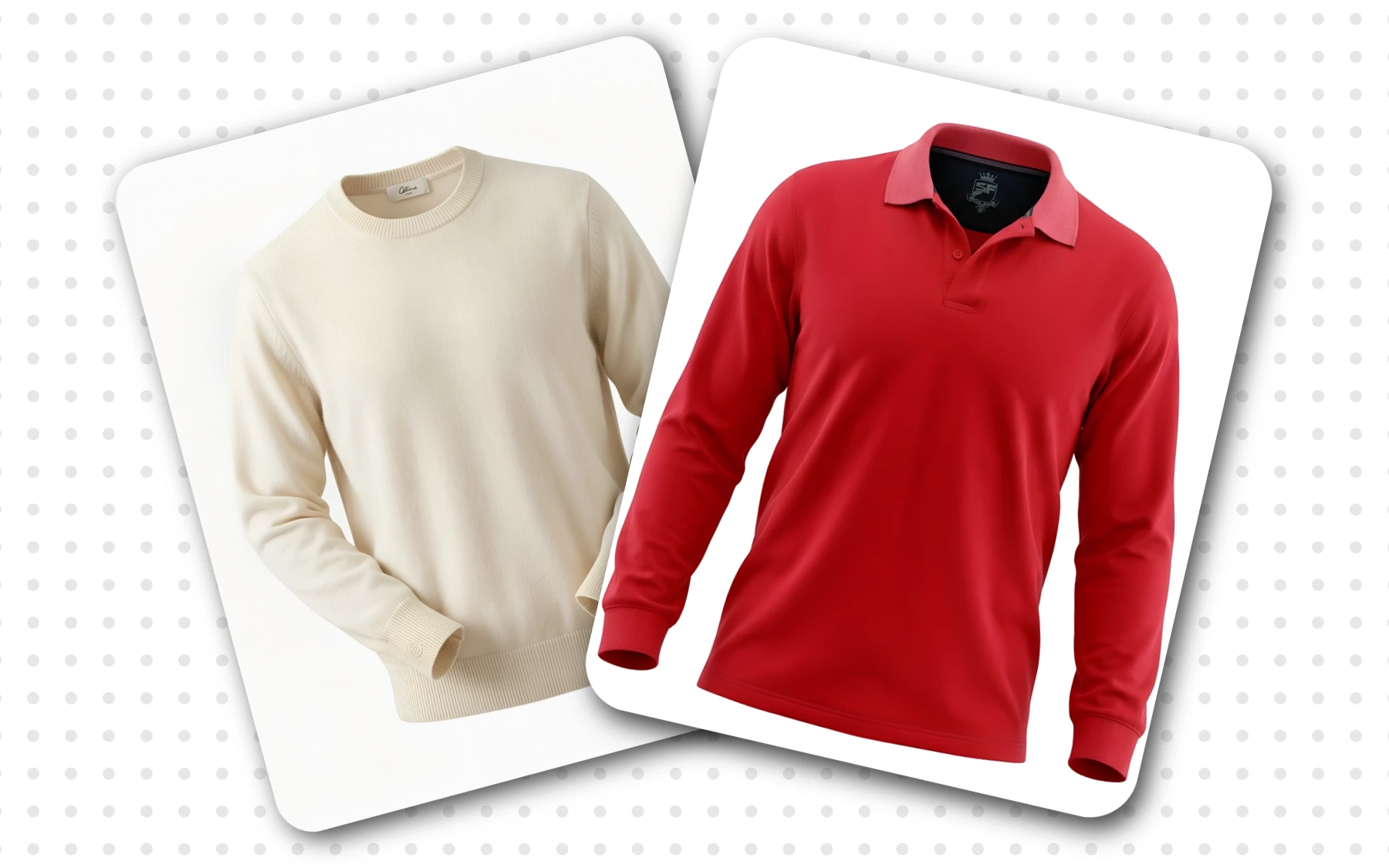
Men's knitwear and polo shirt — ghost mannequin photography applied.
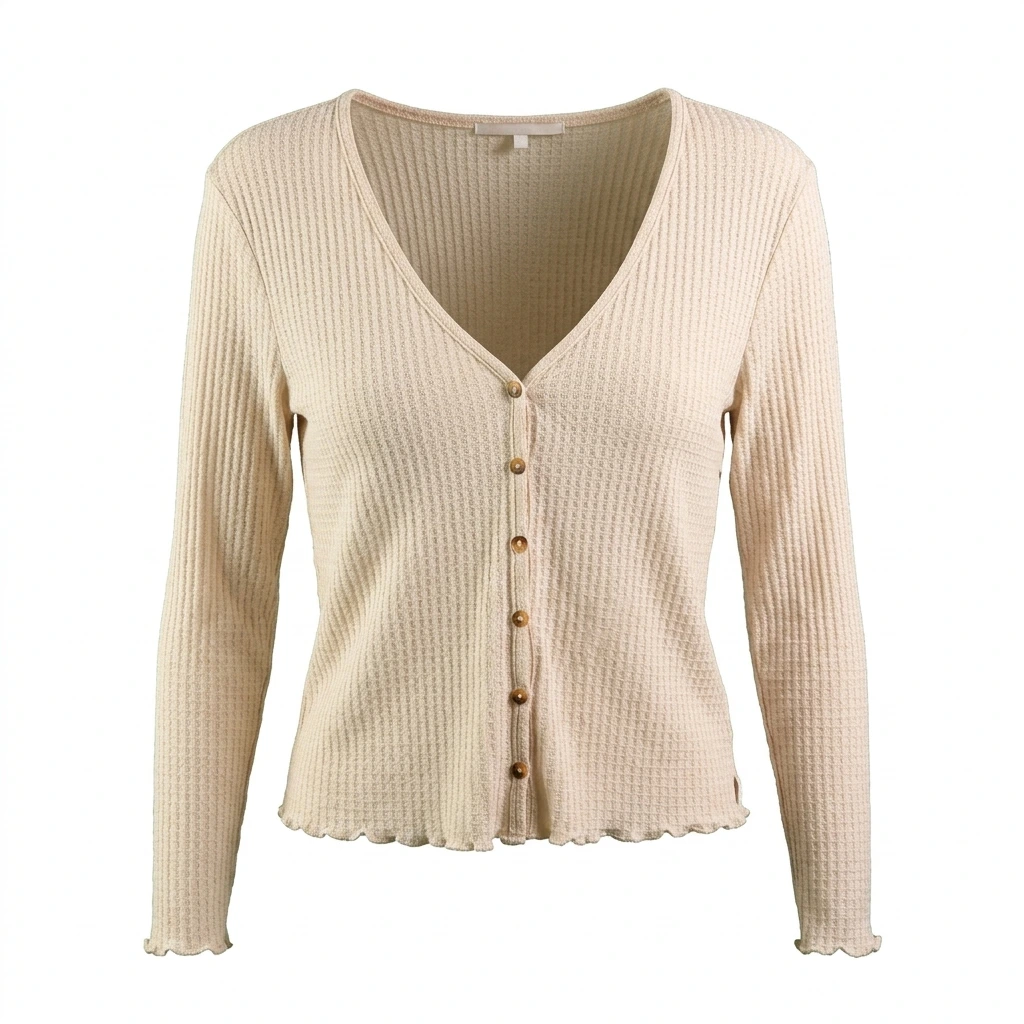
Skip the studio and dressing mannequins — generate the same look from a single flat photo.
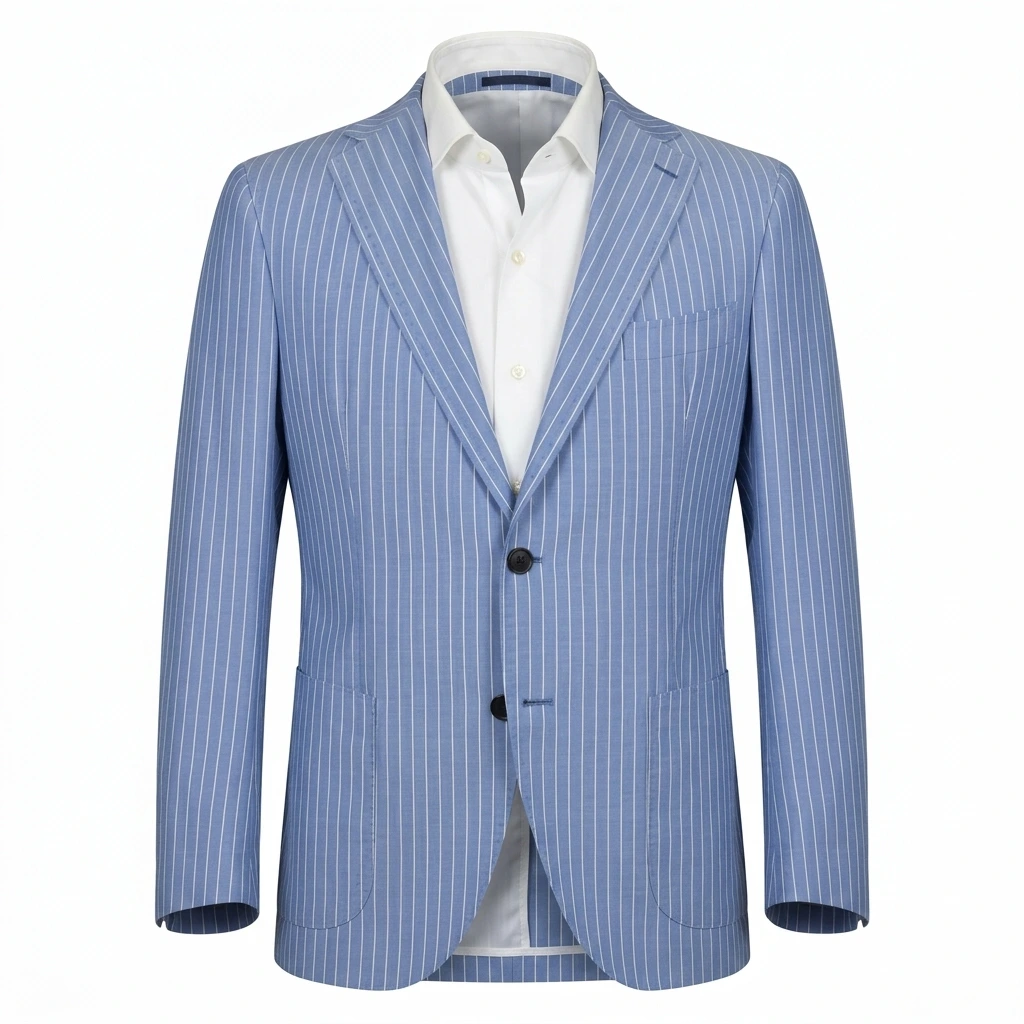
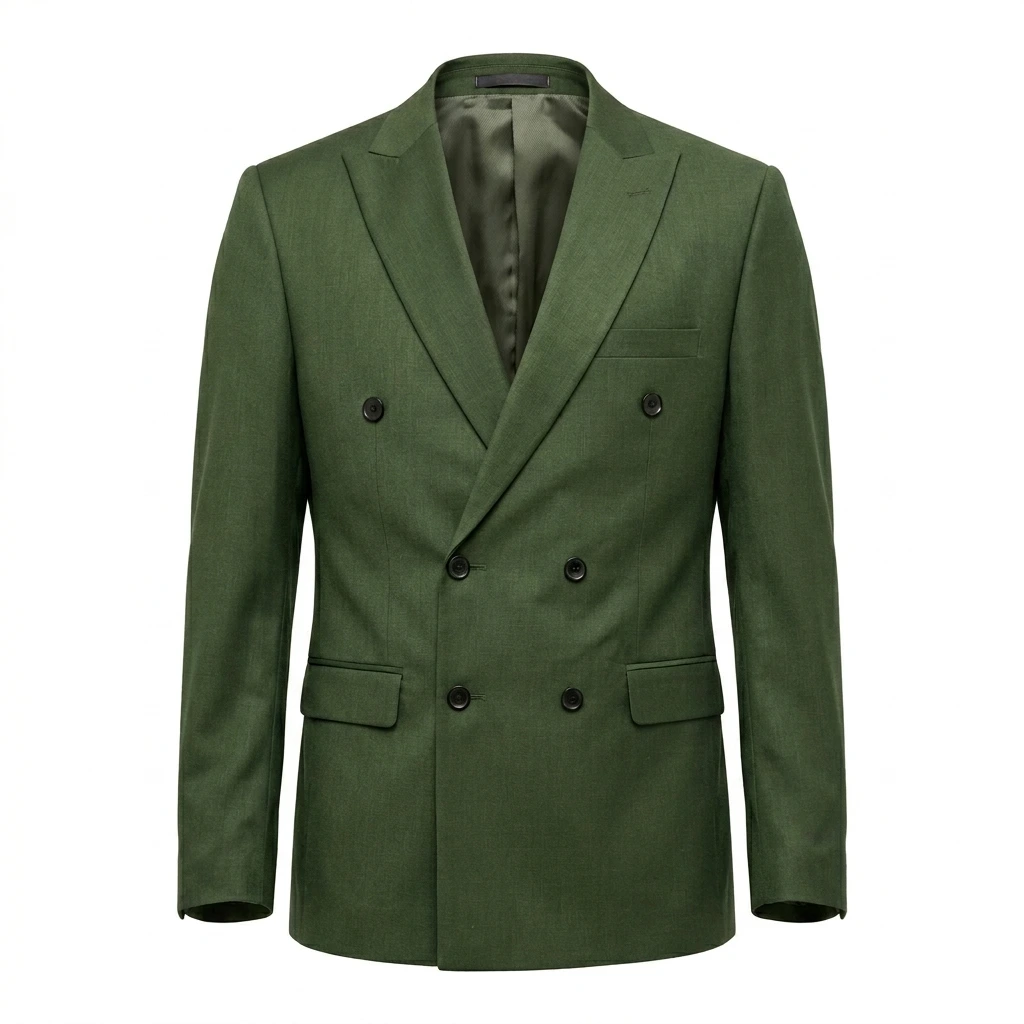
Men's pinstripe suit blazer — ghost mannequin photography with visible inner shirt.
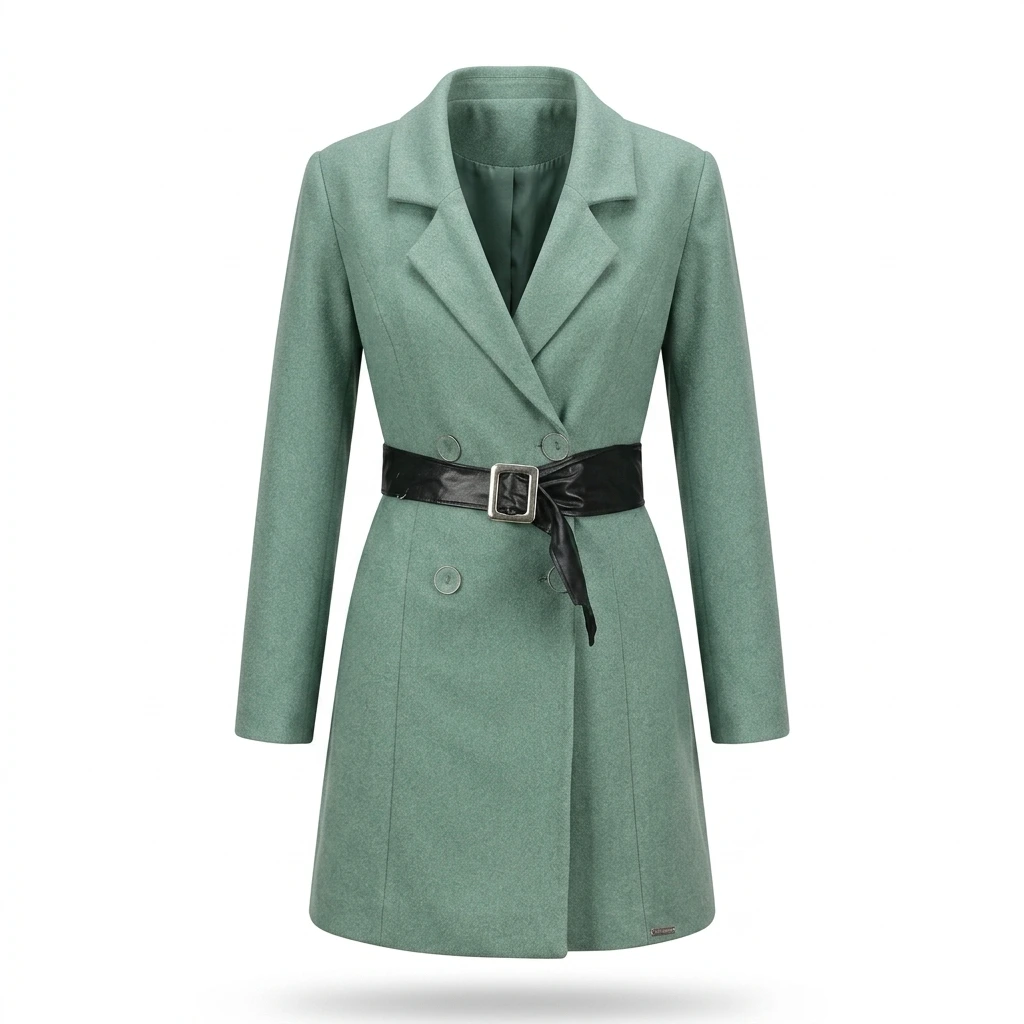
Women's belted long coat — invisible mannequin photography preserving drape and fit.
What Makes AfterTaken's AI Ghost Mannequins Stand Out
AfterTaken's AI goes beyond simple background removal — it reconstructs the natural 3D shape of the garment and produces invisible mannequin photography results that look photographed on an actual model:
Works on All Garment Types
T-shirts, shirts, polo tops, knitwear, blouses, kurtas, suits, jackets, trousers, joggers, and more — for both men's and women's fashion photography.
Seconds, Not Hours
What traditionally took 20–45 minutes of ghost mannequin photoshop retouching is completed automatically in seconds.
Natural 3D Invisible Mannequin Shape
The AI reconstructs collar, shoulder, sleeve, and body structure — giving garments a realistic, worn invisible mannequin appearance.
Clean White Background
Every ghost mannequin product photography output is placed on a marketplace-standard white background, ready to upload without further editing.
Preserves Garment Details
Labels, embroidery, prints, textures, and stitching are preserved accurately in the generated invisible mannequin photography image.
Free High-Res Upscaling
Upscale your AI ghost mannequins image for free after every generation — download a high-resolution file for listing use.
Why Ghost Mannequin Photography Is Essential for Apparel eCommerce
In fashion photography for apparel eCommerce, how a garment looks in the product image directly determines whether a buyer adds it to their cart. Flat lay photos fail to communicate fit, drape, and silhouette — the three things buyers care about most. Invisible mannequin photography solves this:
- • Show the garment's true fit, silhouette, and drape without a model or photoshoot mannequin
- • Meet the visual standards expected on marketplaces like Amazon, Flipkart, and Myntra
- • Create a consistent, professional look across your entire clothing catalog
- • Eliminate the cost of models, dressing mannequins, and studio sessions for every product
- • Replace expensive "ghost mannequin photography near me" studio quotes with on-demand AI generation
- • Give buyers the confidence to purchase by clearly showing what they will receive
Who Uses AfterTaken's AI Ghost Mannequins Tool?
Apparel Brands & Manufacturers
Convert flat lay or hanger shots into professional ghost mannequin product photography at scale — without a model, studio, or dressing mannequins.
Amazon & Flipkart Fashion Sellers
Meet marketplace image standards. Invisible mannequin photography is the industry-standard format for apparel on major platforms.
Myntra & Meesho Sellers
Create the polished, consistent catalog look that fashion marketplaces expect — without the cost of repeated photoshoot mannequin sessions for every item.
Shopify & D2C Fashion Stores
Build a cohesive product grid where every garment looks styled and professional with consistent AI ghost mannequins — improving trust and aesthetics.
Fashion Photographers & Studios
Add ghost mannequin photography as a service to your clients and skip manual ghost mannequin photoshop work. Deliver listing-ready fashion photography in a fraction of the time.
Boutiques & Ethnic Wear Sellers
List kurtas, sarees, lehengas, and ethnic wear with a professional invisible mannequin finish — without the overhead of a full fashion photography shoot.
Tips for Getting the Best Ghost Mannequin Photography Results
The quality of your input garment photo directly affects how realistic the invisible mannequin photography result looks. Follow these fashion photography best practices:
- • Use a flat lay or hanger shot — the garment should be fully spread out and not bunched or wrinkled.
- • Shoot on a plain white, light grey, or clean surface for the most accurate AI processing.
- • Ensure the entire garment is visible in frame — avoid cutting off sleeves, hem, or collar.
- • Use good, even lighting — avoid heavy shadows that flatten the garment's texture.
- • For structured garments (blazers, suits, jackets), stuff lightly with tissue to give the fabric body before shooting — no full photography mannequin required.
- • Use the highest-resolution photo you have — then apply the free Upscale after generation for a marketplace-ready file.
Simple, Pay-As-You-Go Pricing
AfterTaken's AI ghost mannequins tool uses the same simple credit-based system as all other AfterTaken tools. You pay per ghost mannequin photography generation — no monthly subscription, no minimum purchase. Pricing is available in INR and USD.
- • 1 credit per invisible mannequin photography generation
- • Free upscaling after every generation — get a high-resolution file at no extra cost
- • 5 free credits on signup — try the tool immediately, no credit card needed
- • Pay-as-you-go in INR and USD — scale up or down as your catalog needs change
Frequently Asked Questions
What is ghost mannequin photography?+
What types of garments does this AI ghost mannequins tool work with?+
Do I need a physical photography mannequin or photoshoot mannequin to get this effect?+
What kind of input photo gives the best results?+
Does the output include a white background?+
How much do AI ghost mannequins cost on AfterTaken?+
How is this different from manual ghost mannequin photoshop retouching?+
Can I use these invisible mannequin images for Amazon, Shopify, and Myntra listings?+
Ready to Create Professional Invisible Mannequin Photography?
Upload your clothing photo and get professional ghost mannequin product photography results in seconds — no photoshoot mannequin or Photoshop required.