For years, starting an online store meant spending weeks building a bloated, multi-page website on Shopify, importing hundreds of random products, and hoping customers would browse around. Today, that model is outdated. Modern e-commerce conversions belong to highly optimized, single-product sales funnels. Instead of confusing customers with choices, a funnel guides them down a easy path: landing page, order bump, checkout, and instant one-click sell conversions.
The best part? You don't need a Shopify subscription or a massive budget to launch. By combining the marketing powerhouse Systeme.io with the design and copy intelligence of AfterTaken, you can launch a premium, high-converting e-commerce sales funnel for absolute zero budget. Here is the step-by-step blueprint to do it.
2. Phase 1: Structuring Your High-Converting Funnel in Systeme.io
Systeme.io is an all-in-one marketing platform that lets you build landing pages, automate email campaigns, and handle payments. Unlike Shopify which is expensive from day one, Systeme.io offers a fully functional Free Plan that is perfect for launching your first single-product sales funnel.
To build a high-converting funnel flow, configure the following steps:
- Product Landing Page: A clean, speed-optimized page focused on a single hero product. Show benefits, high-definition images, and an irresistible offer (e.g., Buy 1 Get 1 Free).
- Order Bump on Checkout Page: A small, high-margin add-on item directly on the checkout screen (e.g., 'Add premium gift box wrapping for $3.99' or 'Add extended 2-year warranty for $4.99').
- One-Click Upsell (OTO): A post-purchase offer shown immediately after checkout. Offer them a second unit of the same product at a 50% discount.
- Thank You Page: Confirms the order, builds brand trust, and can include social share links or invite them to join a loyalty program.
3. Phase 2: Sourcing & Elevating Your Product Images Using AfterTaken
A sales funnel will not convert if your product images look like cheap, low-resolution supplier mockups. Customers buy with their eyes. If you are dropshipping or launching on a budget, you cannot afford professional studio photoshoots. This is where AfterTaken's AI suite reinvents your creatives.
How to use AfterTaken to turn supplier images into million-dollar studio assets:
A. Product Setup (Aesthetic backgrounds for products)
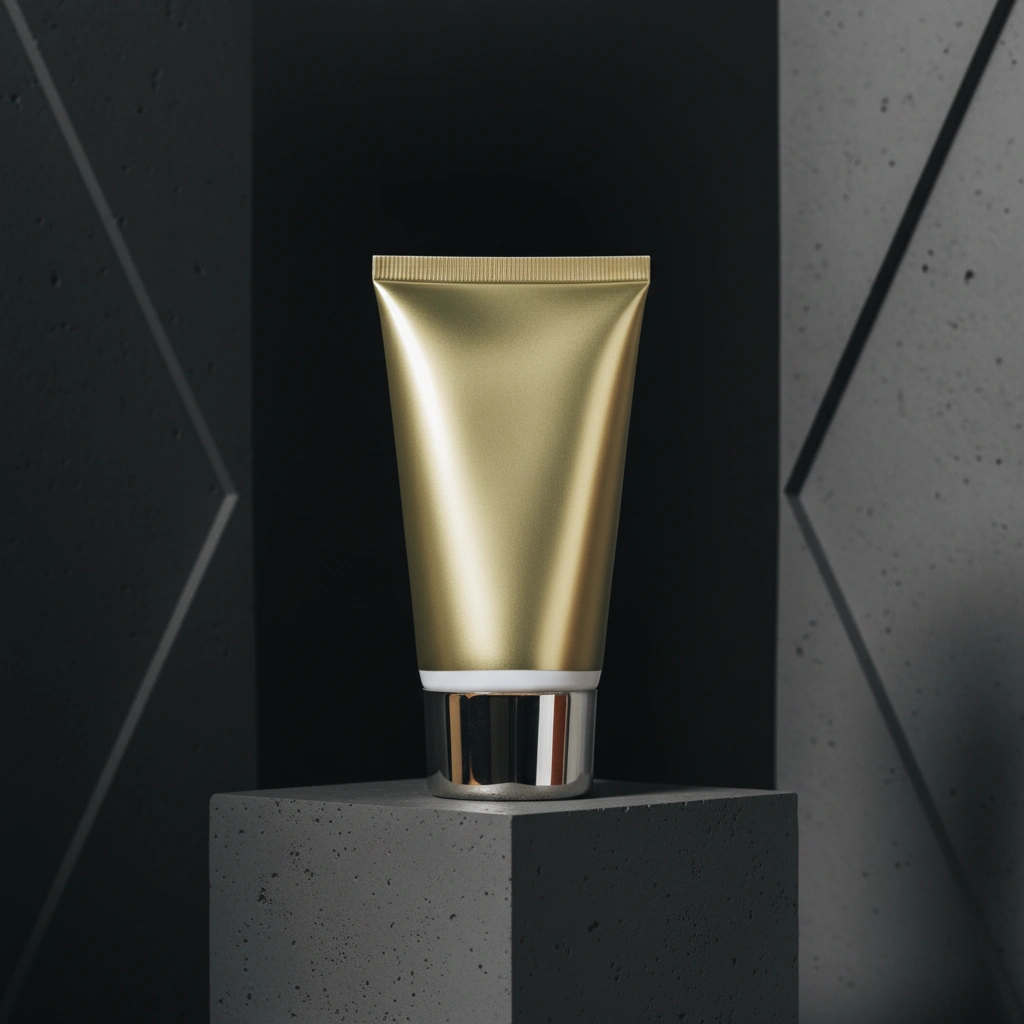
Supplier images often come with cluttered Chinese warehouses, messy bedrooms, or distracting outdoor backgrounds. Use AfterTaken’s Product Setup AI tool to give a premium and aesthetic backgrounds of your products.

Using AfterTaken's Product Setup tool, you can automatically replace the raw background with an elegant, studio-grade aesthetic setting, immediately lifting the perceived value of your product.
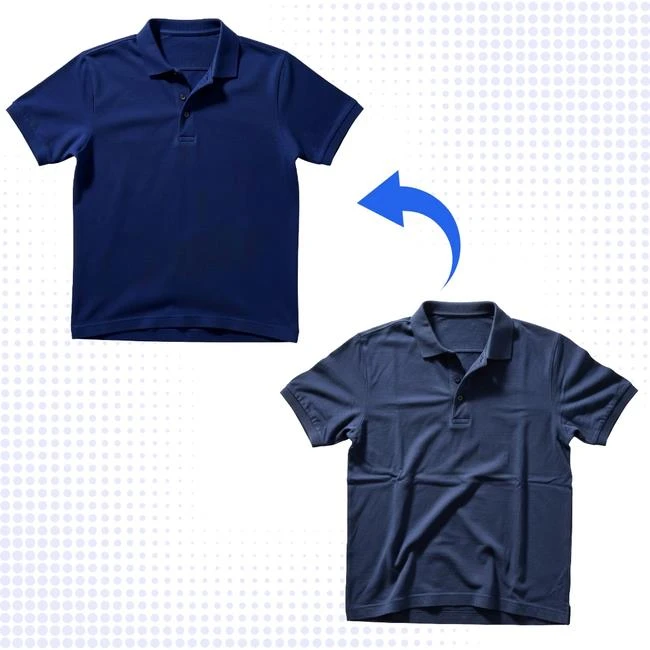
B. Clothes Wrinkle Remover (Get the freshly pressed look)
If you are selling garments or apparel, supplier photos often show crumpled, creased, and wrinkly fabrics that look unappealing. Instead of ordering samples and ironing them yourself, upload the photo to AfterTaken's Clothes Wrinkle Remover. The AI erases creases and outputs a perfectly flat, steam-ironed, premium look while preserving all original texture and prints.
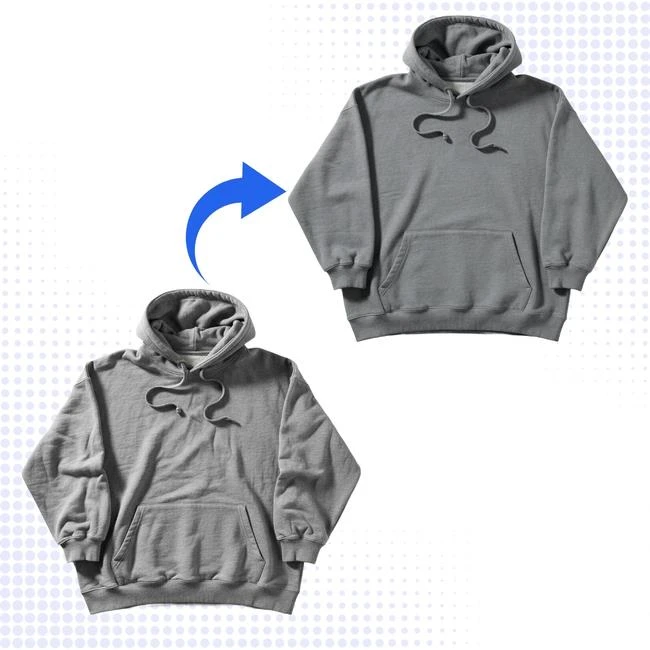
With AfterTaken's Clothes Wrinkle Remover, all creases are instantly smoothed out, giving the clothing a freshly steamed catalog look while keeping high-resolution fabric weaves perfectly intact.
C. Ghost Mannequin & Virtual Try-On (Realistic presentation)
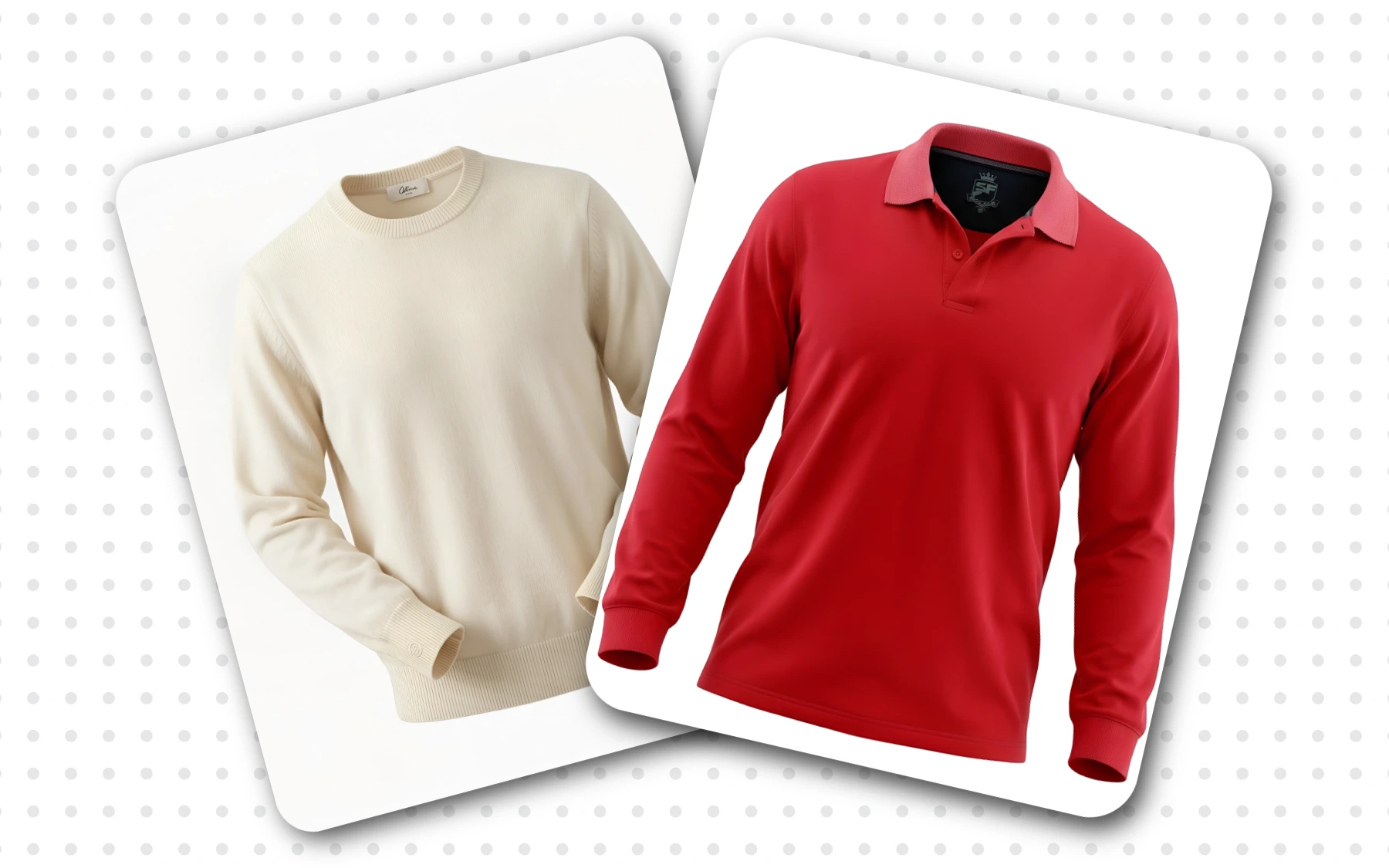
Instead of flat-lay supplier photos, use the Ghost Mannequin tool to create a 3D hollow-body look (as if an invisible model is wearing it), or use the Virtual Try-On tool to display the apparel on real-life models of different skin tones and sizes, boosting conversion rates by 85%.
4. Phase 3: Writing Persuasive E-commerce Copy with AfterTaken
Once your visuals are perfect, you need copy that sells. Most store owners write boring descriptions listing technical details. To get sales, your copy must focus entirely on customer benefits, pain points, and urgency.
Use the AfterTaken Listing Generator. Simply input your product name and a brief description, select your platform mode, and let the AI generate high-converting product headlines, benefit-driven bullet points, search engine optimized descriptions, and target tags. Drop these directly into your Systeme.io landing page editor to complete the conversion setup.
Conclusion
Launching a highly profitable single-product dropshipping funnel is no longer restricted to those with thousands of dollars to invest. With Systeme.io hosting your marketing engine, and AfterTaken polishing your visual assets and copy, you have a complete, automated, zero-budget conversion machine. Start by setting up your free account on both platforms today, upload your first supplier photo, and launch your funnel.