
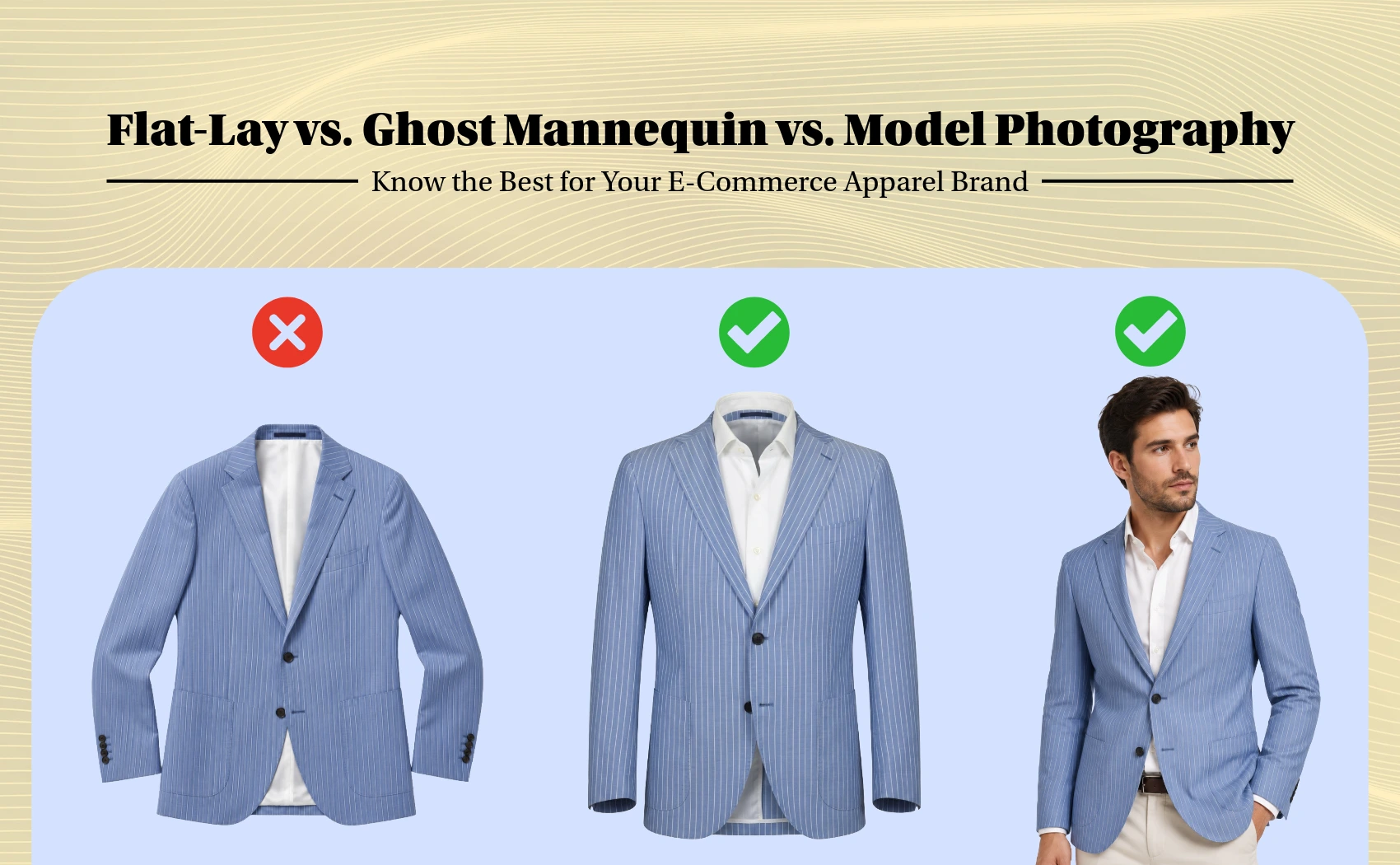
For online fashion retailers, the visual representation of clothing products is very important part for any e-commerce listing. Because buyers cannot touch and feel the product online. They can see the product virtually so, sellers needs to create best product photos for their e-commerce stores. If you are a clothing band seller then you have to shoot you clothing product photos in flat-lay, ghost mannequin and with model.
Historically, managing these shoot pipelines required balancing high costs and long production delays. In this comprehensive guide, we analyze the strengths and weaknesses of each method, help you choose the best visual strategy for your catalog, and explore how AI-driven Ghost Mannequin technology is leveling the playing field for growing brands.
1. Flat-Lay Photography: The Cost-Effective Starting Point
Flat-lay photography involves styling a garment flat on a surface (usually a white or neutral tabletop) and shooting it from directly above (bird's-eye view). It is highly popular among startups and boutique brands due to its simplicity.
- Low Production Barriers: No models, mannequins, or complex structural rigging are required. A simple overhead tripod, softboxes, and a flat surface are enough.
- Versatile Styling: Allows you to easily create lifestyle themed lay-outs by styling apparel alongside accessories like sunglasses, bags, or flowers, adding context to the product.
- Lack of 3D Dimensions: The primary limitation is that flat-lays do not show how fabric drapes or fits on a 3D human body. Pants, jackets, and dresses lose their volume and silhouette when flattened, which can lower shopper purchase confidence.
2. On-Model Photography: The Gold Standard for Aspiration & Fit
On-model photography features professional models wearing your apparel in a studio or on-location setting. It provides the highest level of customer engagement and brand positioning.
- Aspirational Branding: Models breathe life into clothes, conveying movement, lifestyle, and a specific brand identity that shoppers want to emulate.
- Accurate Fit Reference: Shoppers see how the garment hangs, sits, and drapes on a real body, making it easier to evaluate sizing and cut, which directly reduces return rates.
- High Cost & Production Latency: Model shoots are expensive. You must budget for model fees, photographers, hair/makeup artists, studio rental, and agency licensing. Furthermore, scheduling and post-production can delay your time-to-market by weeks.
3. Ghost Mannequin Photography: The Ultimate Structural Solution
Ghost Mannequin (also known as invisible mannequin or hollow man) photography showcases apparel as if an invisible person is wearing it. It combines the structural, 3D fit benefits of model shoots with the clean, distraction-free focus of flat-lay cataloging.
- Clean, Focus-Driven Presentation: By removing the mannequin and model, shoppers focus entirely on the garment's cut, stitching, design, and fabric quality without being distracted by model attributes.
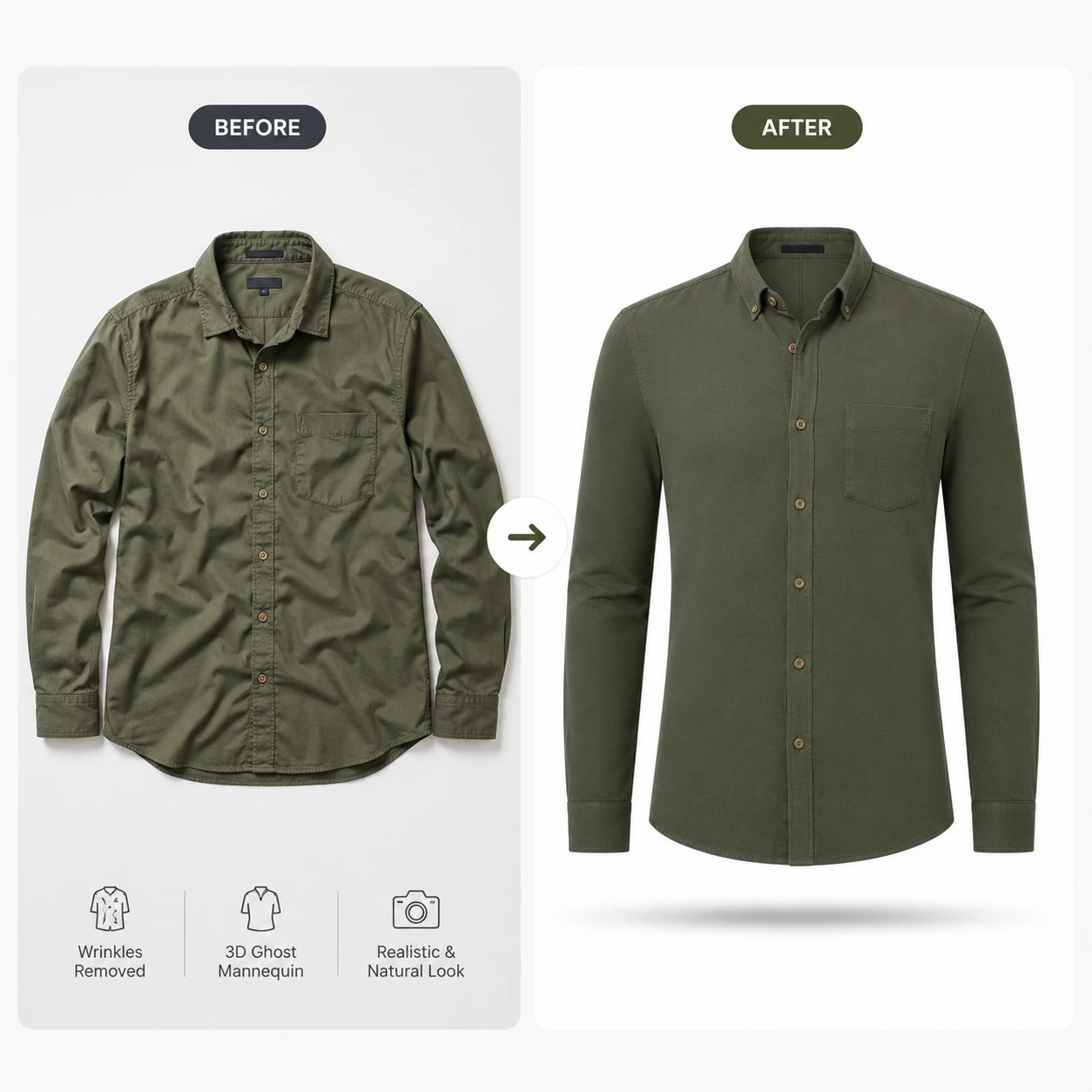
- Reveals Inner Lining Details: The ghost mannequin effect reveals the inside collar, back neck lining, inner print details, and structural stitching that flat-lays and standard mannequin shots completely hide.
- Consistent Catalog Alignment: Ensures a uniform look across your entire website. Shirts, hoodies, and jackets hang with the exact same volumetric shape, giving your e-commerce storefront a highly professional, cohesive aesthetic.
4. Head-to-Head Comparison Matrix
To help you evaluate the best option for your brand, here is a detailed breakdown comparing the three photography methods across key operational metrics:
- Average Cost: Flat-Lay is Very Low ($). On-Model is Extremely High ($$$$). Ghost Mannequin is Medium ($$ - traditionally) or Low with AI.
- Time to Market: Flat-Lay is Fast (1-2 days). On-Model is Slow (2-3 weeks). Ghost Mannequin is Fast (within few seconds with AI tools).
- Customer Fit Trust: Flat-Lay is Low (looks flat). On-Model is Excellent (real human fit). Ghost Mannequin is Very High (shows 3D volume & inner neck).
- Best Used For: Flat-Lay (basic t-shirts, accessories, social media lookbooks). On-Model (homepage banners, ads, lifestyle campaigns). Ghost Mannequin (product catalog listings, detail-rich product pages).
5. How AfterTaken's AI Ghost Mannequin Removes the Traditional Bottleneck
Traditionally, creating a ghost mannequin image was a highly labor-intensive process. A photographer had to shoot the garment on a physical mannequin, then take a second shot of the inside-out neck collar, and a graphic designer had to manually mask, warp, and stitch the two images together in Photoshop. This process took 15 to 20 minutes per photo, making it difficult to scale.
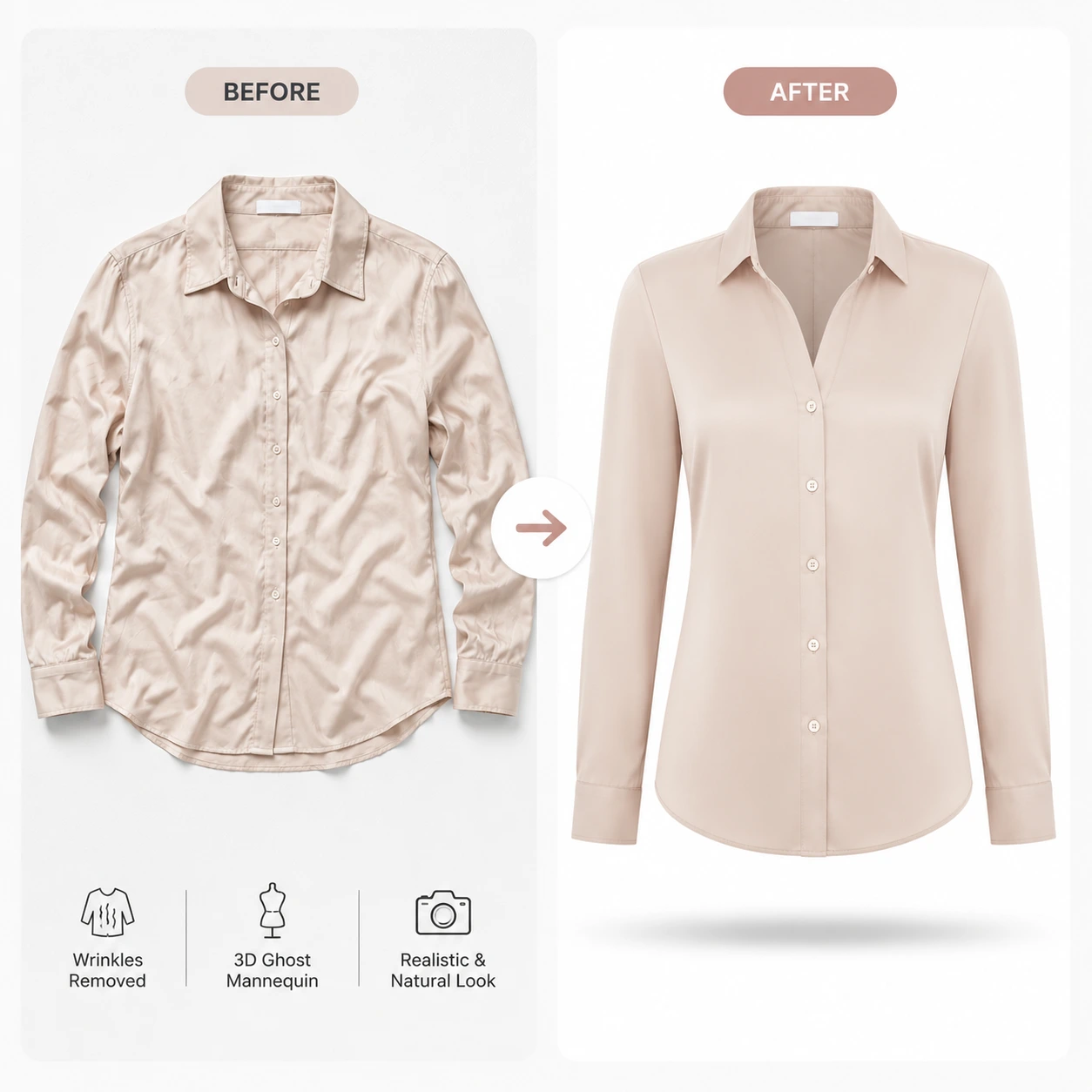
AfterTaken's AI Ghost Mannequin tool completely eliminates this bottleneck. By uploading a single photo of your garment (on a basic hanger or standard mannequin), the AI automatically removes the support rigs, reconstructs the inner collar lining, aligns the 3D drape, and delivers a perfect, studio-quality hollow-body image on a pure white background within few seconds. This allows fashion brands to scale their visual catalog production at a fraction of the cost.
Conclusion
Choosing the right apparel photography method depends on your budget, catalog size, and brand positioning. Flat-lays are great for quick, budget-friendly setups, while on-model shoots provide high-end aspirational value. However, for a professional e-commerce product catalog that builds trust and highlights fabric details, Ghost Mannequin is the ultimate choice.
Ready to scale your clothing store? Use AfterTaken's AI Ghost Mannequin tool to instantly generate beautiful, consistent, and high-converting 3D product images from single photos.