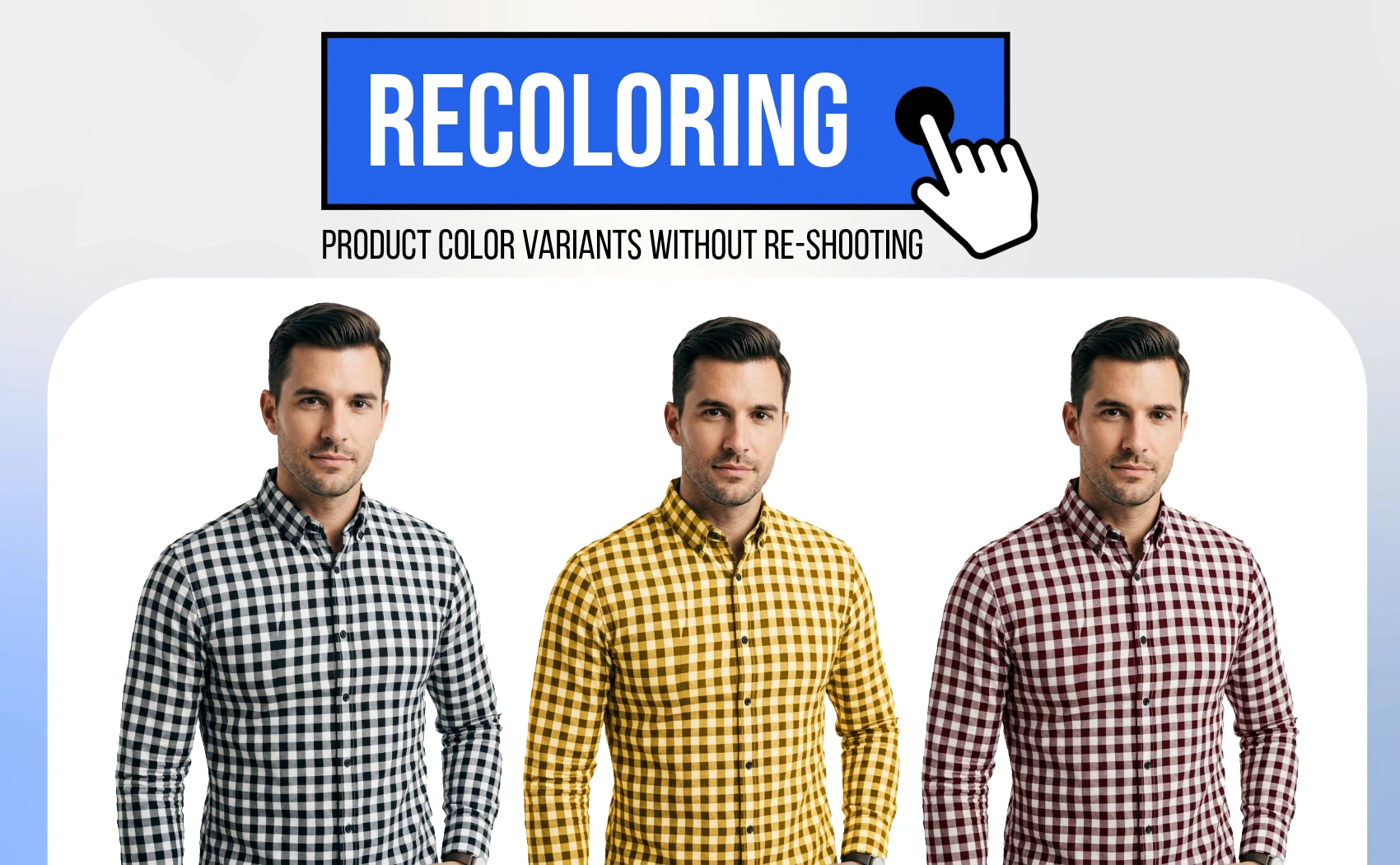
If you are an e-commerce seller and you sell clothing products or any other products which you need some different color variations (Recoloring) without re-shooting the same product then, you should have to follow a smart strategy without wasting your time, money and efforts.
We will discuss about an AI tool that helps you to generate more accurate color variation of the same product without any re-shooting.
1. The High Cost and Friction of Traditional Variant Shoots
In traditional e-commerce setups, if a product comes in 5 colors, the seller has to send all 5 items to a photography studio. This means paying for multiple model hours, setup fees, shooting time, and manual editing.
Even worse, getting consistency across shoots is extremely hard. If you launch a new color months later, matching the exact lighting, camera angle, and model pose is almost impossible, leading to a mismatched and unprofessional-looking product grid.
2. How AI Product Color Changing Works
Instead of taking new photos, modern e-commerce brands use AI color swapping. You photograph your product once in a single color (the 'hero' shot). Then, you feed the image into an AI-powered recoloring tool.
How the AI preserves realism:
- Fabric Textures: The AI identifies the fabric fibers, leather grains, or plastic textures and keeps them exactly the same, changing only the color.
- Shadows and Highlights: Natural shadows, folds, creases, and highlights are kept in place, making the recolored product look like it was photographed in that color.
- Precise Color Matching: You can input exact Hex codes (e.g., #FF5733) or descriptive prompts (like 'pastel peach with matte finish') to ensure the digital image matches your physical inventory.
3. Step-by-Step: How to Recolor Your Products with AfterTaken
Using AfterTaken's Product Color Changer is incredibly simple and takes under 30 seconds. Here is the process:
- 1. Upload the Hero Image: Upload a clean, high-resolution photo of your product in any base color.
- 2. Define the Target Surface: The AI automatically detects the product, or you can specify which part to recolor (e.g., 'change the shirt body' or 'recolor the bag straps').
- 3. Input Your Target Color: Choose from a gallery of common color presets or enter a custom Hex code to match your real dye swatches.
- 4. Generate and Download: Click generate, and download your marketplace-ready, high-resolution color variant photo.
4. Key Benefits of Using AI for Product Variants
Transitioning to AI-driven color variants provides significant advantages for growing brands:
- Save 80%+ on Photography Budgets: No need to pay for model rates or studio time for multiple colors. Shoot once, recolor infinitely.
- Perfect Grid Consistency: Since all variants use the exact same base photo, your product listings will feature matching poses, angles, and lighting, giving your store a premium feel.
- Test Markets Instantly: Before even manufacturing a new color variant, you can generate its image, upload it to your store, and test customer demand (pre-orders) with zero upfront cost.
- Faster Time-to-Market: List your entire product catalog variants online in minutes instead of waiting weeks for photo edits.
Conclusion
Expanding your product range with color variants shouldn't cost a fortune or delay your store launch. By utilizing AI tools like the Product Color Changer on AfterTaken, you can scale your catalog, maintain perfect visual consistency, and focus your budget on marketing and growth.
Take your e-commerce store to the next level today—upload your first product photo, recolor it in seconds, and start listing.